I am a long-time eM Client user on iPhone. Notifications have worked fine for me until recently when I migrated to a new (actually used; new to me) iPhone. No matter what I do (disabled/reenabled; uninstalled/reinstalled) I cannot get eM Client push notifications to work on the migrated-to iPhone. They still work on the migrated-from iPhone.
One thing to note is that the new phone is using iOS 26.x while the old one is still on iOS 18.x. Is there a problem with eM Client push notifications on iOS 26.x ?
There is no iOS eM Client notification issues for me personally using V10.4.4769 and iOS 26.3 on my iPhone and iPad.
No matter what I do (disabled/reenabled; uninstalled/reinstalled) I cannot get eM Client push notifications to work on the migrated-to iPhone. They still work on the migrated-from iPhone.
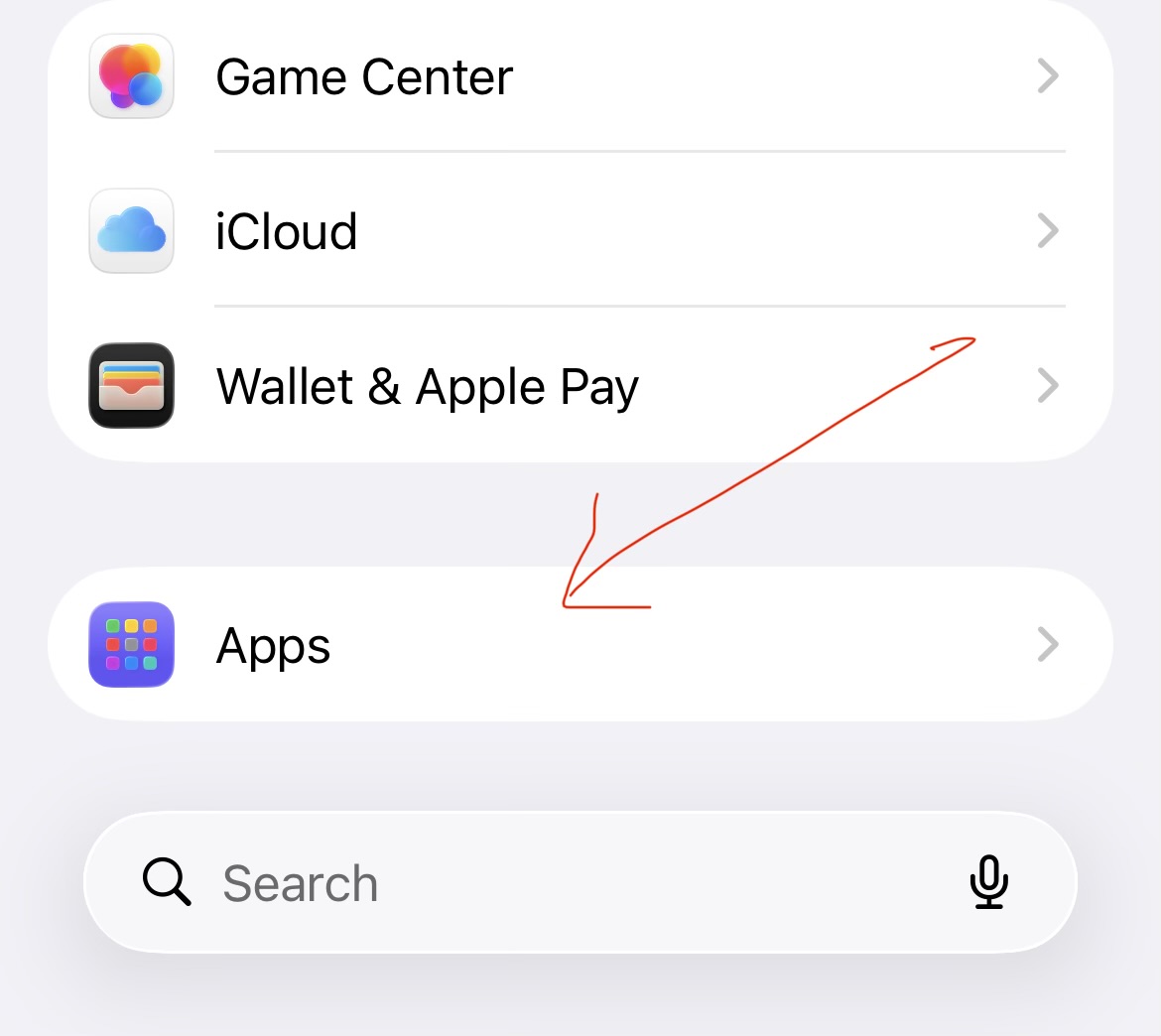
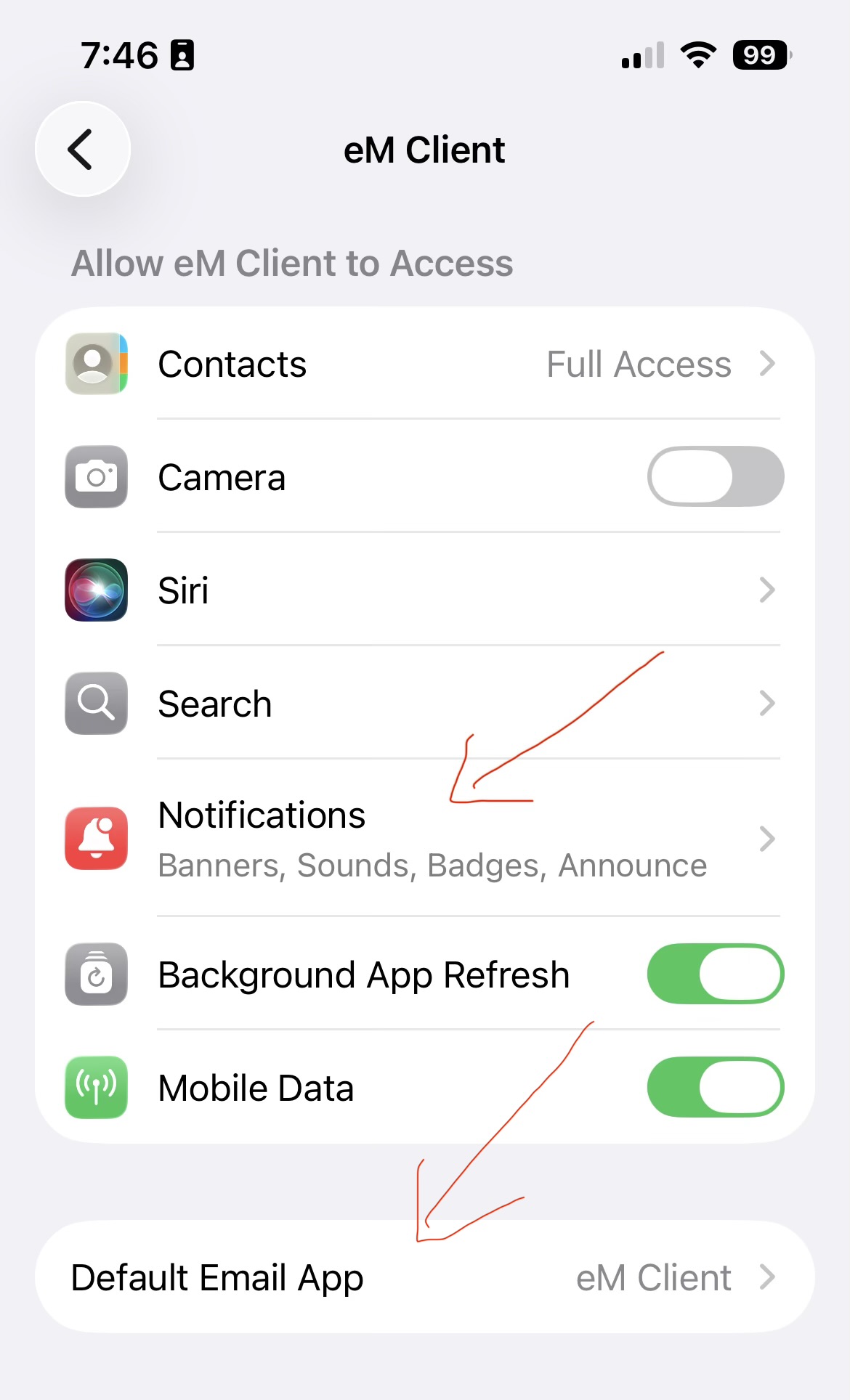
Apart from enabling the push notifications in eM Client app you also need to go to your iOS 26.3 “Settings / Apps / eM Client” and first “Set eM Client as default” at the bottom as per screenshot below.
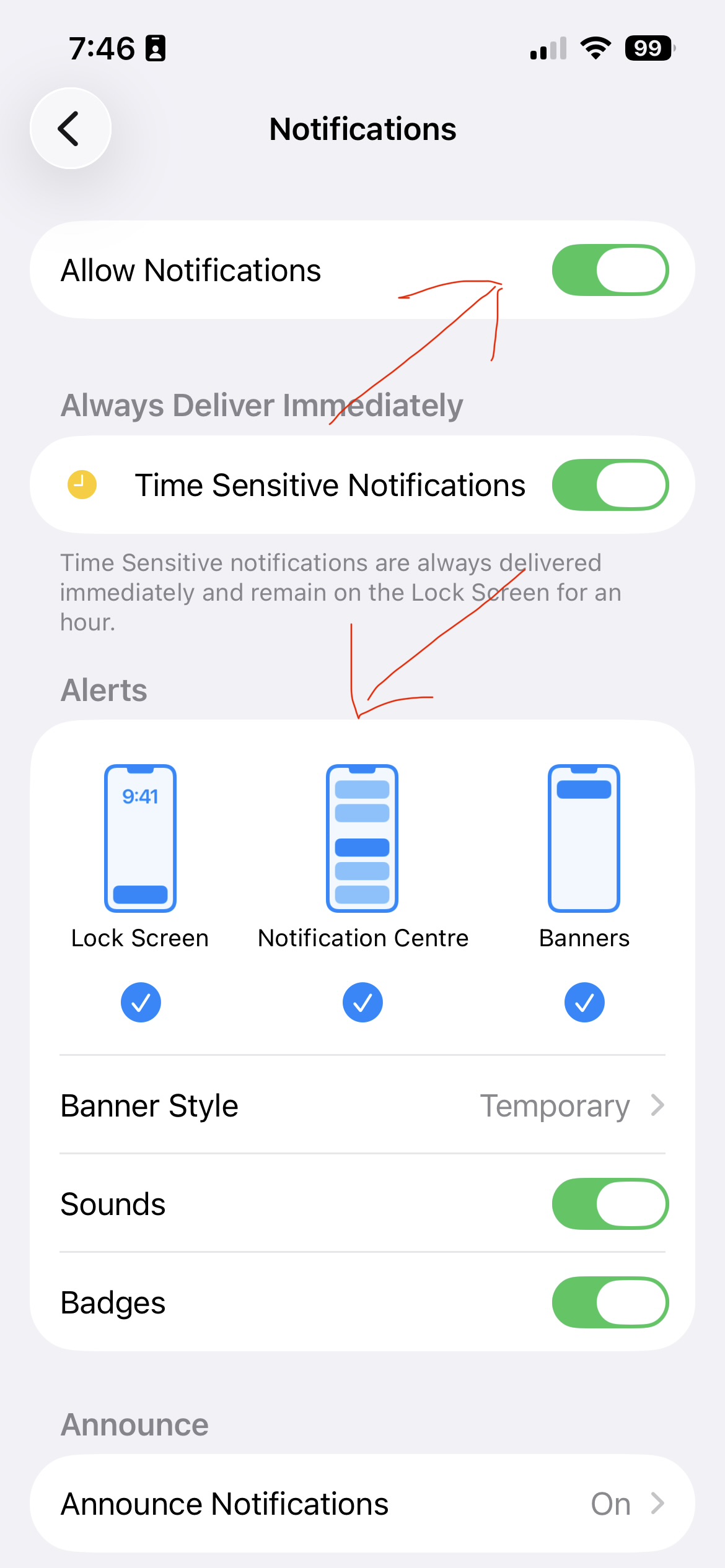
Then press “Notifications” and make sure “Allow Notifications” are enabled at the top and that you have selected “Lock screen, Notification Centre & Banners as per the below example screenshots.
I too am experiencing this. Randomly for the last few days zero notifications. Nothings changed.
Edit: I am on iOS 26. One day it just stopped notifying me. Restarted phone, toggled off and on notifications. Still nothing.
Will attempt a re-install.
Edit edit:
Re-installed, imported from file.
Notifications work again.
Thanks for taking the time to respond. Prompted by your message, I verified (for the 5th time) these settings and confirmed they are identical to yours (and to my old iPhone). Since I had the iOS migration app copy settings from the old to the “new” iPhone, I didn’t have to adjust any of these settings (but I did try turning off “Allow Notifications” and turning it back on).
Note that this issue of not getting notifications only seems to apply to eM Client. Notifications from other applications (iMessage, Pushover, etc.) are working normally and their settings were copied over from the old iPhone automatically during migration.
FWIW, as a test, I just enabled eM Client push notifications on my iPad (iPadOS 18.x) and they are working.
I deleted my email account from the new iPhone and reentered it by hand this time. Still no notifications.
I turned on “Log Push Notifications” on the two phones and then sent a test message which generated a notification on the old phone and not on the new one. I see that there is a significant difference in the log entries, but it probably only indicates what we already know – that the new phone is not getting notifications.
Old phone (notifications working) (I elided most of the ID info):
09:47:17.322|001| eM Client 10.4.4769+316849bfd4 (iOS)
09:47:17.325|001| AppDelegate: RemoteNotifications: Requesting the consent (or reusing the already retrieved answer).
09:49:53.187|001| UserNotificationCenterDelegate.DidReceiveNotificationResponse: State: Inactive, RemainingTime: undefined
09:49:53.192|001| PushNotificationHandler.Start: d2…1a/default: Starting notification handling.
09:49:55.384|001| AppDelegate.DidReceiveRemoteNotification: Begin, State: Active
New phone (notifications not working):
09:01:28.195|001| eM Client 10.4.4769+316849bfd4 (iOS)
09:01:28.197|001| AppDelegate: RemoteNotifications: Requesting the consent (or reusing the already retrieved answer).
[note that I edited re-submitted this comment because I made some incorrect assumptions in a previous version]
Reinstalled, manually re-entered account info. Still no notifications on this one iPhone. Other iPhone and iPad still getting notifications. Log file appears the same as above. Running out of ideas.
try to export whole emclient settings from working iphone to the file and try to import that file on second iphone.. i did this on mine and push etc starts working.