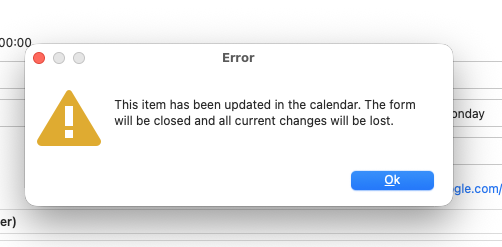
On MacOS Tahoe using GSuite Calendar only (fully reproducible every time):
- I get the meeting reminder dialog
- I have to double click the meeting as it has an online meeting (having the join button right in the reminder window would be GREAT !!!)
- Meeting detail window opens (behind reminder window - UX quirk), I move the reminder window to the side
- I click the “join meeting button” - browser opens, all good
- I click the “dismiss” button in the reminder window to get the reminder out of the way
- an error dialog appears on top of the meeting window (see screenshot)
- I click “ok” and the error dialog and the meeting details window is closed
Desired behavior:
- ideal: have the “join meeting” button on the item in the reminder window
- 2nd best: do not have an error message that I cannot influence (it seems that something changes the meeting in the background)