Migrated from TB. Looks like got the comfort with the Em after 3-4 days of usage, but there is a lack of some features.
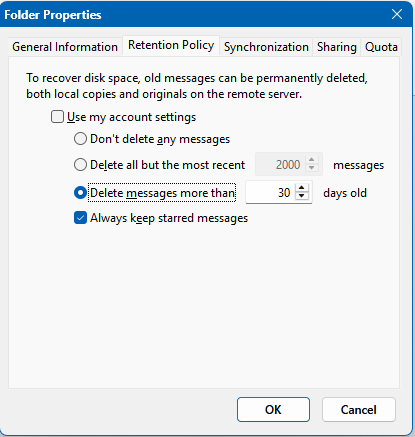
Deleting messages older that xxx days in the folder is a very useful feature to manage mailbox. Gmail in my case
Migrated from TB. Looks like got the comfort with the Em after 3-4 days of usage, but there is a lack of some features.
Deleting messages older that xxx days in the folder is a very useful feature to manage mailbox. Gmail in my case
If you just want to manually remove / delete emails older than x days from a specific folder you could eg: use the Search “Custom folder selection” combined with eg: received-before search keyword field option as in the below Search documentation.
There is search options you can use eg:
Before, After, Date Within, Received Before, Received After, and Received Within Date
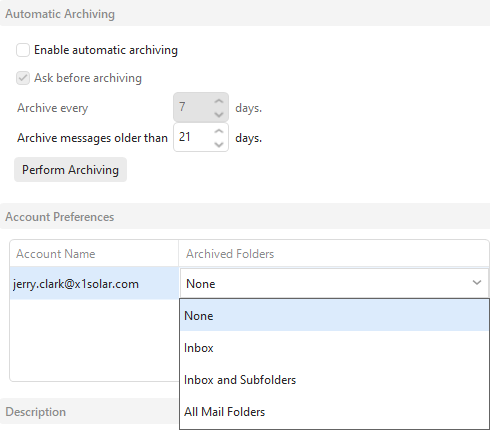
eM Client also has eg: Automatic Archiving options you can use to delete all account messages older than X days as per the following blog.
“Automatic Archiving Documentation”
Lastly if you want more control over the automatic archive per account folder, there is a Sleekplan suggestion for that you can vote for below.
Doesn’t cover my needs, it will be fine to keep labeled and flagged messages also, not to remove everything