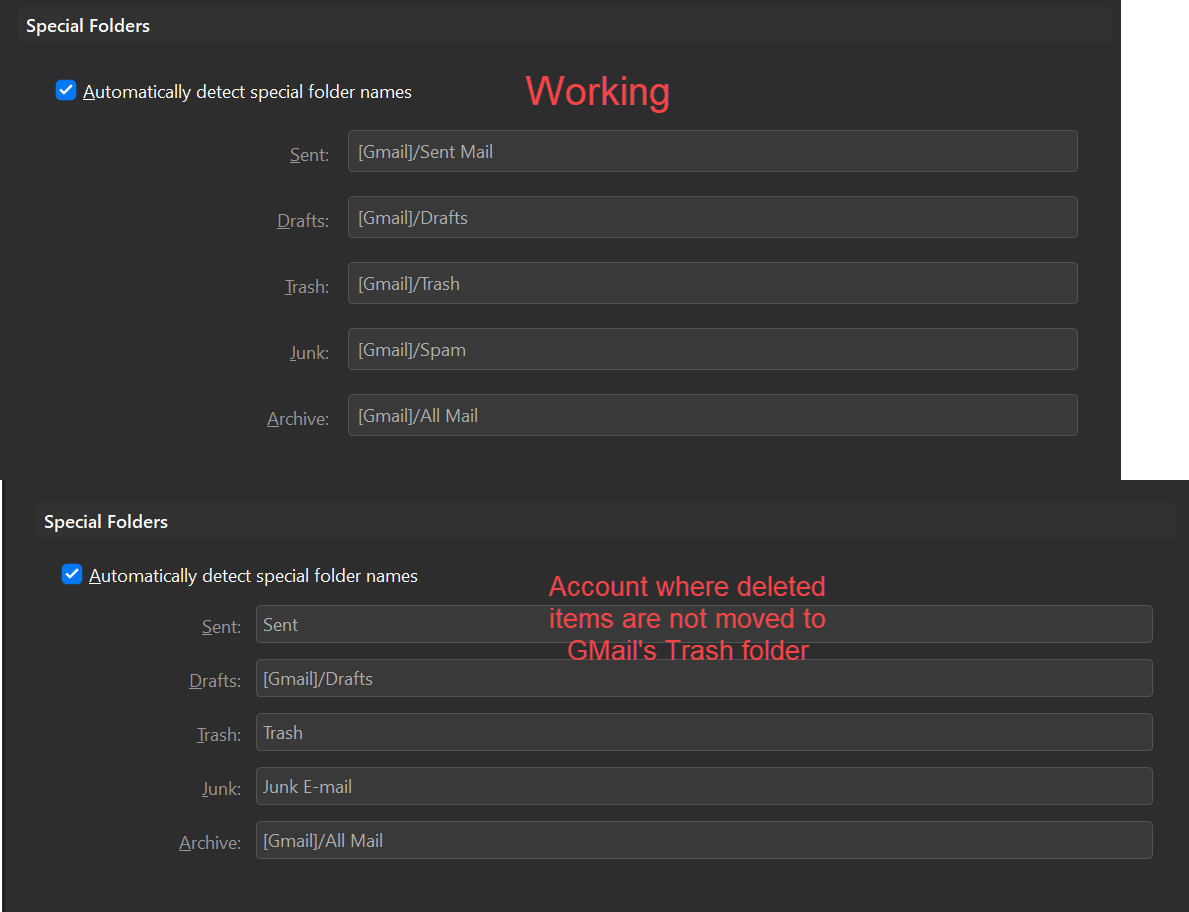
Look at your Gmail folders.
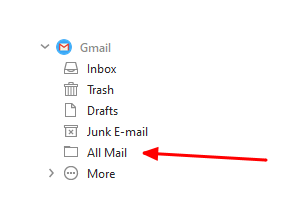
Right-click on the All Mail folder and choose Properties > Repair.
Do the same with the Trash folder.
Look at your Gmail folders.
Right-click on the All Mail folder and choose Properties > Repair.
Do the same with the Trash folder.
I’ve done this. I’ll waited till now until repairement has been finished and EM refreshed mail.
Unfortunately behaviour is still the same. I’m unable to delete message in any way using EM. It returns after one/two seconds.
Hi everyone, tried downloading this email app today to try it out since it’s so well rated online… Only to be met with the same bug I keep finding on forums all the way back to 2018… It’s now 2022 with 9.1.2109 (9967b93) version and it’s still not fixed… Erasing emails on Gmail accounts is impossible, it gets a “Trash” tag but keeps it’s “Inbox” tag.
Otherwise the app seems great so far but this one makes it unusable. I hope there is a fix 4 years later
And yes I deleted all the accounts and added them back… And I also tried “repairing” the folders
This issue still exists. I’ve spent 2 days trying to evaluate the software and I’m about ready to throw in the towel.
I have 3 GMail accounts. Two of them work fine. They became usable immediately after adding the accounts. One has 15K emails. The third email box has 100K emails and refuses to behave properly.
I have deleted and readded all accounts, and tried the repair option.
The third one behaved oddly since the beginning. It appeared to be downloading the emails in batches, but there wasn’t a reliable indicator its progress. When I would try to delete an email, the “syncing” spinner would run for a few minutes and then stop, with no effect on the deleted item. Once I let it run for a full day and download everything, it’s back to deleting the item for a few seconds until the sync spinner runs again and they pop back in.
If I initiate a repair, after the repair the 13 items in my trash disappear… And then re-appear after a few seconds when the sync spinner comes back up.
I don’t really have a whole lot of time to spend troubleshooting this and it’s discouraging to see that this is an old issue.
I deleted the account, set the “Sync period” to 1 day, and unchecked the “Download messages” checkbox. While the account now syncs in under 60 seconds, trash still refuses to empty.
I recorded a video of the issue and can send it to someone, if interested.
Remove this account from eM Client.
Login to webmail. Empty the Trash.
Add the account back to eM Client.
Delete a message. Can you empty the Trash?
I was not able to resolve the issue, but I did discover some discrepancies that may give some insights as to the cause.
First off, I followed the steps above to no effect. My other two accounts work fine, so I started hunting for differences between the three.

I tried manually overriding the labels to match the other two accounts, but it made no difference.
I found some extra labels in my problematic account and removed them. Unfortunately, that did not help. I removed all extra labels from my gmail account and readded the account in EM and these alternate special folder names persist. I can’t tell where they’re coming from.
When I delete an email in EM, the message is flagged as “Trash” in EM and not removed from the inbox. In the web interface, GMail shows nothing in “Trash”. When I empty trash in EM, the emails then show up in a “[IMAP]/Trash” folder in the web interface and the emptying/reappearing issue presents itself. The account is set to only sync 1 day and not download message bodies. This problem is consistently reproducible.
Issue #2
I discovered an issue with the account settings pane. If you tab between accounts, the spacing between elements gets all outta whack. This might be a simpler bug to tackle  Here is a video.
I think I found the issue!
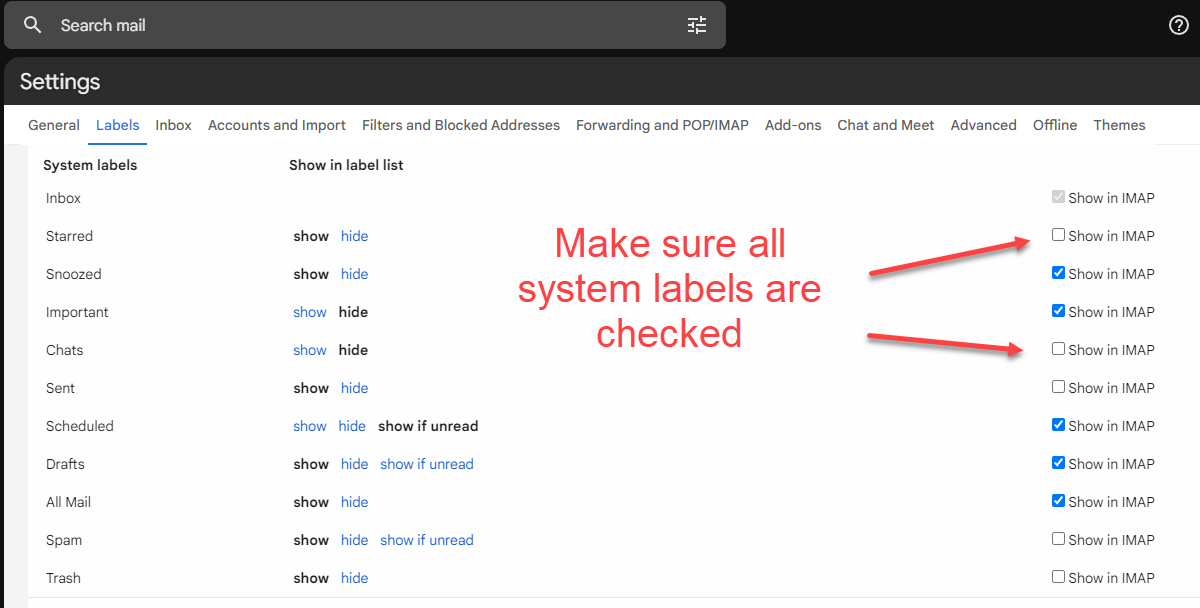
Make sure all of GMail’s System Labels are exposed to IMAP
This was a very old account and they must have changed from default at some point. Enabling all the system labels and re-adding the account let EM detect the proper gmail labels. Deleting emails now works fine. I don’t know if this situation is something you can detect on EM’s side - seems like other people might be getting hit by the same issue, and popping up a error message could be helpful, but at least now I seem to have an explanation and a fix.
I’m excited to get back to evaluating EM. I’m pretty sure I’ll be making the switch shortly.
Thanks for the help