Hi,
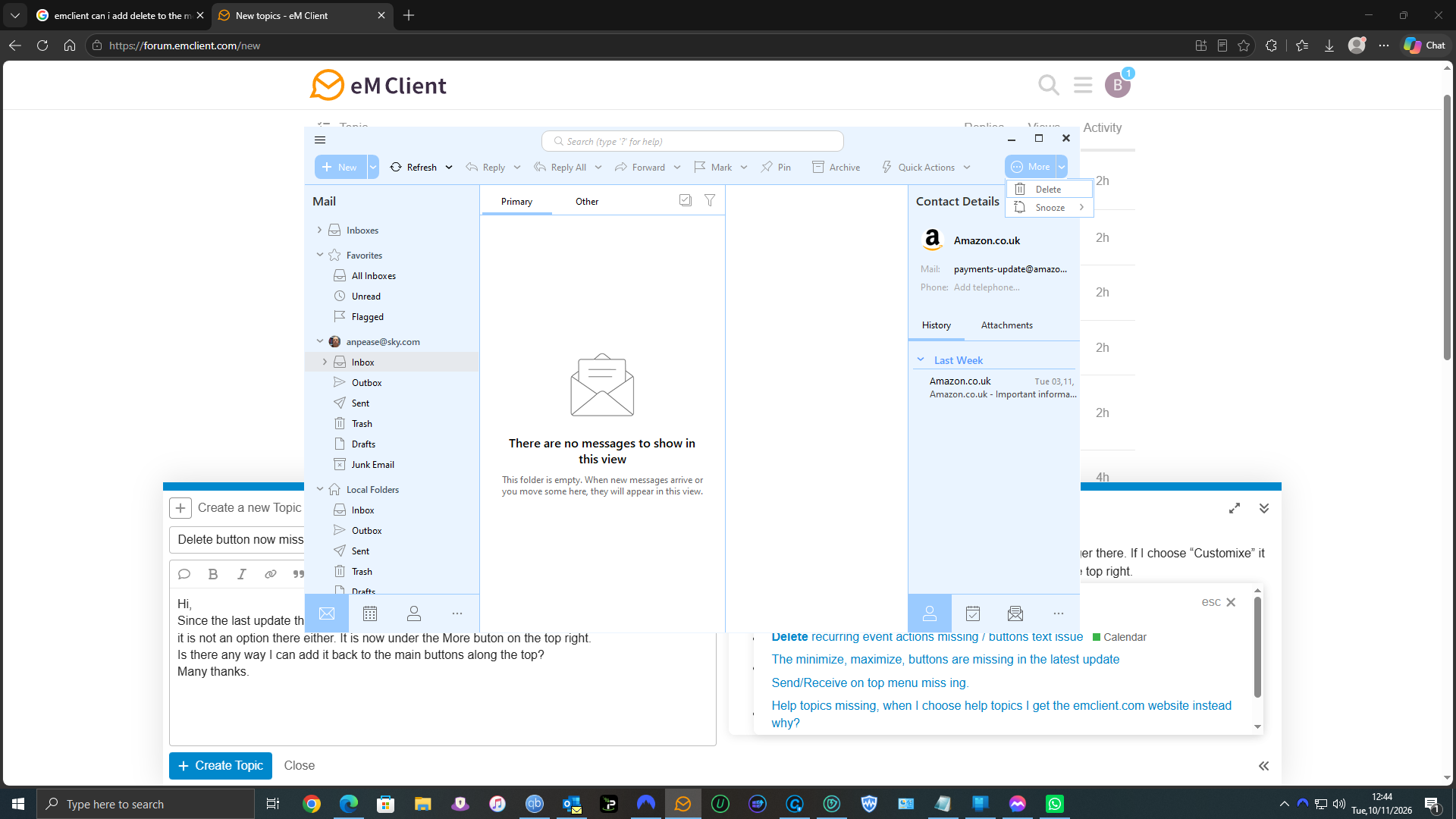
Since the last update the delete button on the top menu is no longer there. If I choose “Customixe” it is not an option there either. It is now under the More buton on the top right.
Is there any way I can add it back to the main buttons along the top?
Many thanks.
Hi @Boomsie,
The Delete button is still on the toolbar, it just doesn’t fit in your view. When the eM Client window is too narrow to show every button, the last ones move under “More” on the right. In your screenshot that’s Snooze and Delete.
To get it back, do one of these:
- Make the window wider, or maximize it. Delete reappears as soon as there’s room for it.
- Remove buttons you don’t use, so the rest fit. Go to Menu > Settings > Appearance > Toolbars, click “Customize…” next to Main Toolbar, and remove what you don’t need, for example Pin, Archive or Quick Actions.
You can also delete a selected message with the Delete key on your keyboard at any time.