Obviously some email providers like GMal or Yahoo already offer archive folders themselves. However, I’m using some providers that do not offer such a standard.
While using Thunderbird, I can setup a custom archive folder (email server running on my local NAS) that is gonna be used when clicking on the archive button.
An add-on additionally offers the possibility to create sub-folders wihin their global archive folder. E.g. naming a subfolder with the year when the e-mail was created an a subfolder with the month.
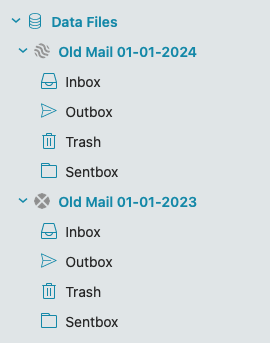
Suggest you create eg: Data (.emdf) files for those archives and manually copy or move emails into those as per the blog page below. These are similiar to Outlook .pst files but far better
They have “no size limitations” like .pst files. If you do create data files, to back them up “unmount them” and “then back them up to another drive” and then remount them.
Good suggestion, means however I’m “archiving” into files and folders and not to any other local mail server, as I’m currently doing.
OTH, when using my other email clients, running on Android or on Apple devices, I cannot access those files like I can currently do with the appropriate (IMAP) account that is used for archiving purposes in Thunderbird.
Files and folders are, let’s say, a kind of proprietary archiving system. Using an IMAP server is a more standard way that all email clients can access with standard protocols.