I get many crashes a day (Win11 Enterprise). Every time I select Contacts it crashes. I’m still on V10.
I choose not to restart immediately as it frequently suggests the data file is corrupted so bad it can’t be read. (This message disappears after a few minutes gap).
I get many crashes a day (Win11 Enterprise). Every time I select Contacts it crashes. I’m still on V10
Could be your local eM Client contacts cache is corrupted and needs clearing as new.
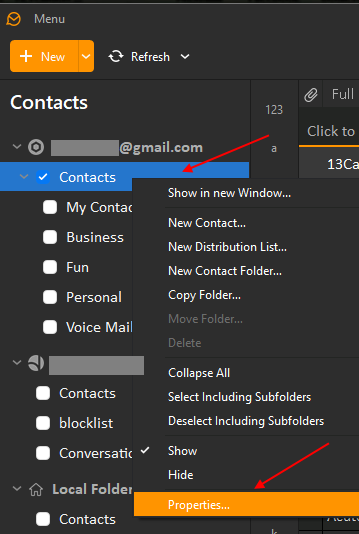
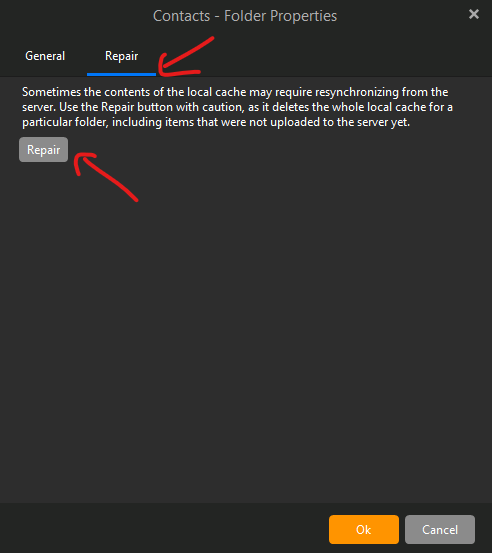
To clear your local contacts cache go to the Contacts section and “right click on the word Contacts” directly under your email address and click “Properties” at the bottom. Then click the “Repair Tab” and click Repair as per the Gmail example screenshots below.
Once the cache is cleared, if you have a IMAP, Exchange, Graph, Office 365 or iCloud account your contacts will reappear from the server after a short time. So be patient if they don’t appear straight away. Then see if that fixes it.
Note: Before running the repair, make a manual backup via “Menu / Backup” incase you need to restore for any reason. You can see when that’s completed in Show Operations via the dropdown on the right of Refresh.