Currently in a 30 day trial and I’ve seen other older posts about this issue with no resolution. This is a big one that will determine whether I sign up or not. I have pre-formatted bios with photos that I need to create signatures for as they are used multiple times daily in my work. They work flawlessly in Outlook but when I copy past to eMClient, the formatting is gone, fonts change and the photo disappears. Additionally, I can’t reformat the text, it messes up the line spacing and there is no way to text wrap around the photo to create a similar presentation. Paragraph and text formatting are very basic standard document features. Can anyone tell me how to navigate this?
If you were using Outlook Classic to create your signature, that used Word when creating the signature “which has a lot of custom non standard html formatting” which then it will look different in non Outlook clients.
So you can export your Outlook signature as eg: .htm or .html and can then import that into eM Client and then fix up whatever is not right. Ive personally done that for many customers over the years.
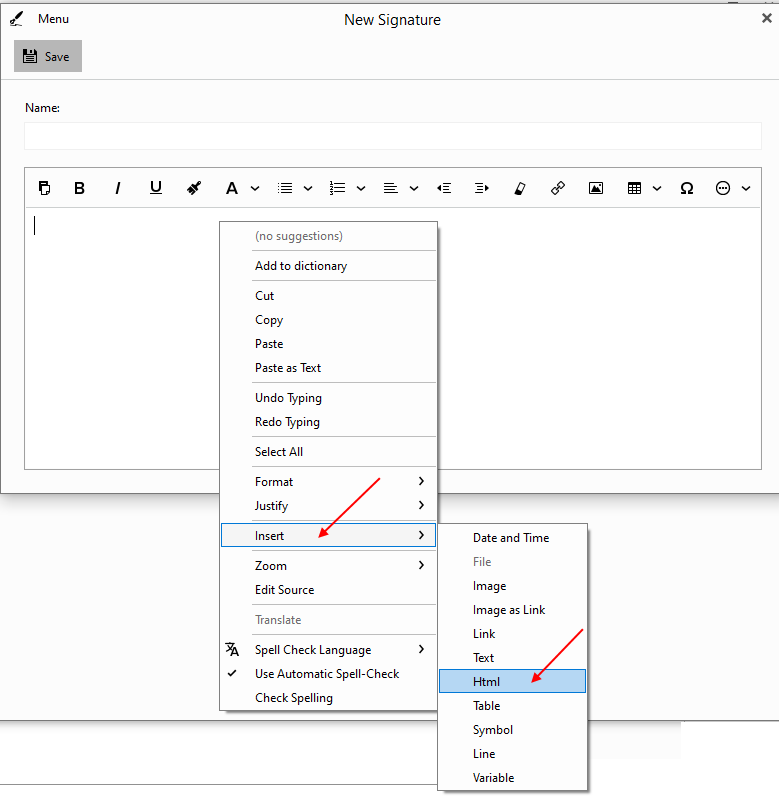
So when you create signatures in eM Client, “right click” on the blank “new signature window”, and then click “Insert HTML”. Then insert your existing Outlook signature html file. You can then fix up what you need to.
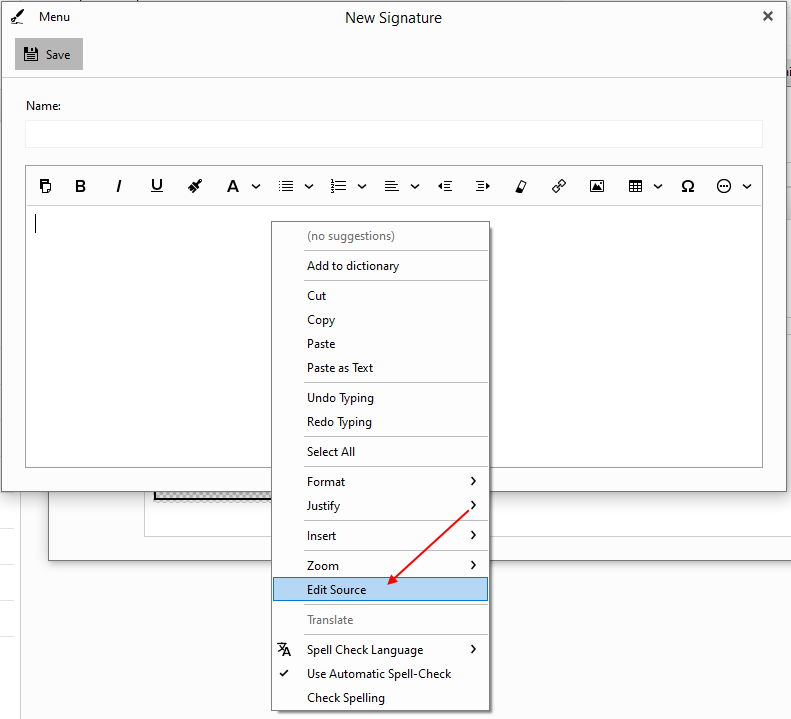
Or click “Edit Source” and copy and paste your exiting Outlook signature html file source code into the window as per the second example. You can then edit the HTML manually if you are proficient in HTML to fix it up.
I personally also use opensource Web Editor HTML - Kompozer on PC & Mac to edit the HTML and then paste the HTML into eM Client.