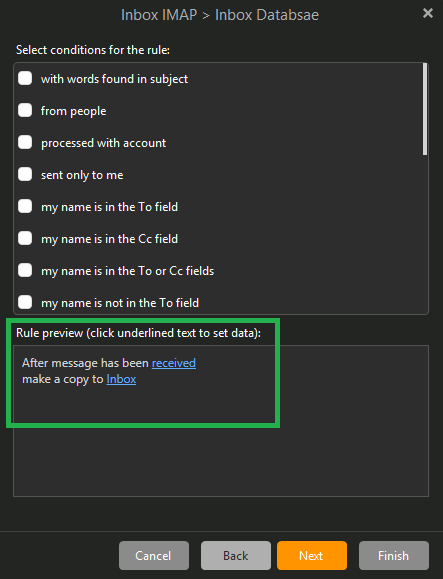
I want to copy all incoming mails from my IMAP account to my database file on my desktop computer. I use a simple Rule for that. (see the attached image)
This works good but i noticed yesterday that the Rule always ignore mails that had been read on another device before eMClient receive them.
Example:
If i receive 5 mails in eM Client all five are copied from my IMAP Inbox to my Databse.
If i receive 5 mails and read them on my phone the same five mails do ends up in my IMAP Inbox when i launch eM Client on my desktop but are not copied to my Database.
So all Rules i have tried ignores to copy mails that has already been read on another device, be it a phone with IMAP account or another computer with a POP3 account.
The same rule works always on my other computer with a POP3 account. All incoming mails are copied to my databse file no matter if they have already been read or not on another device.
How to fix this?
Desktop version: 10.4.5647 OS: Windows 11 25H2 (10.0.26200 Build 26200)
This works good but i noticed yesterday that the Rule always ignore mails that had been read on another device before eMClient receive them.
Yes if emails have already been read on another device when they arrive in your Inbox they won’t normally automatically move with a rule and you have to manually run the rule or move them manually to whatever folder you want them to go as per @Gary advises in the following thread post.
However there is new updated rules coming in eM Client 11 which should then hopefully work for this scenario as a lot of users have wanted to do this for sometime. So watch foe the next major update.
That´s dissapointing to being forced to do that in 2026.
I found a way on the phone to stop marking mails as Read when reading them, but it is disturbing that a Rule that is supposed to copy an incoming mail have it´s on hidden rules, iow just executing it if the mail is flagged as unread, with no option to override that.
Hopefully this will be fixed in V11.
Thanks for your answer and link to the old thread.