I am getting this error message constantly- every 2-4 minutes. The only correct password is input so I and seemingly the tech support at eM are utterly stumped why this is happening and how to fix it.
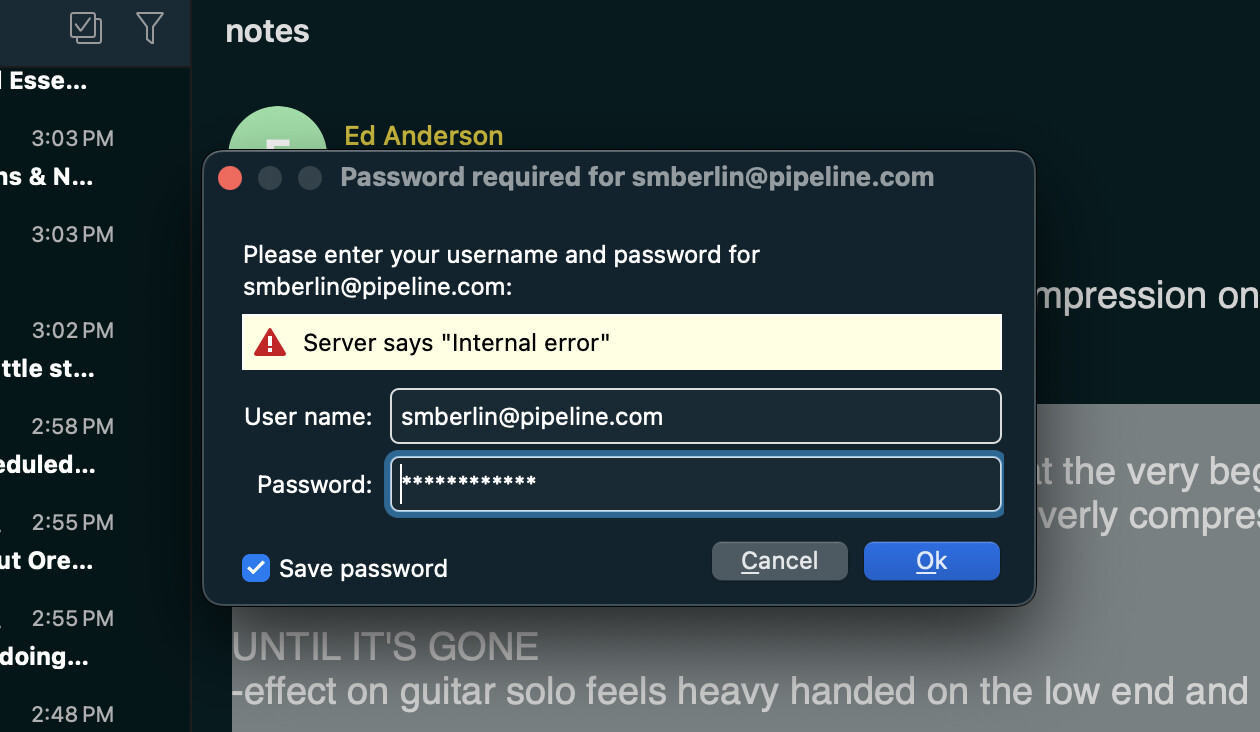
Could be you possibly have eg: incorrect mail settings, or could be your mail server needs a special account setting, or could be a mail server issue their end, or you might have an outdated eM Client version and need updating or could be some other reason like a eg: time out connection issue where the mailbox gets locked if it’s a eg: POP account & it’s not stable, or you might need a need a new app password it’s an iCloud account.
What mail server are you with?, and do you have a POP, IMAP, Exchange, Office 365 or iCloud account?
And what is your current incoming and outgoing mail server settings?
Also what version of eM Client are you using, and do you have Windows or Mac & what OS ver?
Also are you running any optionally installed firewall / security program or optionally installed antivirus program or vpn ?
Lastly click the dropdown on the right of Refresh and click “Show Operations” and click the “Log” tab and look for any obvious error messages and paste them in this thread, and we might then be able to see what’s wrong.
Note: Blank out anything personal in the log errors.
I just posted another cry for help since the problem continues unabated when I saw this reply from July (!) Here’s what I saw in the log: 4:49:58 PM [email protected] [POP3] MailClient.Accounts.ConnectionException: Protocol error occurred. Is this really a POP3 server?
at MailClient.Protocols.Pop3.Pop3ReceiveCommand.AuthenticateWithMechanism(SaslMechanism authScheme, ClientCredential credential)
at MailClient.Protocols.Pop3.Pop3ReceiveCommand.Authenticate(WorkerStatus status)
at MailClient.Protocols.Pop3.Pop3ReceiveCommand.Connect(WorkerStatus status)
at MailClient.Protocols.Pop3.Pop3ReceiveCommand.Execute(WorkerStatus status)
at MailClient.Commands.Command.Process(WorkerStatus status)
AccountId = e615f23a-0cbf-44c1-9f18-6ab948d932fe
AccountName = [email protected]
RunInPlace = False
GUIStatus_Exception_Reported = True
I dont speak programming so I dont know what this means, but I am able to up and download mail from this account- it just continually pops up this error so it’s more annoying than debilitating. I have tried re-inputting the password to no avail. Is there a chance it’s asking me for the Mac app specific password? I tried that too also to no avail.
So looks like you have a POP account.
Go to “Menu / Accounts” and update what your incoming mail server address, server port and security policy is so we can check if there is any obvious errors.
Also update what mail server you are with.
Also what version of eM Client are you using,
Also what Mac OS version do you have.
If you are not sure if you need an app password then your mail server technical support can advise if that’s needed or not.
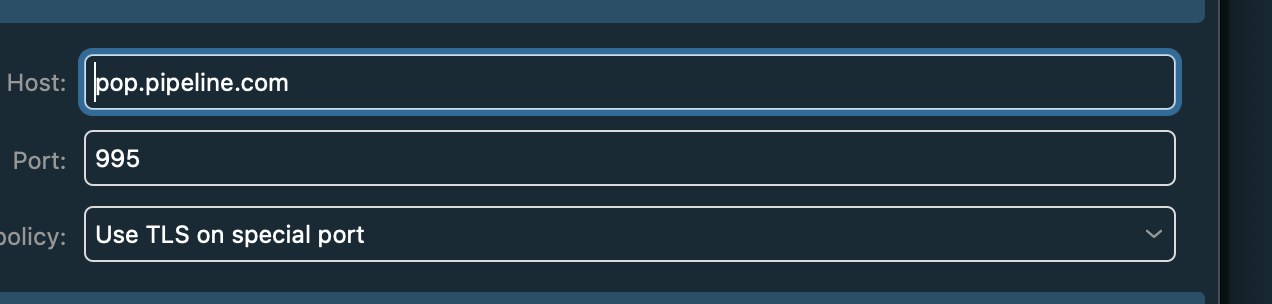
Server address pop.pipeline.com , Port 995, Policy Use TLS on special port
Those POP server settings look correct.
eM: version 10.4.5674
Mac 15.8
However looks like pipeline.com network was acquired or handled by EarthLink and has two different POP server addresses. So could be you need the Earthlink POP server address. pop.earthlink.net
So suggest to go to “Menu / Accounts” and try that server address setting under the POP tab.
Server - pop.earthlink.net
Port - 995
Security Policy - Use TLS on Special Port
If the server address of pop.earthlink.net also gives invalid username and password with even trying an app generated 2Factor password (if your server supports that), then change back to pop.pipeline.com and “disable 2FA in your mailbox end online” if it’s enabled and use your normal mailbox legacy username and password.
If disabling 2FA also won’t work with your regular username and password then could be your online mailbox is eg: “disabled for third party mail client access” as some server mailboxes are where you have to go into your mailbox online and enable that to allow mail client access. Your mailbox online technical support can advise if you need to do that.
If your mailbox online is not disabled for third party mail client access, then “try resetting your online mailbox password” and then go back to “Menu / Accounts” and update your POP password and then save accounts. Also make sure you can still login online via your webmail.
If resetting your password online and entering your new password in eM Client still doesn’t work, then you would need to contact your mail server technical support, as will then be an online mailbox problem or connection issue outside the mail client causing the invalid password.
Could be your pipeline.com mailbox has changed to an eg: OAuth token login so doesn’t use a legacy username & password or 2FA generated password. But your mail box online technical support can check if it has. Tell them you use eM Client and they can do their own testing.
Pipeline (acquired or handled through EarthLink) is pop.pipeline.com (or alternatively pop.earthlink.net depending on how the account was migrated).
Pipeline POP3 Configuration Details
- Incoming Mail Server (POP3): pop.pipeline.com (or pop.earthlink.net)
- Incoming Port:
995(with SSL enabled) - Outgoing Mail Server (SMTP): smtp.pipeline.com (or smtpauth.earthlink.net)
- Outgoing Port:
587(or465with SSL) - Username: Your full Pipeline email address
- Password: Your email account password