Hello,
Maybe I’m sort of old school, but how do I see my email in emclient in a chronological list in the order that they were received?
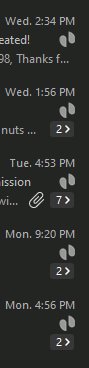
Right now emails are grouped together.
People are sending me emails and I’m not seeing them. I want the old one email shown in chronological order in a list.
Thanks for your help
how do I see my email in emclient in a chronological list in the order that they were received?
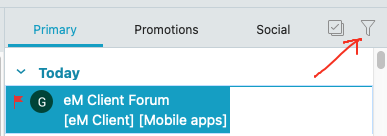
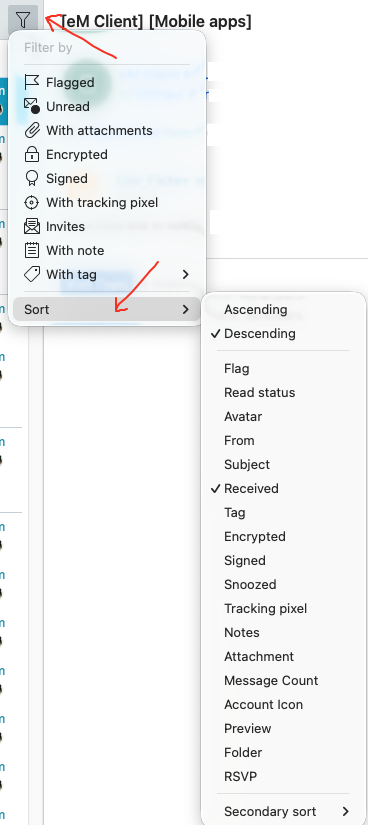
You can click the “Filter icon” at the top right of the Message List and sort the messages any order you like as in the below example Latest “Received” at the top Descending down to the Oldest.
Right now emails are grouped together.
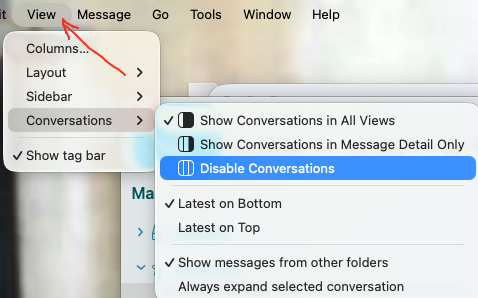
If you don’t want the emails in Conversation (Grouped) view, then you can disable that via going to “View / Conversations / Disable Conversations”
1 Like
My goodness that’s it exactly. This is what I get for having voluntarily dropped out of the cyber rat race a decade ago.
Thank you for your acute assistance and have a good day.