how can i change a meeting type from Online Meeting to Standard meeting? There is no obvious way to change the type. Thanks
how can i change a meeting type from Online Meeting to Standard meeting?
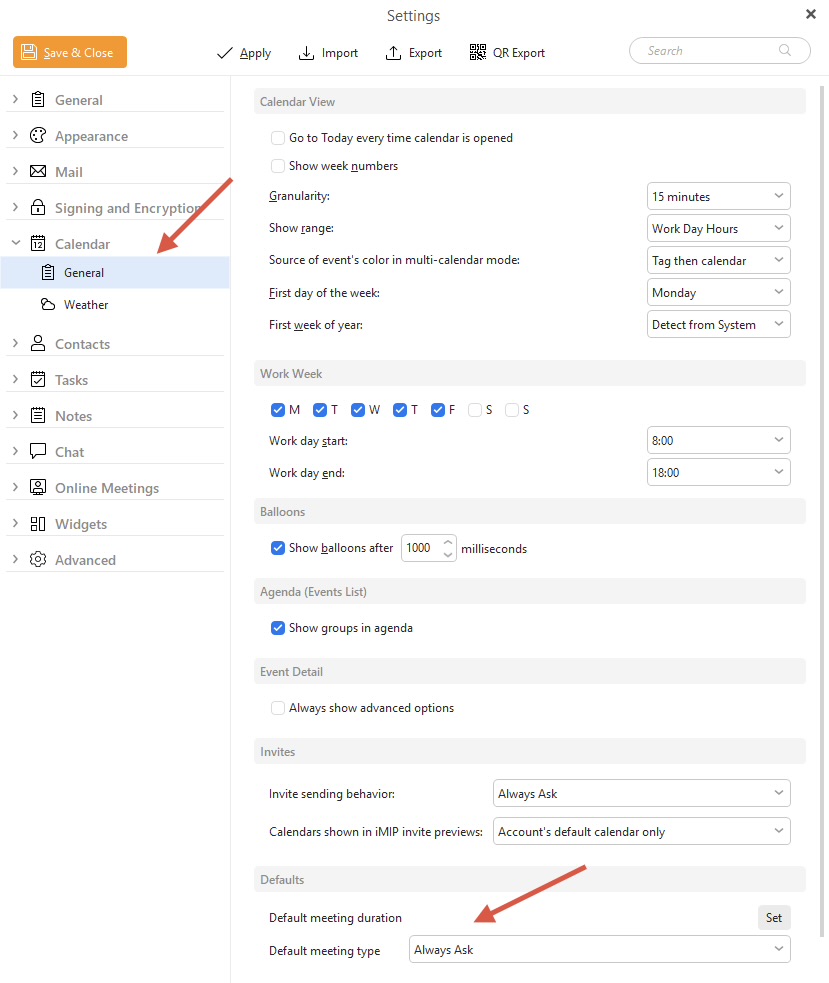
Go to “Menu / Settings / Calendar / General” and at the bottom you can set it up to what you want.
Eg: By default it’s set to “Always Ask” which gives you Standard meeting or Online Meeting
thank you Cyberzork. However my challenge is that once a meeting has been set as Online and I save it, i cannot see how to change it back to standard.
 not great
1 Like

That choice does not show up once I’ve saved the event as an online type. At least in my version 9 of em client