Until today, when I got an email with a .ics file attachment, it would download and then automatically open in Samsung calendar.
Now, it opens in EM, and only has the option to save to a calendar that I don’t use.
I tried downloading it as a file, but then EM saves the file path incorrectly (it saves as “appointment1.ics (1)”, which means it isn’t recognised as an ICS file).
I tried everything I could find in default settings both within EM and in android to force it to open then as a file, but I couldn’t get around it.
It may seem like a small thing, but not being able to save my calendar invites to the calendar I use it a deal breaker. I’m moving to another app, but just wanted to flag this up as feedback in case it’s an unintentional bug rather than a feature update. I hope you’re able to fix it.
Until today, when I got an email with a .ics file attachment, it would download and then automatically open in Samsung calendar.
Now, it opens in EM, and only has the option to save to a calendar that I don’t use.
That means your Droid OS Calendar file associations have changed for .ics files
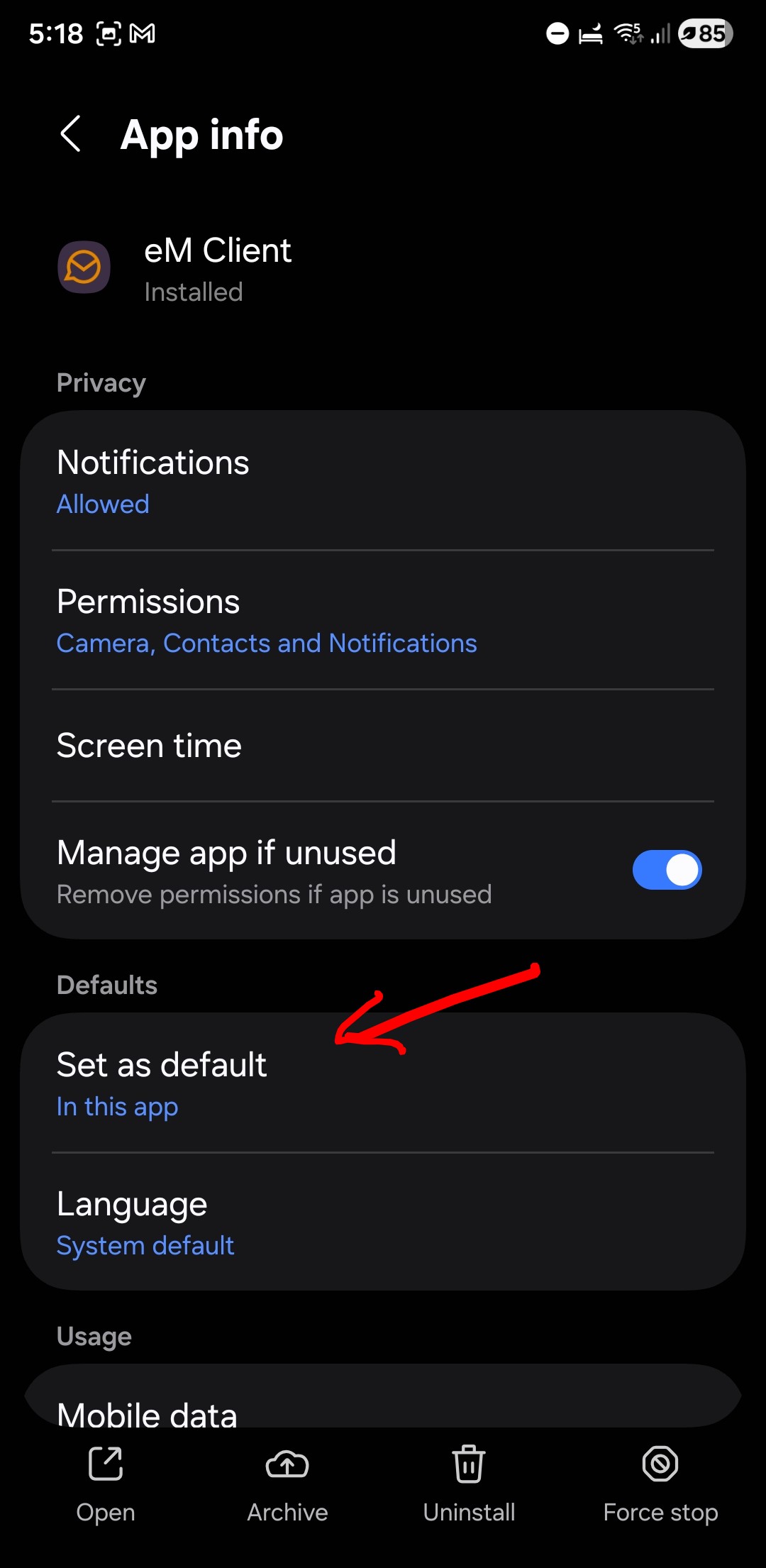
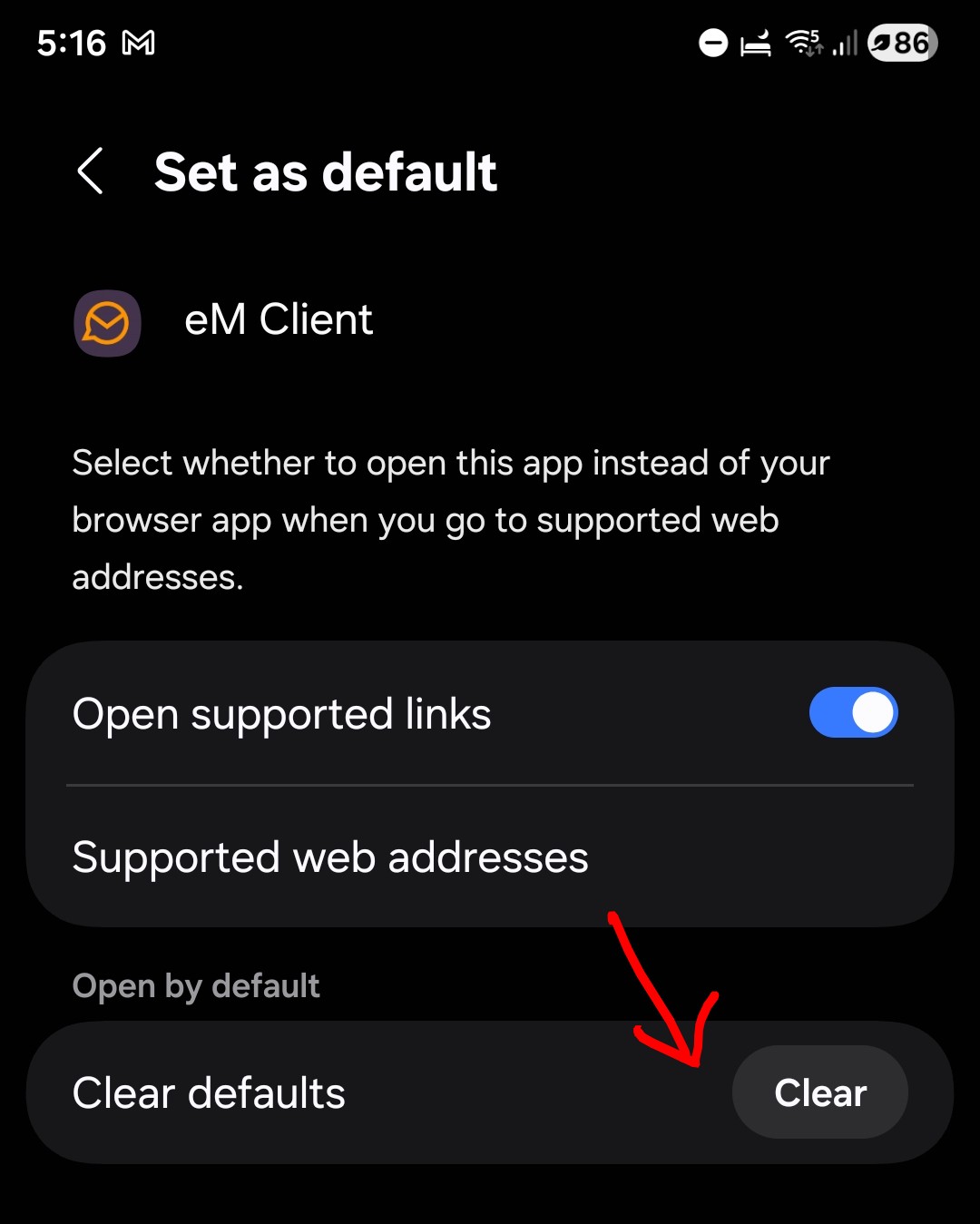
So go to your OS “Settings / Apps / eM Client / Set as default” and click “Clear” as per my screenshot examples below from S22 & OS 16.
Then reboot your Droid phone and “go to your file manager” and press / open a .ICS file and you should then be prompted to choose your Samsung Calendar and set it as default on prompt.
Thanks for the guidance, but I already tried that and for me, it didn’t work. I also tried uninstalling, opening an ICS with a different app, and then reinstalling, and turning off the ‘open supported links’ option, none of it worked. Could be a quirk of the s24 I guess.
I would next then contact Samsung technical support by phone. They have been pretty helpful when I’ve called them in the past. https://www.samsung.com/support/contact/