I get invalid credentials (Failure)
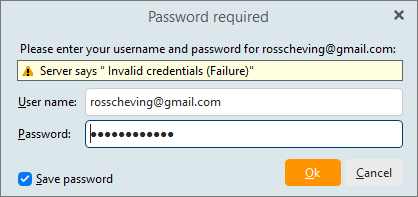
Is this the same username/password you use to gain access through the web mail direct login?
Same here. In my case it seems to have happened after today’s Windows11 update.
Backup eM Client “Menu / Backup” and then go into your Google account security section and remove eM Client from the allowed 3rd party apps.
Then close and reopen eM Client which then when it checks Gmail online account for new mail will normally switch to your browser (which might be in the background I’f you don’t see it open) and a Google access popup will normally appear to click allow access to your Google account.
Also suggest (if your not already) to you use the new Google OAuth and / Two step if you want in Google Security. eM Client already supports that as long as you are using the recent eM Client V8 & V9.
If still same problem with the correct Gmail password, remove your Gmail account from eM Client and re-add either via the automatic wizard if you currently have OAuth in Google setup or Add account manually till May 2022. Failing that let us know what exact version of eM Client you have eg: V9.1361