Calendar view not showing full day event (busy/out of office) overlay

Hi guys,

maybe I am missing an important feature here, or it’s just not working for me.

Normally (in other calendar apps like Outlook, Thunderbird, etc.) when I have a full day event in the calendar set to busy or out of office, it is shown as an overlay of all hours of this day.

This is missing completely here.
Can I configure this in some way?

Best regards
Marko
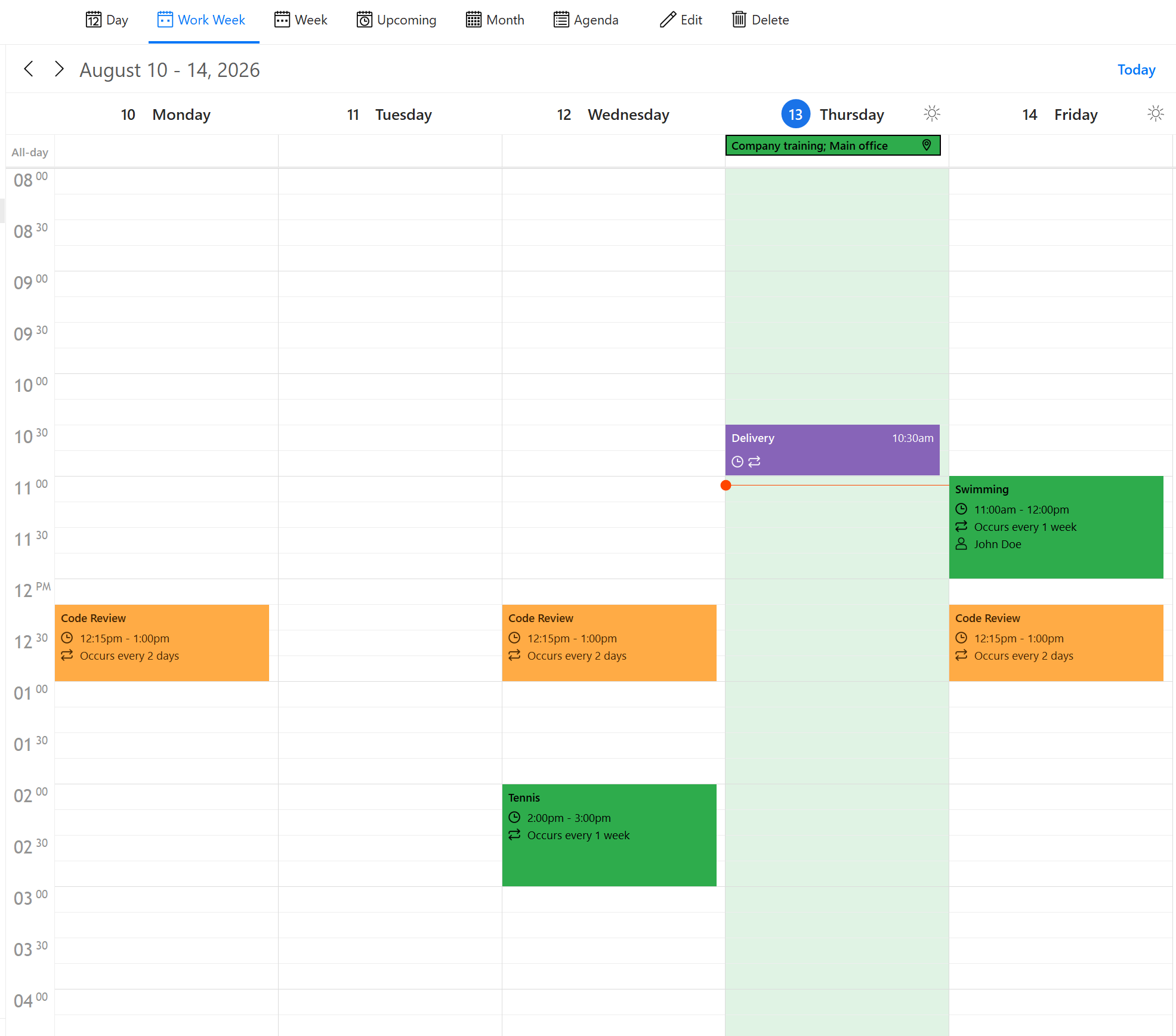
The new eM Client 11 Beta now shows All Day Event highlighted

Calendar improvements

  • All‑day events visible all day

The calendar now displays all‑day events all day – so you’ll know which day is completely booked at a glance. Just set the event to show as Busy, Tentative or Out of office.