I want to add separators to the toolbar above the email composer. In the left column, I do see a separator bar below the AI button, but I cannot select it to add an extra separator to the toolbar. There is no other option in the left column to add it. Is this a bug? Furthermore, the separator already present in the toolbar behind the AI button in the right column should be visible, but it is missing.
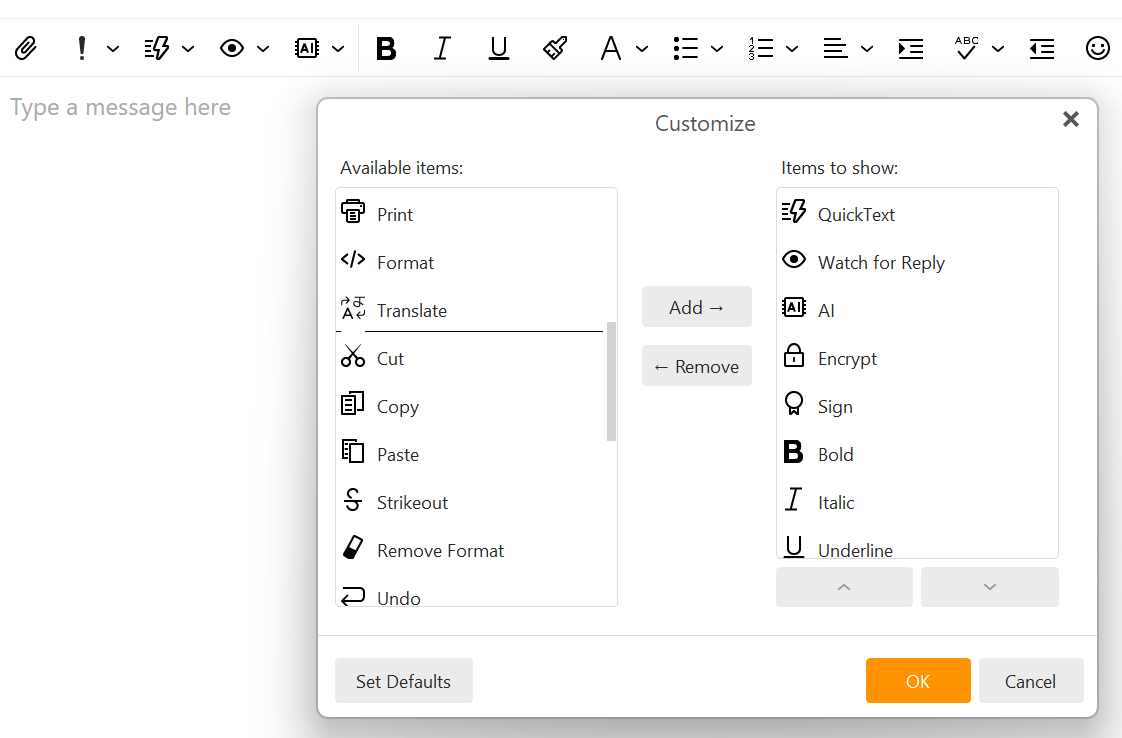
It is not a bug. Currently we split toolbar only into 2 sections:
- other functions than formatting
- formatting
If you want to be able to customize separators in the toolbar, feel free to add a feature request to our Sleekplan (https://emclient.sleekplan.app/).