You could have asked users to save their current ‘theme’ so their eyes don’t get a shock after the update.
Pretty nasty what you have done.
Is this irony? The default theme didn’t changr much. What theme ate you talking about?
No, it is irony.
Maybe I did not have the default theme - I don’t keep records of what I do.
But the change was upsetting, and hurting my eyes.
I am trying to improve it with the theme editor, but that is a nightmare on its own. Too many variables.
And it appears that certain things - like the background color of the column on very left with calendar names and folder names (email) can’t be changed.
It would have been nice to ask what the user wants - to keep his current theme, settings, etc, or take the risk and accept the new default.
My own Theme wasn’t changed at all when i upgraded to V11 Beta or V11 Official Release. Thats very strange that you lost your previous custom theme as that doesn’t normally happen.
However as its changed, “just reimport your custom saved theme you had before” via the Import Theme button via “Menu / Settings / Appearance / Themes” as you would have saved it originally to a folder on your computer when you first created the Theme.

If you don’t remember where you saved your Theme, then “search your entire harddisk” using File Explorer (Pc) or Finder (Mac) for Theme.emtheme or emtheme which should find it.
Lastly once you have your custom Theme either restored or redone again if you carn’t find it, then click “Advanced / Save current theme as” to save it to a folder on your harddisk to backup.
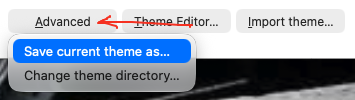
I do have a backup folder for eM Clikent on D drive, but it does not have any themes in it .
Anyway - I am now OK, I fiddled a bit with the Theme Editor and have saved it OK.
One thing I can’t figure out how to change is the background colours of the left and middle columns in Mail - the list of folders, and list of messages. If you can help please.
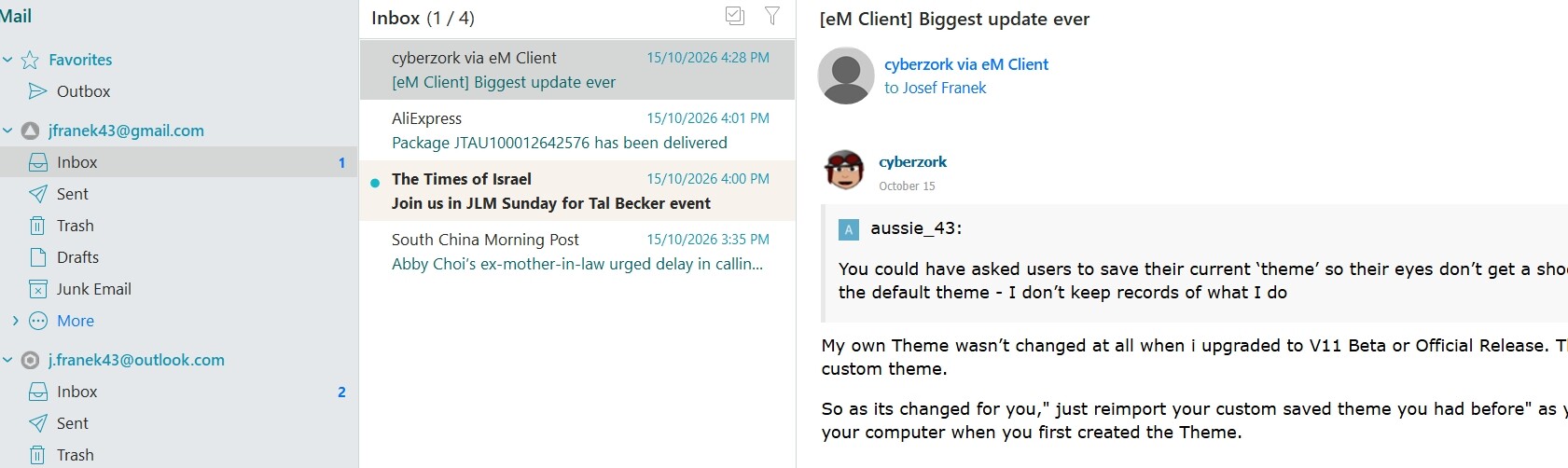
So you were using a custom theme, right? Some custom themes might not be perfectly compatible with eM Client 11 and need some adjustments. We’ve added a lot of new themes in v11 you can choose from.
I might have been using a custom theme - I can’t be sure.
Anyway, now I am using one of the supplied themes, and I have edited it to my liking - except for the issue that I covered in my previous post - how to change the background colours of columns.
If you know how to do it, I would appreciate if you tell me.