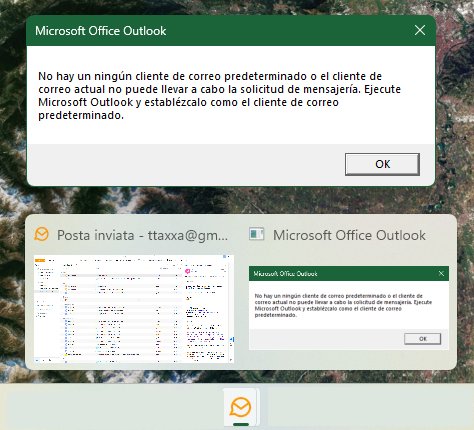
Since I installed beta v11, an error appears as an eM message box, strangely referring to MS outlook as default email app, in Spanish language while system language is Italian. Default client for email is set as eM as always.
Hi
I get this on my laptop too.
Outlook is set as the default email client as far as I can see.
The “Set app as default” warning still appears on 11.0.282.0 even if claimed as “solved” in the release history
Since I installed beta v11, an error appears as an eM message box, strangely referring to MS outlook as default email app
Could be one of the defaults in Windows is not set to eM Client and causing this popup warning to appear.
Using the latest V11.0.282 Beta with Windows 11 (25H2) with the eg: built-in Outlook installed.
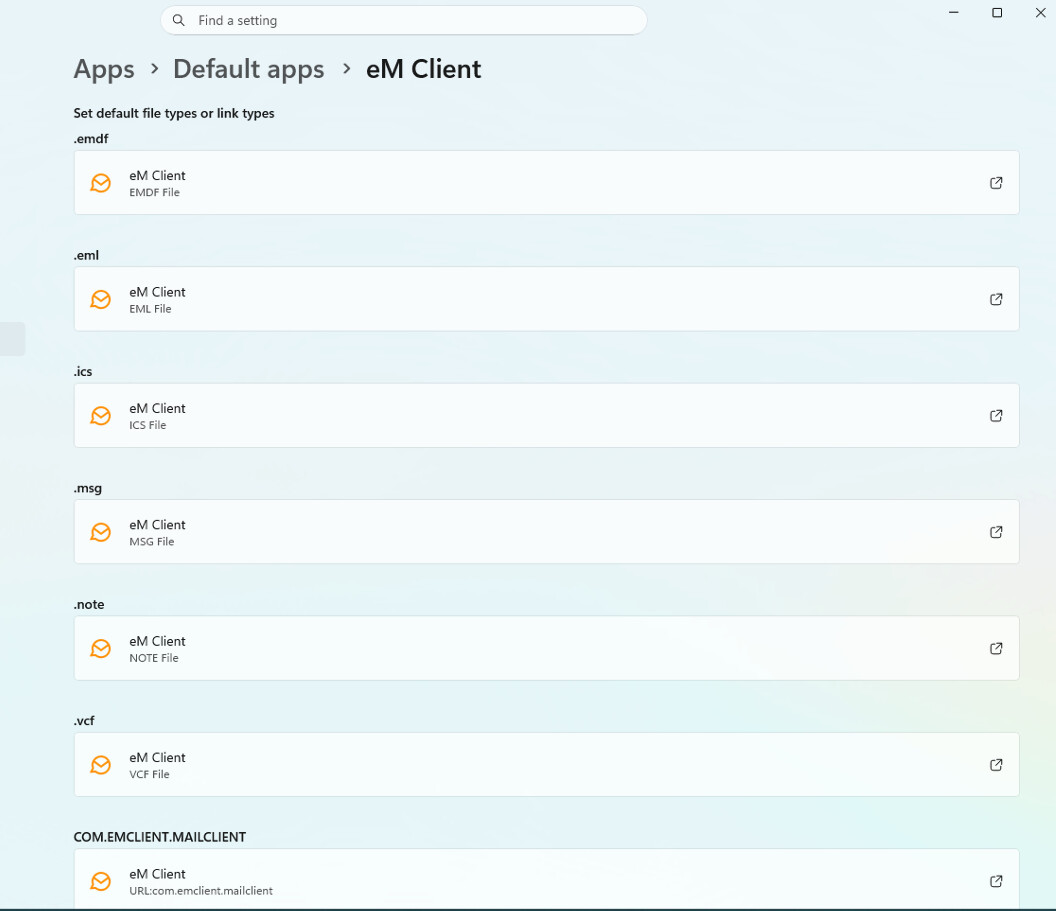
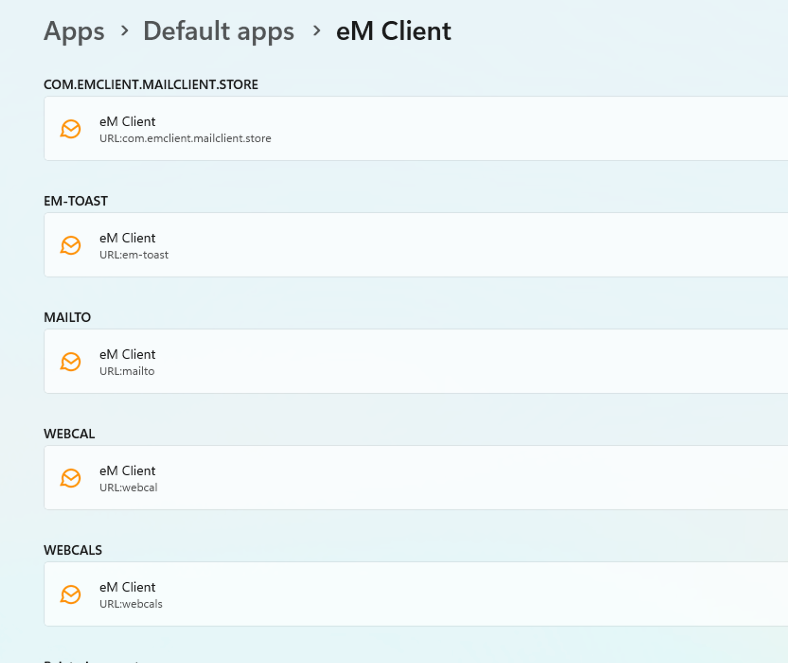
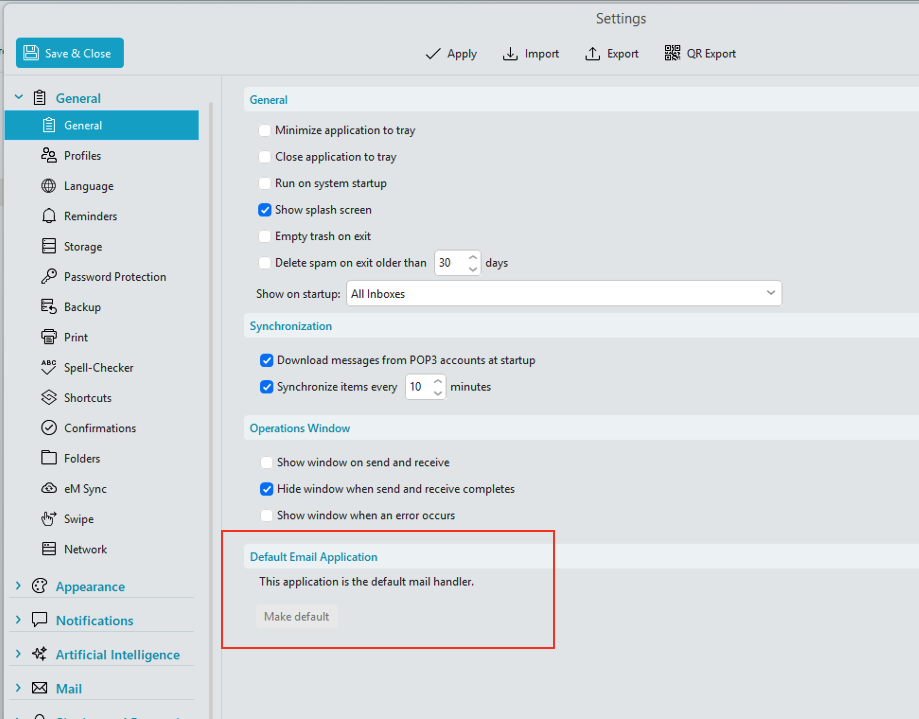
Make sure that in Windows 11 “Apps / Default apps / eM Client” that you have set eM Client as default “for all the options” as per below example two screenshots.
Once they are all set to eM Client then you will see in via “Menu / Settings / General” it says “This application is the default mail handler” as per the third screenshot example below.
Thank you, but why should I be forced to set eM as default? I am also using Outlook for business email and I need that to be the default email app
Did you have this issue with eM Client V10 ?
Also what version of Outlook are you using ?
Never had the issue before, and the configuration of PC hasn’t changed, including installed apps.
The box appeared immediately after installing v11. Outlook version is LTSC Professional 2024.
What also puzzles me is the use of Spanish language in this box. Thank you.
Never had the issue before, and the configuration of PC hasn’t changed, including installed apps.The box appeared immediately after installing v11. Outlook version is LTSC Professional 2024. What also puzzles me is the use of Spanish language in this box.
Ok then suggest if you haven’t already email [email protected] to advise & link this thread in your email.
This probably is the same problem as the one that I recently discussed with eM Client 11 beta support:
Yes, but dialog pops up not just at startup, but regularly upon any connection to the server, and it is quite annoying
Hi @atafuri,
Our team has developed a solution for this issue. Please download and run the following: https://drive.google.com/file/d/1DwhUGoubFCtPL1SzZIU2zPULuSp-AtE3/view?usp=sharing
We are interested in your feedback, so please let us know if the registry fix works for you.
1 Like
Hello @atafuri,
I tried the reg entry. Of the 2 pop windows I now only get one window
So, I’ve now tried everything mentioned. Ultimately, the only way to remove the pop-up message about Outlook was to reinstall Outlook over it. And all the reports disappeared. With every update of emclient, the pop-up message repeats itself and Outlook has to be installed again.
What version of Outlook do you have ?