I enabled emSynch in the Android 11 beta app. In this app, I changed the names of the email accounts (e.g., Am1, Am2).
After installing it (as an update via an MSI file) on my PC (with emSynch also enabled), I now have duplicate email accounts. One appears under the “real Gmail name” ([email protected]) and one under the name I used on my phone (AM1, etc.). How can I “remove” the duplicate accounts (or emails) without deleting the emails?
After installing it (as an update via an MSI file) on my PC (with emSynch also enabled), I now have duplicate email accounts. One appears under the “real Gmail name” ([email protected]) and one under the name I used on my phone (AM1, etc.). How can I “remove” the duplicate accounts (or emails) without deleting the emails?
To remove any account using the Desktop click “Menu / Accounts” and highlight your account and click “Remove” along the top as per example screenshot below.

If they are IMAP Gmail account setups, then all your mail is stored on the server end so you won’t loose anything if you remove the duplicate account.
If they are Gmail POP accounts, “then before you remove them” go to “Menu / File / Export” and select “export emails to (.eml) files” and save your POP account messages, and any contacts, tasks etc you need to folders on your desktop incase you need to restore them later.
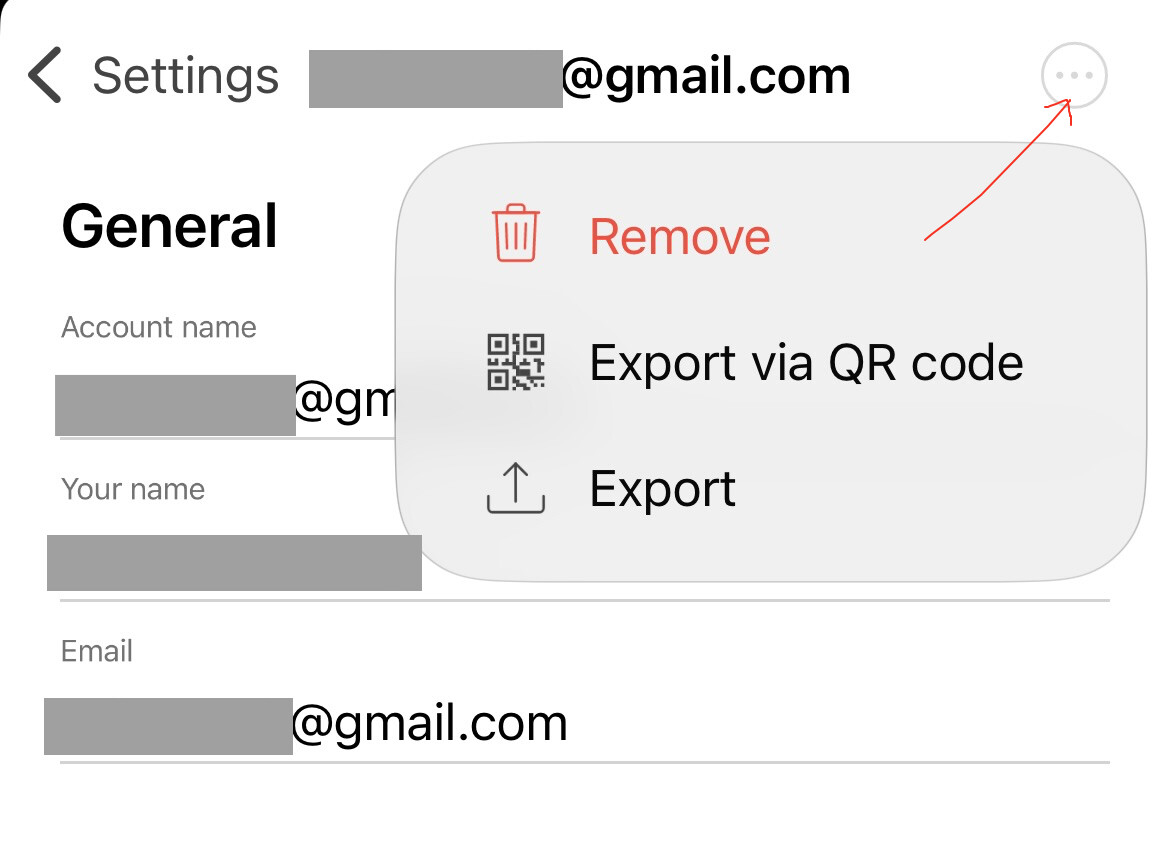
To remove any account using the mobile app. press “Menu / Settings” and then go down to Accounts. Then “press and open your account you want to remove”.
Next “press the 3 Dots at the top right” and you will see an option to remove it.
Thanks. Now its OK.