Hi,
I noticed an inconsistency in the Favorites folders in eM Client 11 beta.
In the Favorites folder “All Inboxes”, the “Archive” button is available and works as expected. In the other Favorites folders — for example “Unread” — the button is not available, even though the listed messages belong to the same accounts and could be archived from their original folder.
Steps to reproduce:
- Open the Favorites folder “All Inboxes” and select a message → the “Archive” button is available.
- Open the Favorites folder “Unread” and select the same (or any) message → the “Archive” button is not available.
Expected behaviour: the “Archive” action should be available in all Favorites folders, since it can be resolved to the account and target archive folder of each individual message, just as it already is in “All Inboxes”.
Thanks for looking into it.
Best regards
We are aware of this bug and it will be fixed in the next BETA update 
In the Favorites folder “All Inboxes”, the “Archive” button is available and works as expected. In the other Favorites folders — for example “Unread” — the button is not available, even though the listed messages belong to the same accounts and could be archived from their original folder.
I carn’t remember in V10 if the Archive option ever worked in the Unread Favourites folder via either the A Shortcut Archive key or along the toolbar via the Archive button. I only ever archived mail in the Inbox or All Inboxes. Official Support or other forum users might comment on that.
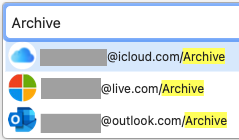
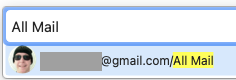
However in V11 Beta you can still manually archive email in the Unread folder via eg: pressing the M shortcut key for Move to Folder and then type eg: Archive or All Mail if its a Gmail account, and then either “pressing enter” or “clicking on the folder” as in the below IMAP account examples.
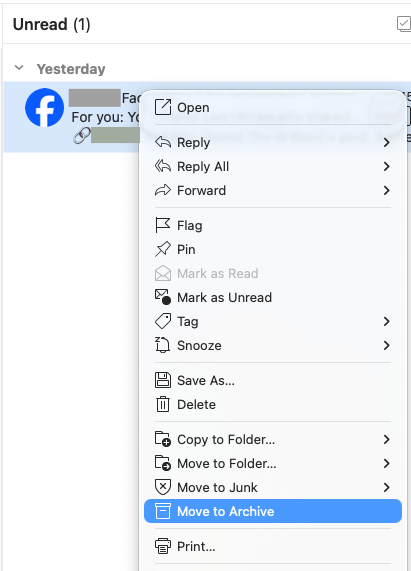
You can also manually Archive mail in the Unread folder in V11 Beta via “right clicking on the message” and click “Move to Archive” as in the below example.
@Olivia_Rust Good to know it was a bug. Ive been archiving unread emails other ways.
@frank2342
The Archive button is now working again on the toolbar in the Unread folder in Favourites in the updated V11.0.473 Beta via the release history page
I can confirm that the issue has been fixed. After updating to the latest beta, the “Archive” button is now available in all Favorites folders again, not just in “All Inboxes”, and archiving works perfectly everywhere.
Thanks a lot for the quick fix!