Hello! Brand new eM user here and I’m still sorting through client options. There’s one thing I’m able to do in Outlook and TBird that I can’t seem to figure out in eM. I typically go through new messages in my inbox from oldest new one to newest new one. I’ve got the setting for behavior after deletion to open the previous message after deletion (“previous” here being the next newest one in the list). When I delete the last message in the list, eM then opens the next message, which is one in the inbox that I’ve already read. What I’d prefer in this instance is for the message window to just close (I read messages in a separate window). Is this possible?
Thanks. I do have that option set to “Previous Message,” because I’m reading up the list (list sorted with newest on top; I’m reading from oldest to newest). This generally works, but when I delete the last (newest) message in the list, the next oldest message opens up.
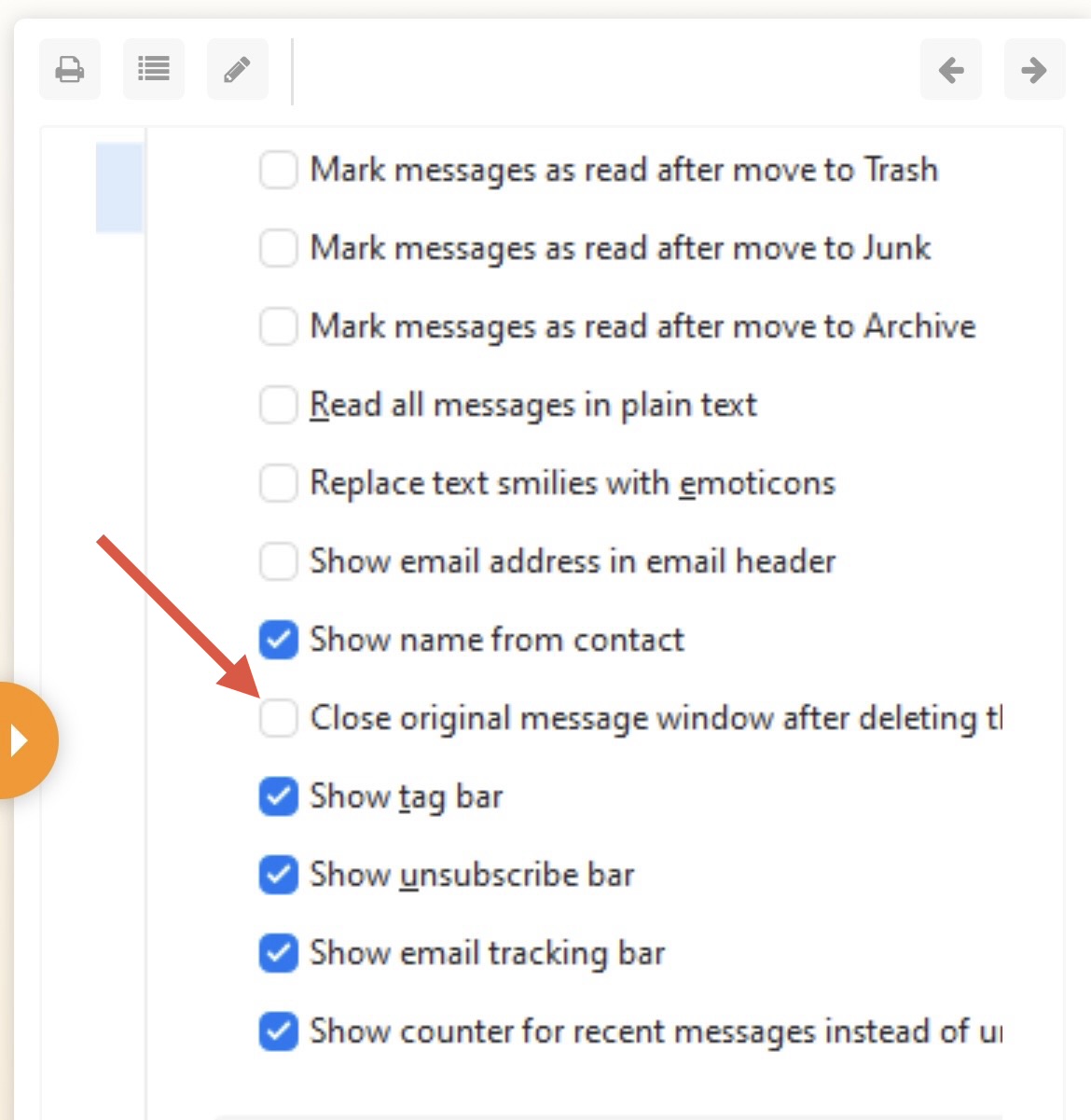
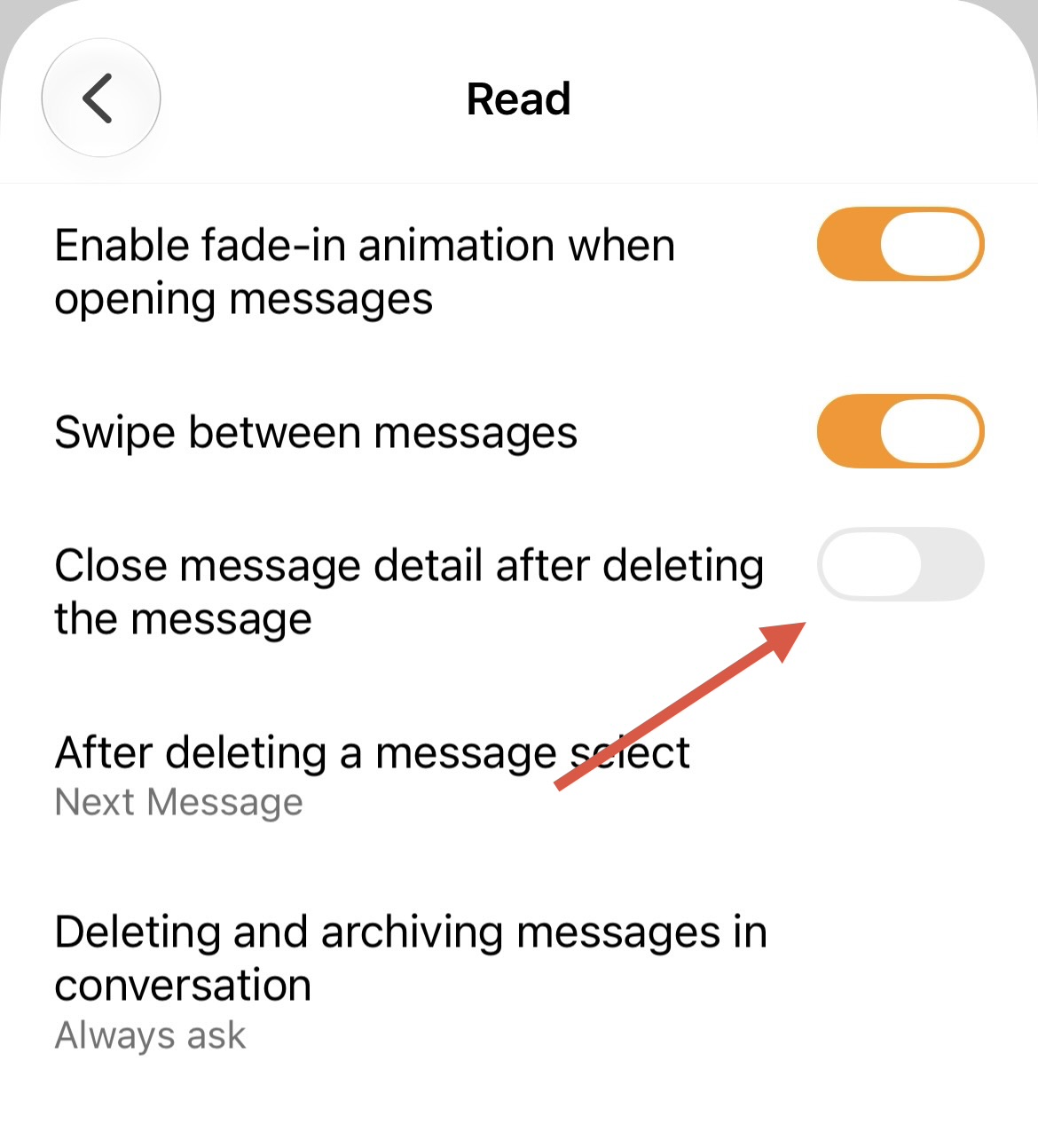
A more general way to say this without considering sort order would be “is it possible to close the reading window after deleting a message when that message is the last unread one in the list?” Basically I’m looking for the “Close original message window after deleting the message” option, but only when I’ve exhausted my new message list.
I realize this is an edge case request, but it fits my workflow. I leave read messages in my inbox as action items. I read new mail from oldest to newest, and when all the new mail is read I’d like the reading window to close and dump me back in the inbox.
I think you should be able to achieve that if you first filter just the Unread messages?
That way, there is no other message to jump to once you’ve deleted the last “unread” one, which would naturally close the reading window and put you back in your Inbox. You can cancel the filter manually, or it will reset on its own once you click into another folder.
I agree with jallison86, there should be a third simply close the message window and return to whatever the folder the message was opened from.
I am an eM Client reseller, and was actually very surprised this current setting even existed. It was only by pure chance that I discovered the ‘next/previous’ behaviour when it was pointed out to me by a client of mine that would also prefer to just have the message window close.
Ironically, I obviously use eM Client (Pro) and have been using it for approx. 6 years, and the setting exists in my settings also, but for some reason does not behave in the same way. When I delete a message, it DOES close the message window and return me to whatever folder I was in) despite being set to open the next message. Very strange!
But, I did use an .xml settings file that I created back in 2025, when I set up eM Client on my current computer (and others I also have eM Client installed on) so I assmue that has something to do with it?
I did test importing the same settings file into eM Client on my clients computer to see what would happen, but it did change anything.
I really don’t like the way it works now, and hope V11 may have a new option to disable the ‘next/prevoius’ setting?
Therefore, I’d like to second jallison’s feature request.
No. I don’t really care about going back to the top of the message list.
I just want it to close the message window when I delete a message, and NOT open any other messages in the same open message window.
Just close the message window, that’s all.
If I wanted to open other messages in the same window, I’d use the ‘Previous/Next’ ‘arrows’ that are in the Toolbar of the Mail window.
I also want to avoid accidental double-clicks on the Delete toolbar icon, resulting in deleted messages because it immediately opened the previous or next message.
This very scenario happened to one of my clients recently. She didn’t realise this new setting had been implemented, and also didn’t realise she’d probably double-clicked the delete button and that was probably why a few messages had mysteriously disappeared.
Ah hah! Thank you. Sorry, I misread your previous reply.
And thanks for pointing out that particular setting. I had obviously set it in the past for myself, but completely over-looked it when trying to find what was causing the issue for my client (skipping straight down to the message list settings).