I just installed eM Client (v10.4) and connected it to my Gmail account.
The “Automatically download messages for offline use and search” is unchecked.
But eM Client is downloading the entire mailbox.
In Gmail the All Mail folder has 120,000 messages, total size without attachments 4GB.
After 12 hours (!), eM Client is still “Synchronizing folder ‘/All Mail’”, the All Mail message count is advancing very slowly, now at 70,000.
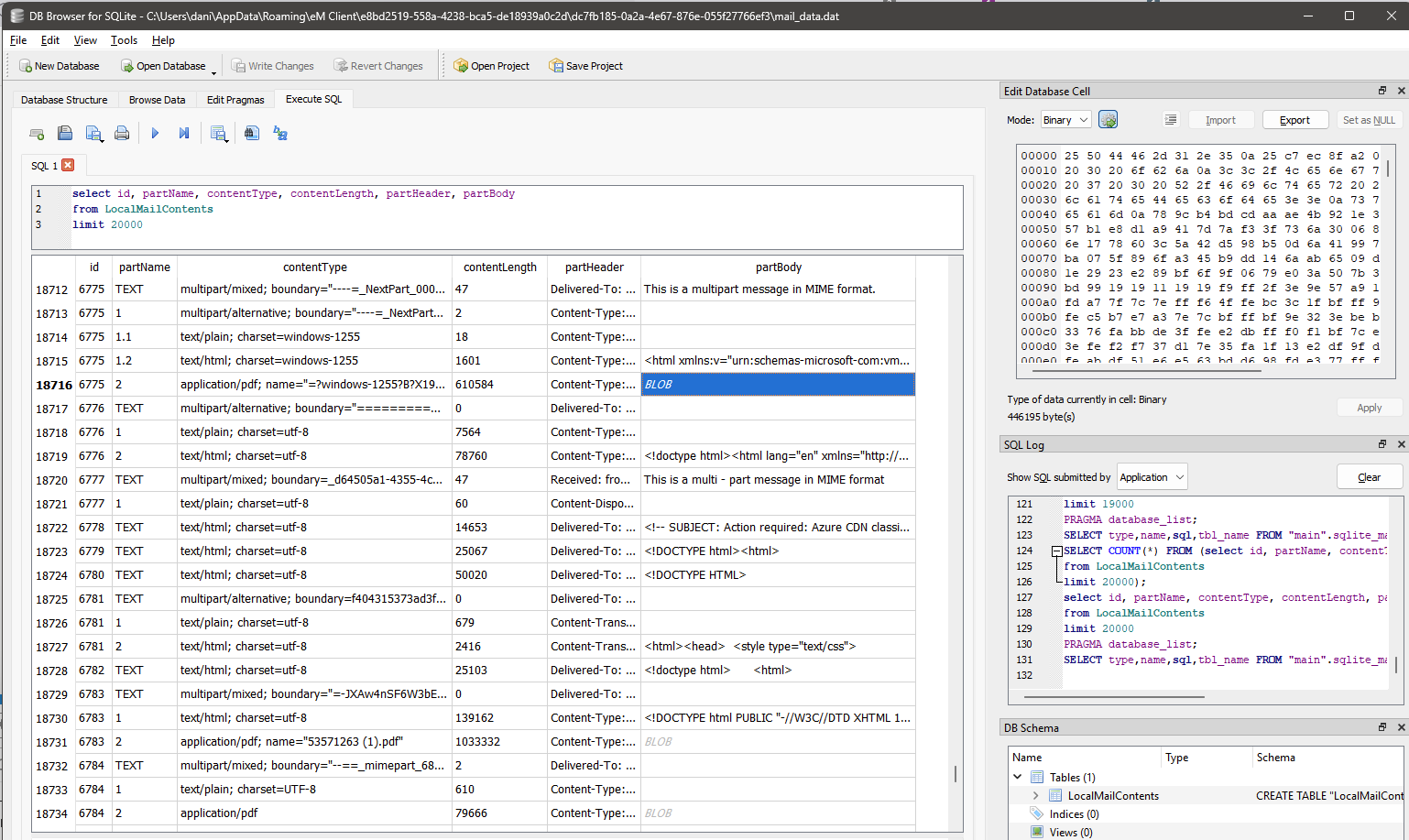
The mail_data.dat file by now is 1.5GB, and when I open it with a SQLite browser I can see that it contains the complete message bodies.
Hi, by default, eM Client downloads the message list for your Inbox during synchronization so that it can be displayed. The settings under “Automatically download messages” extend that to subfolders and allow you to set more extensive download. With Gmail, most messages are part of the All Mail folder, which can result in a much larger amount of data being synchronized. If you’re looking to reduce the database size, I recommend reviewing the “Limited sync” options and adjusting the synchronization period.
it contains the complete message bodies
This is expected for emails that have been opened. Or are you seeing full message bodies downloaded for all emails, including those you haven’t opened?
Hi Kim,
Indeed it seems to be downloading full bodies for emails that I haven’t opened.
Here’s a random sample, showing messages from about a year ago that I definitedly haven’t opened. It shows even downloaded attachments
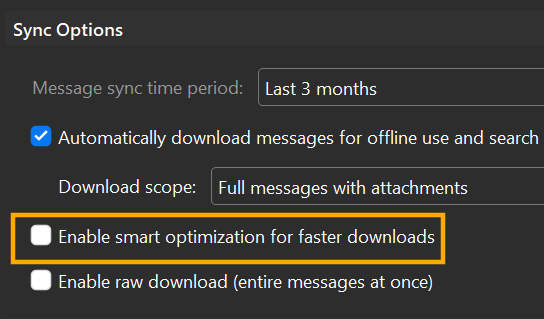
I got additional information about the smart sync optimization we introduced in 10.4 – in order to offer a faster experience for users, it may predownload messages, so turning that off is another option. You can do so in Accounts > IMAP.
1 Like
Thanks Kim, indeed that seems to have worked.
The sychronization that held at about 100,000/120,000 messages took just a few minutes to complete. And looking at the db I can now see quite a few records with empty bodies.
If I run a repair on the All Mail folder - will that shrink the db (now almost 2GB)?
I’m in the process of checking out eM Client as an alternative to Thunderbird which has been my email client until now. In general it has a much friendlier UI, and although I’ll greatly miss Thunderbird’s great selection of add-ons, I guess I’ll go ahead and buy a license - especially after now seeing that it has excellent support 
Anyway, FWIW, I hope that in a future update you come up with a smart optimization that doen’t download the complete mailbox - and doesn’t take over 24 hours to sync