When I forward mails with an attachment, the attachment is not included. I’m using the latest version. I checked the source code of the mails and it seems, that there is a problem with the composed mail.
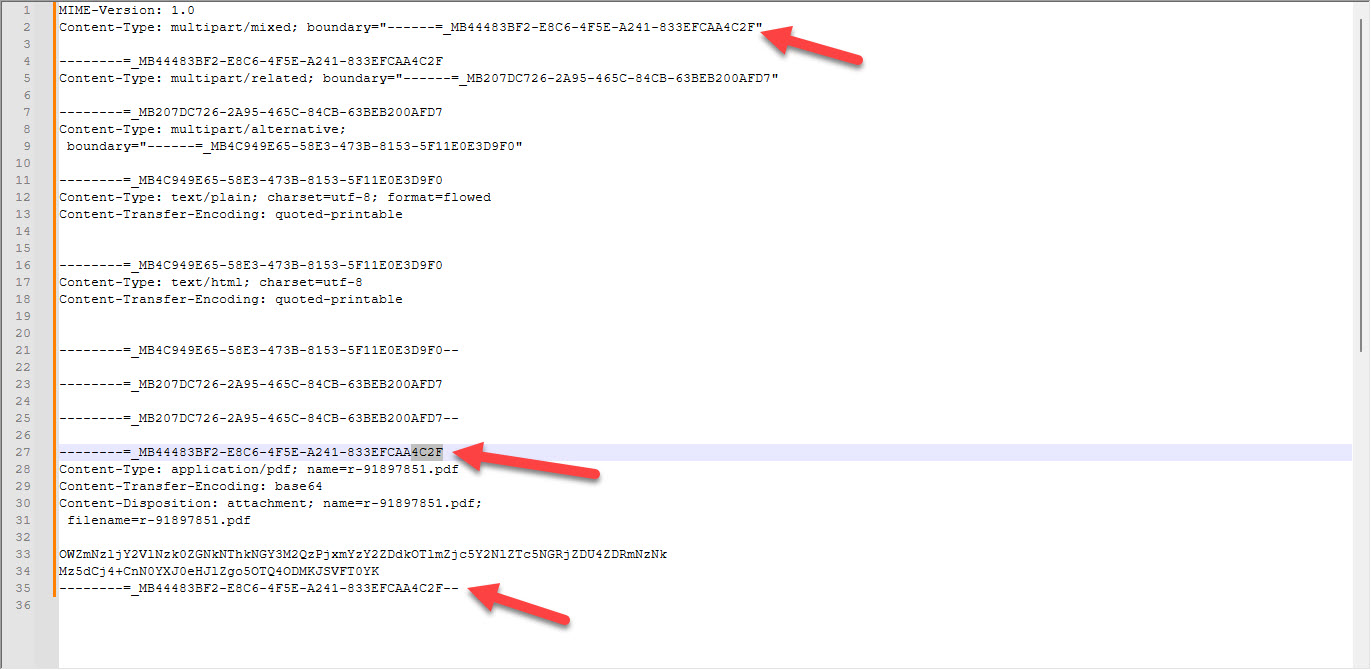
Enclosed is a stripped of original mail. Pay your attention to the token 833EFCAA4C2F in both images
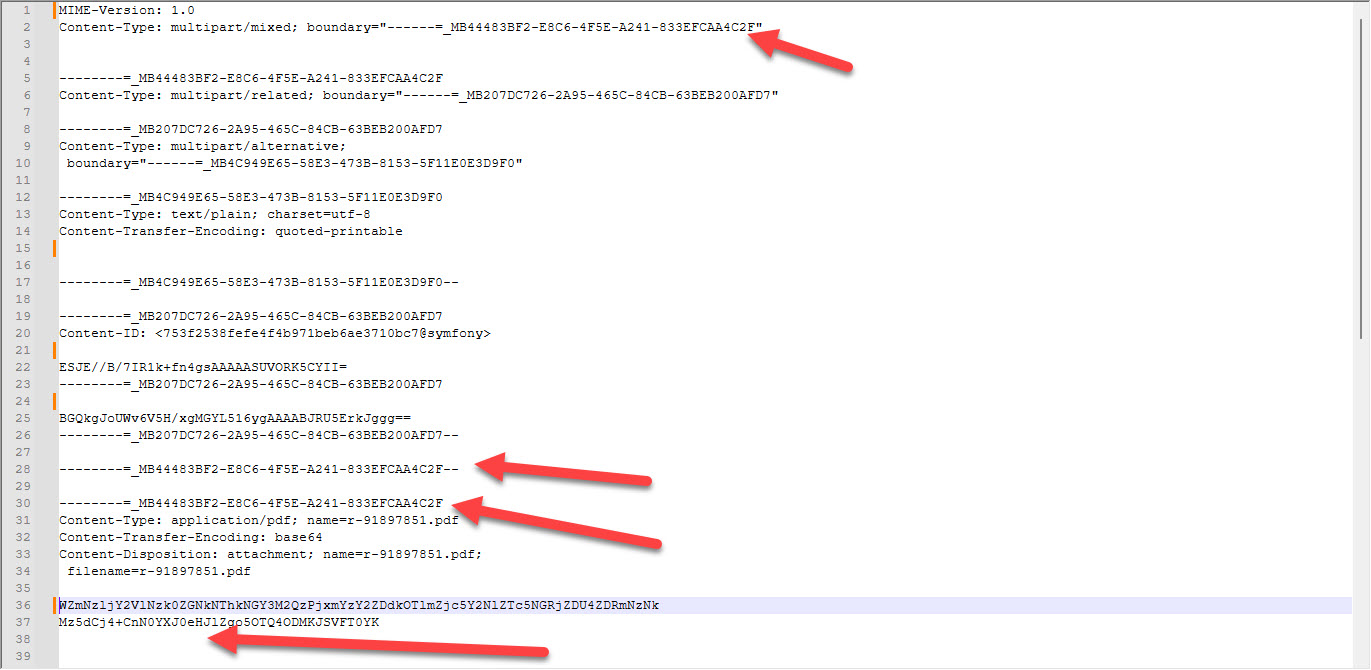
And then the malformed one.
In the original mail the attachment is opened in row 27 and closed in row 35
in the malformed mail the attachment is opened is closed in line 28 , then opened in line 30. And there is no closing line at the end.
When I forward mails with an attachment, the attachment is not included.
Sounds like a sending mailer coding html issue.
Try then “Forward as Original” via the dropdown on the right of Forward and see if the attachment shows.
If the attachment still doesn’t show with Forward as Original, then go to “Menu / File / Export” and choose Save to (.eml) and save the file to disk.
Then if you have a current active paid Pro, Personal or Business license, go to the VIP support page and login and lodge a support ticket and “attach the (.eml) file” to be investigated.