Hi everyone,
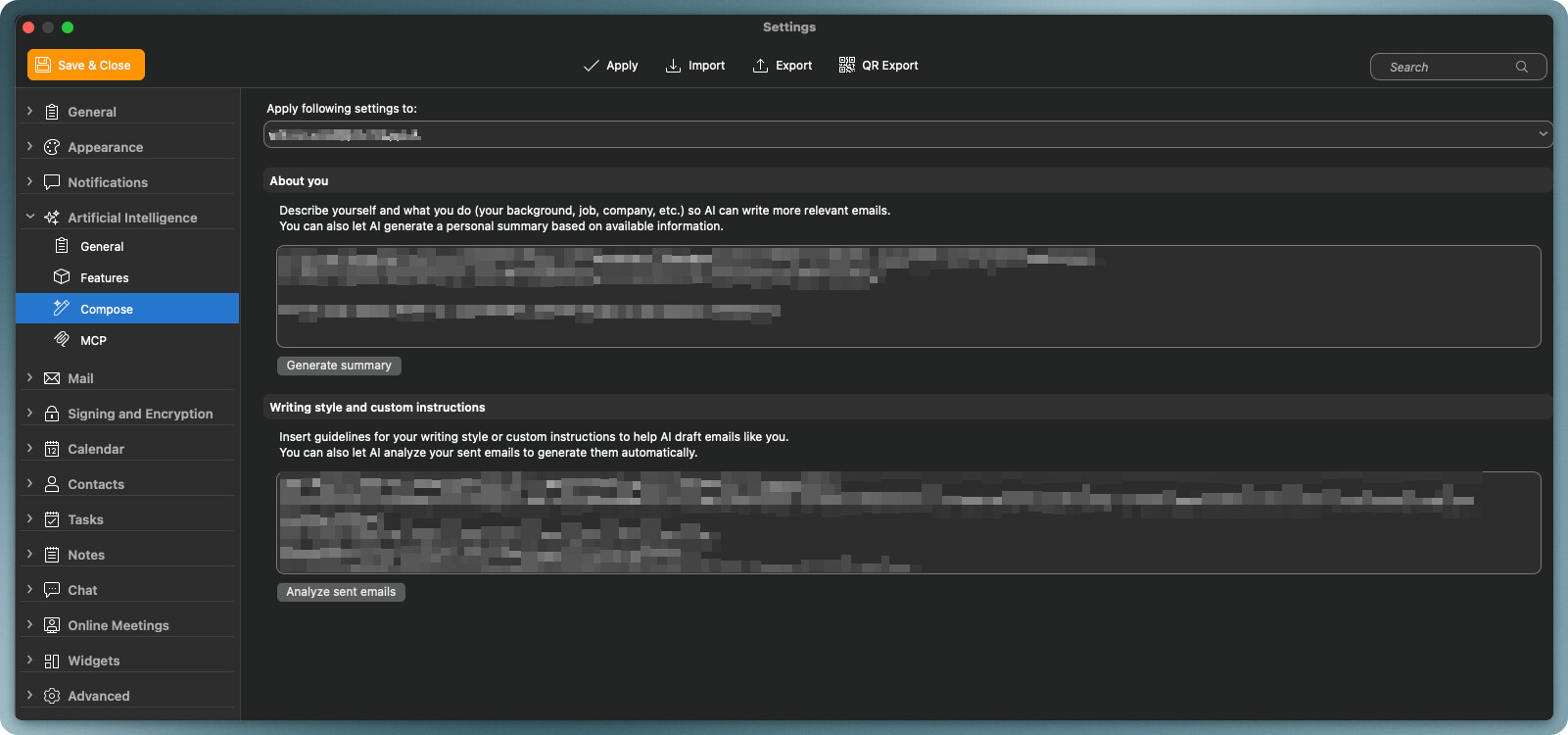
After upgrading from eM Client v10 to v11.0.1267 (ca9fa42) on macOS, I can no longer manually edit the following fields under Settings → Artificial Intelligence → Compose:
- About you
- Writing style and custom instructions
Both fields were initially editable. However, after using “Generate summary” and “Analyze sent emails” and saving the settings, I can no longer modify their contents.
Steps leading to the issue
- Upgrade from eM Client v10 to v11.0.1267.
- Open Settings → Artificial Intelligence → Compose.
- Use “Generate summary” and “Analyze sent emails” to populate the fields.
- Save the settings, then return to the same settings page.
- Attempt to edit either field manually.
Expected behavior
Both fields should remain editable so I can review, correct, or customize the generated content.
Actual behavior
The generated content is displayed, but I can no longer edit either field.
I’ve attached a screenshot of the affected settings page, with personal content blurred.
Is this a known issue in v11, or is there a setting I need to change to make these fields editable again? Is there a workaround that preserves the existing content?
Thank you for your help!