I have a folder that contains both sent and received messages.
If there are several messages in it, the history is also grouped.
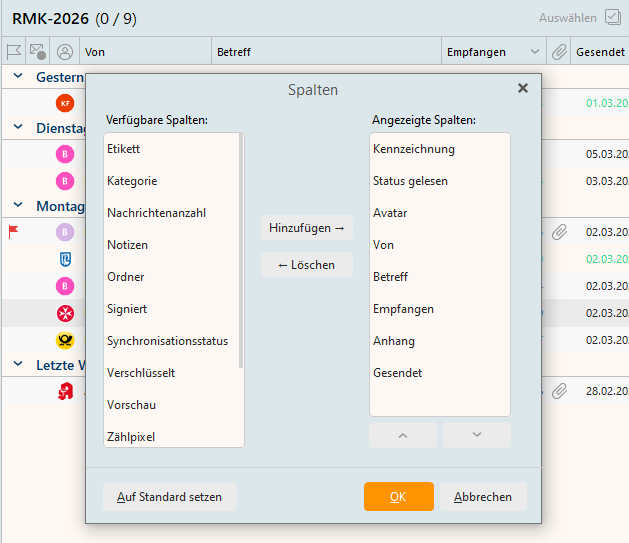
However, when configuring the columns, I cannot display TO whom the email was sent; only FROM is possible.
Does anyone know more about this?
viernes 06 marzo 2026 :: 1655hrs (UTC +0100)
Hey @PxMaster
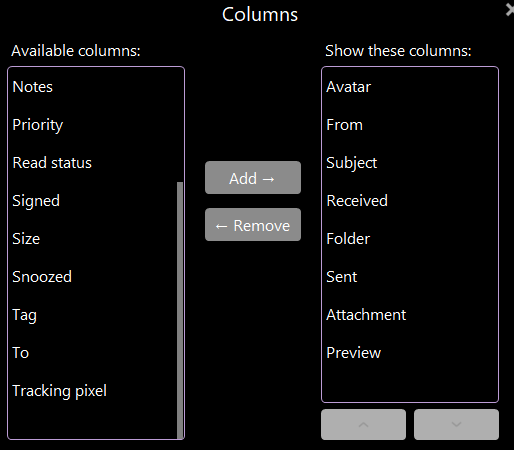
Very strange you can see TO
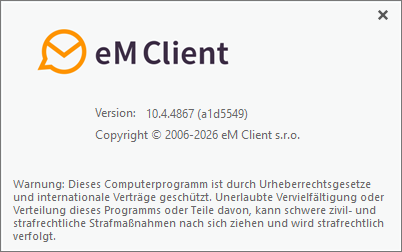
What version of eMC do you have?
Do you have Windows or MacOS?
skybat
¡Buena suerte!
¡Saludos desde Sevilla la soleada en España!
¡Mis mejores deseos y mantente a salvo!
Hablo español, luego portugués, inglés, francés y alemán
con conocimiento de varios otros idiomas.

domingo 08 marzo 2026 :: 1900hrs (UTC +0100)
Hey @PxMaster
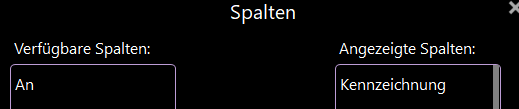
That I do not understand, so I checked, German, English & Spanish and
German is the only one of the three where TO (AN) is not there.
So as a work around in eMC I changed to English from Spanish then
selected TO as a column and confirmed AN appears a column in German,
it also works from Spanish.
To change language in eMC do to:
Menu >Settings . General >Language >Select your language and click Apply
Menü > Einstellungen > Allgemein > Sprache > Wählen Sie Ihre Sprache aus
und klicken Sie auf „Anwenden“.
skybat
¡Buena suerte!
¡Saludos desde Sevilla la soleada en España!
¡Mis mejores deseos y mantente a salvo!
Hablo español, luego portugués, inglés, francés y alemán
con conocimiento de varios otros idiomas.
Hello @skybat,
I don’t understand that either.
Thanks for the tip, but it doesn’t work with my version either – for whatever reason.
The ‘TO’ column does not appear in the other languages either, including Spanish.
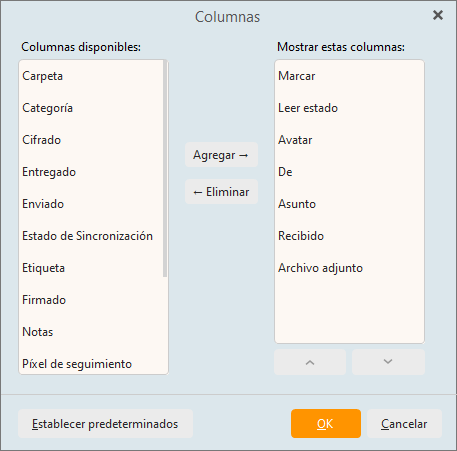
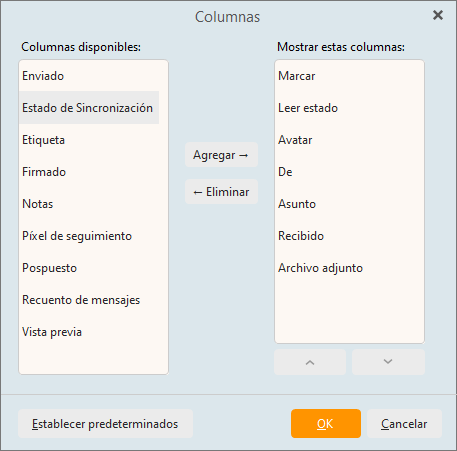
Maybe it will be fixed by chance with an update at some point 
Thanks for your help.
Regards, PXMaster
lunes 09 marzo 2026 :: 1743hrs (UTC +0100)
Hey @PxMaster
I have the same version of eMC as you.
I have sent a report to @Kim_Fisher at eMC.
I simply do not understand, in Spanish it shou;d show as PARA
in English as TO.
I just tried again on a different Laptop with also Win 11Pro and
English OS and the same version of eMC in English, however, it
did not work in German until I had added TO on the toolbar in
English and also rebooted eMC between the language changes.
It might be worth a try…
If I am wrong someone will say.
skybat
¡Buena suerte!
¡Saludos desde Sevilla la soleada en España!
¡Mis mejores deseos y mantente a salvo!
Hablo español, luego portugués, inglés, francés y alemán
con conocimiento de varios otros idiomas.
It may be relevant that I use Windows 10… and have no plans to change that. 
martes 10 marzo 2026 :: 0853hrs (UTC +0100)
Hey @PxMaster
Sorry for the delay in getting back to you I was busy elsewhere.
I have had one of our interns check using Win 10Pro and the same
version of eMC and in German the issue exists, however, “AN” can
be made to appear as previously described.
I am sorry I do not know what more I can do to help other than
to suggest that you contact eMC direct to report a “BUG” that
may or mat not be present in earlier versions of eMC.
Unfortunately I hat not yet received a reply from @Km_Fisher
skybat
¡Buena suerte!
¡Saludos desde Sevilla la soleada en España!
¡Mis mejores deseos y mantente a salvo!
Hablo español, luego portugués, inglés, francés y alemán
con conocimiento de varios otros idiomas.
Hello @skybat,
No need to apologise. We all have jobs to do, after all.
I noticed another detail:
In the IMAP folder ‘Sent Items’, the “TO” column is set by default, of course.
But I can’t add the ‘FROM’ column here.
So it seems to have something to do with the type of folder.
Maybe @kKm_Fisher can say something about this…
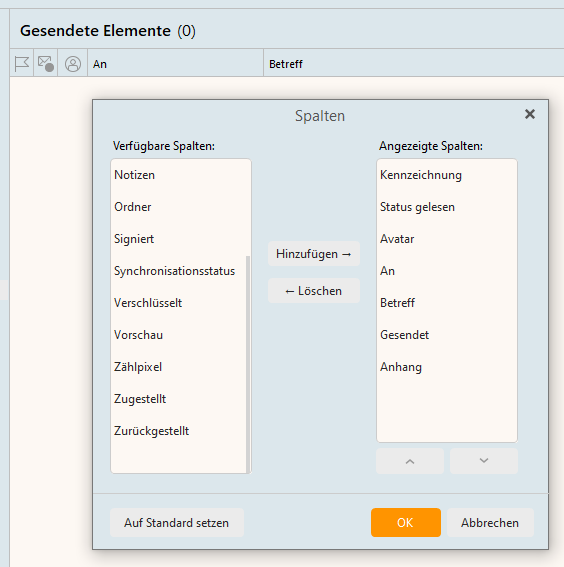
It’s strange that I seem to be the only one experiencing these errors… bad karma?

What conversations setting are you using?
If you have conversations in all views, then the From/To columns would be merged in the Message list.
You can change your conversations via Menu > View > Conversations. You can freely change it and see which one works best for you.