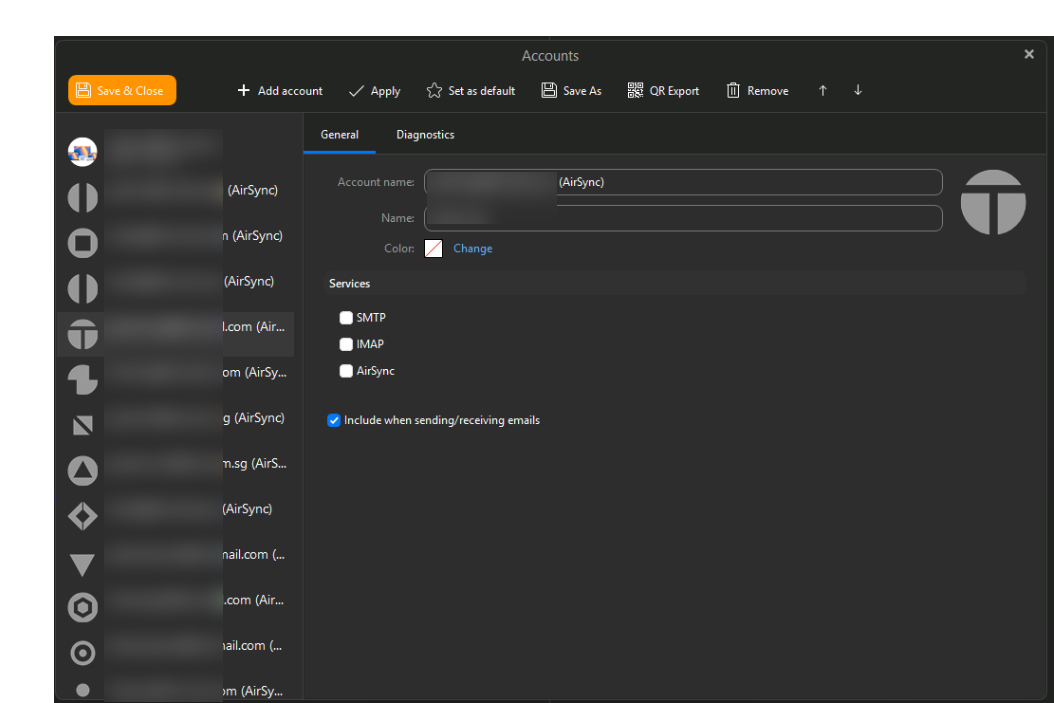
After upgrading to emClient 11, I migrated all my Microsoft accounts to Microsoft Graphs. Following the migration, under the Accounts option, I noticed several accounts labeled with “(AirSync)” that have no services selected. I also have same entries for accounts using Microsoft Graphs to connect to the respective email accounts after the migration. Are the “(AirSync)” accounts still usable, or can they be deleted?
I noticed several accounts labeled with “(AirSync)” that have no services selected. I also have same entries for accounts using Microsoft Graphs to connect to the respective email accounts after the migration.
If they are the same accounts as your Graph accounts and all your emails, contacts, calendar etc are showing ok under your Graph accounts, then just delete them as all your data is at the server end for previous IMAP or Exchange accounts.
Before removing the accounts with no services best to first make a manual backup just incase you need to restore for any reason. You can see when the backup is complete in Show Operations via the dropdown on the right of Refresh.
You wont get duplicate mail in your Graph account. Only that your Old AirSync accounts might still receive the same mail. So best to remove them to avoid errors & avoid a larger database.
As i said previously if all your mail, contacts, calendar etc are showing ok under your Graph accounts there is no need to keep the old accounts as they have already been migrated.
Just make a backup as i advised previously before you remove them.