Tried to use both Thunderbird and eM Client to use an Outlook account. Gave up; Microsoft sucks. Need 2 email accounts so now I have 2 GMail accounts. Both seemed to set up readily, but eM client is throwing:
Everyday GMail: Connecting to Everyday GMail failed
[SMTP] An attempt to connect to Everyday GMail failed. This could be caused by temporary server unavailability or incorrect settings. Do you want to check the settings?
Have checked. Settings are correct. Something special I have to do to get eM to work with both GMail accounts?
[SMTP] An attempt to connect to Everyday GMail failed. This could be caused by temporary server unavailability or incorrect settings.
Check the below eM Client with Google Workspace link that you set your Gmail accounts up the same. https://www.emclient.com/em-with-google-workspace
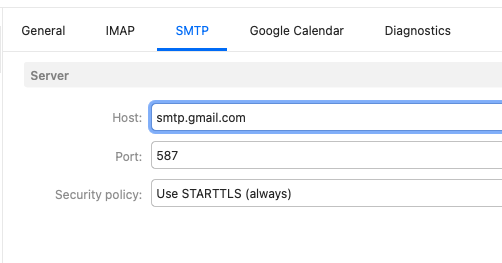
If you have setup the same as per the wizard and have the same Gmail SMTP settings, then sometimes sending problem can be caused by eg: optionally installed firewall / security programs or optionally installed antivirus programs or vpn’s. So if you have anything like that installed “other than what comes default with your OS”, try completely disabling those to test incase of interference.
Thanks for your response. Problems have caused me to abandon eM Client and go back to Thunderbird. Microsoft has screwed up all the 3rd party email clients that I know of. Abandoned Microsoft email as well.
eM Client also works fine with Microsoft accounts. I have 3 Microsoft Personal IMAP accounts configured in V10 and works perfectly. eM Client supports POP, IMAP, Exchange & Office 365.
So if you do try again, update what errors or problems you are getting with Microsoft setup. Also update what version of eM Client you have, and if you have Windows or Mac and your OS ver.