When I select the “Labels” menu item, the program freezes completely, and I have to close it using Task Manager. I’ve tested it on two computers, and both exhibit this behavior. Please fix this!
Otherwise, it’s a great update to the program! 
Thanks
When I select the “Labels” menu item, the program freezes completely, and I have to close it using Task Manager. I’ve tested it on two computers, and both exhibit this behavior. Please fix this!
Otherwise, it’s a great update to the program!
Thanks
When I select the “Labels” menu item, the program freezes completely, and I have to close it using Task Manager
What exact label are you clicking on to cause it to freeze. Is it an eM Client toolbar button label or an account label / tag and if so what account is it.
Maybe if you can do a screenshot of what you click on when this happens. Blank out anything personal and paste it in this thread.
Also if it is an account label / tag, is it a POP, IMAP, Exchange, Graph, or iCloud account.
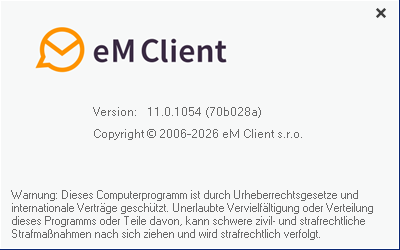
Also what version of eM Client do you have, and what version of Windows or Mac do you have.
Hello,
I’m attaching 3 screenshots and two short videos.
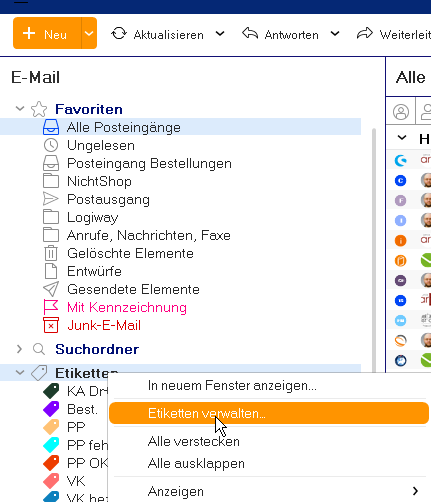
After right clicking on Manage Labels (Etiketten verwalten in German) emClient freezes
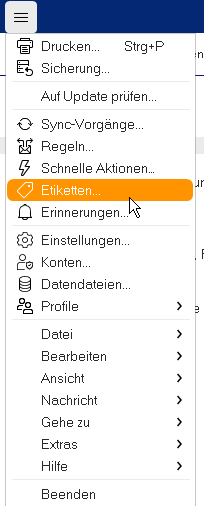
After clicking on Labels… from the Hamburger main menu (Etiketten… in German) emClient freezes
All email accounts are IMAP (with 2 Gmail-Accounts included)
Thanks and kind regards
Bulldozer
Ok using eM Client V11.0.1054 MSIX app installer via the release history page with Win 11 or Win 11 Pro (25H2) clicking Tags / Labels in the Menu or right clicking on an Tag / Label and clicking Manage Labels as per your videos doesn’t freeze or lockup for me at all personally. I carn’t replicate that issue.
So first make sure you have minimum Windows 10 or later OS build & all latest OS updates. I don’t have (26H2) but wouldn’t think that would cause any freezing / locking up issues. Other forum users might comment on that if they do have (26H2) and are getting this issue.
So if you have Windows 10 or 11 and done all the latest OS updates, then could be eg: your eM Client installation didn’t install 100% or might have had an error during the install, or could be your eg: eM Client database as some sort of local corruption, or could be eg: something running resident in memory on startup in Windows interferring with the mail client.
So what id suggest is first make a backup of eM Client via “Menu / Backup”. You can see when thats completed in “Show Operations” via the dropdown on the right of Refresh. Then close eM Client and “uninstall eM Client” & then reinstall from the release history page & see if that fixes it.
If uninstalling and reinstalling eM Client doesn’t fix it, then suggest to next “test with a new clean database” to see of thats the issue. To test with a new database “first close eM Client” and then go to the following hidden database folder and “rename it” it to eg: eM Client-Old. Then reopen eM Client and setup as new & see if that fixes it. If you have an IMAP, MS365 / Exchange, Graph, or iCloud account all your emails, contacts etc will come back from the server once eM Client reconnects.
(Hidden database folder Windows)
C:\Users%username%\AppData\Roaming\eM Client
Now If a new clean database doesn’t make any differance, then “close eM Client again” and “delete the new eM Client database” and rename your original database back to eM Client and reopen eM Client. Then i would suggest to eg: disable all background tasks on Windows startup “other than the basic OS stuff” and reboot and see then if eM Client Tags / Labels work ok.
Thanks for the info.
I’m using Windows 11 26H2 (26300.9457) with all updates installed.
I’ll go through what you recommended and get back to you.
Many thanks and best regards,
Bulldozer
It really was the database—it had become corrupted.
I’ve now reinstalled emClient on both of the problematic computers, and everything is working fine.
Thank you very much, and best regards
Bulldozer