eM Client can move messages to Junk if you Blacklist them. You can later undo that by selecting the message in the Junk folder and choosing Move to Inbox > Move to Inbox and remove Blacklisted …
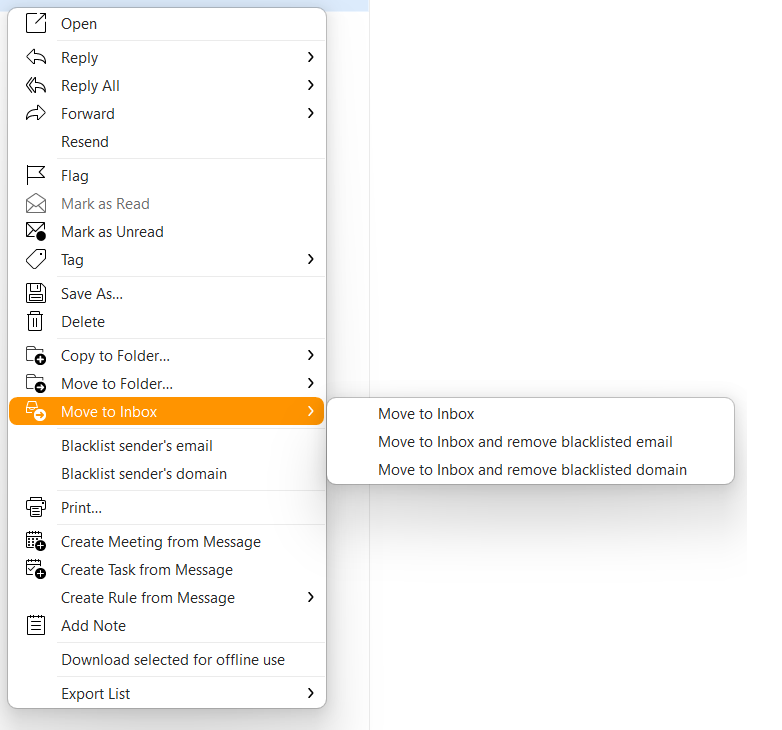
If your server is moving them to Junk, this won’t have any effect other than moving just that single message. Other messages from that sender will still go to Junk unless you login to your email provider’s webmail, select the message in spam and mark it as not spam.