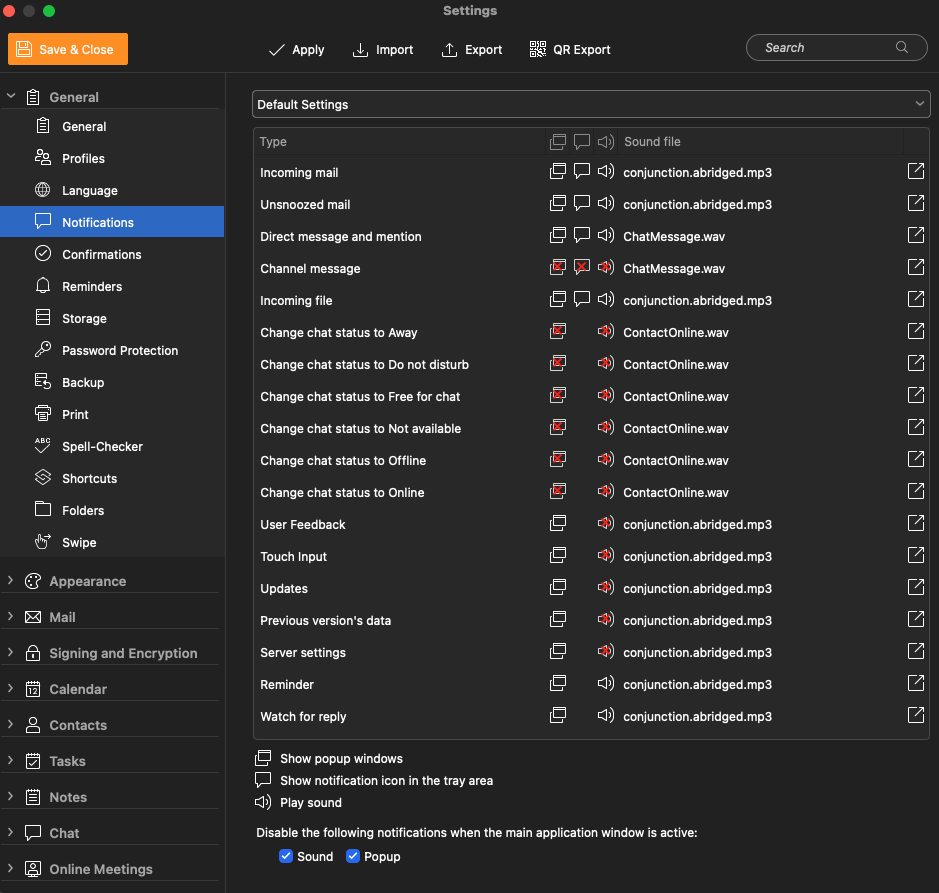
Would be awesome if the sound notifications were muted if Do Not Disturb was on.
Currently I believe there a Sound checkbox but it’s only available when digging through the settings and is not connected to any OS settings.
Maybe a separate checkbox for Mute While DND or something similar?
If you opt to use “system notifications” instead of eM Client’s custom ones, they should then follow your system settings, including DND mode - or have you experienced issues with this behavior?
Settings > General > Notifications, at the bottom there is checkbox for “Use system notifications”
In eM Client 11, this section will be moved into a new section where notifications will be more clearly explained and with expanded customization options, the selection between system/custom stly will be located in Settings > Notifications > General.
Thanks for the quick response -
I can’t find the checkbox in eM Client 10.4.5674 (fcbf2a4) for Mac. I also did a check within System Settings → Notifications → eM Client
Oddly when I do a search within eM Client settings → search → “Use system settings”, it will highlight the Notifications area. Is there another setting that needs to be on for this setting to be visible?
Thanks for your patience!
Thank you for the additional details.
Mac version uses system notifications by default, so it seems there might be a bug - what version of macOS is running on your device?
@squidboy I have an update to my response. We were able to find the cause of the issue, and it should be fixed in eM Client 11, which should be out very soon.
Thank you! Appreciate the quick response. I was about to record a screencast for you but seems like you have the info you need already.
Hi Olivia, can confirm that eM Client 11 now pays attention to Do Not Disturb as expected.
Thanks for your help!