I make extensive use of labels in my incoming emails. These text labels were normally located to the left of the email subject. However, when creating a copy using a Ctrl command, these labels changed into a colored dot that was moved to the right of the email subject.
I find this very inconvenient and would like to revert to the old situation. Can you help me?
I make extensive use of labels in my incoming emails. These text labels were normally located to the left of the email subject. However, when creating a copy using a Ctrl command, these labels changed into a colored dot that was moved to the right of the email subject.
Can you screenshot the before and after as and example of the problem ans paste in this thread. Blank out anything personal in your emails.
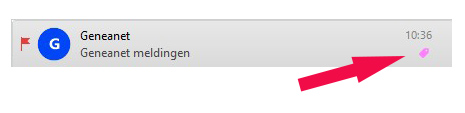
This image shows the current situation.
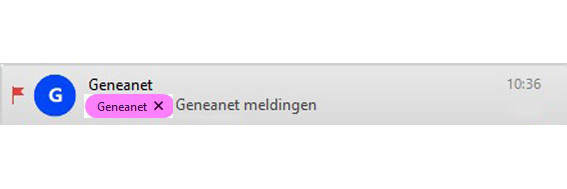
The following image shows the situation as it used to be and as I want it to be again now.
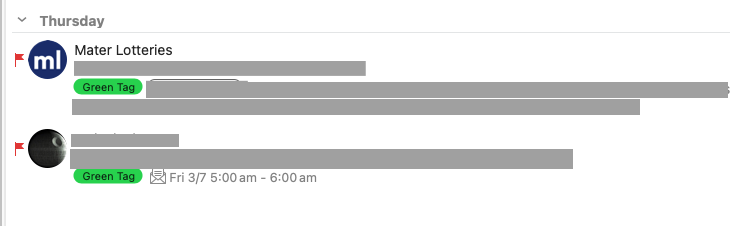
So I would like to have it changed to the situation indicated by the image below.
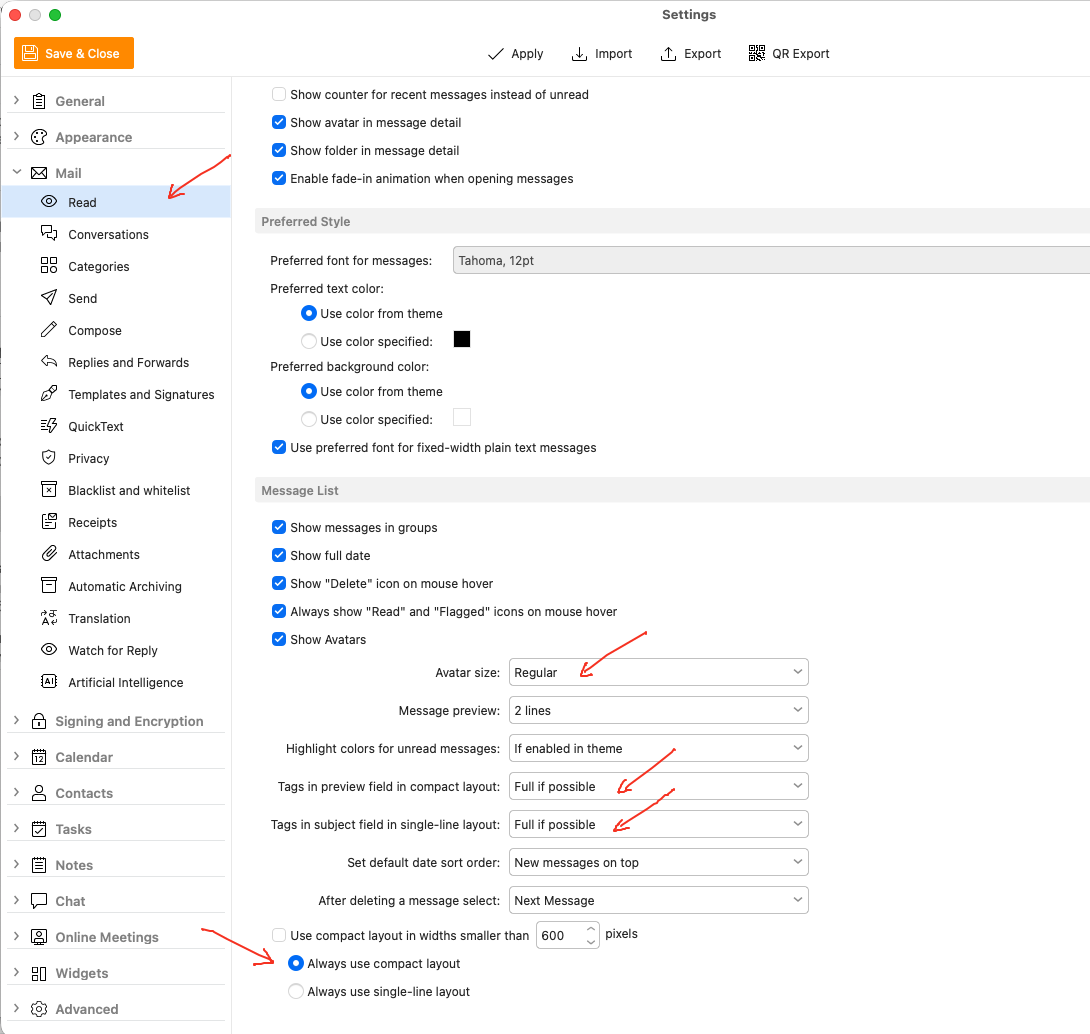
To get the Tags / Label colours on the left of the subject in the message list do the following.
Go to “Menu / Settings / Mail / Read” and set the options as per below & Save & Close.
It worked. Thanks for the prompt service
. Regards, Albert