I have two gmail accounts setup in eMClient, upon startup the application opens at the Inbox of the 2nd account, how do I set it up to open to the first account’s Inbox instead?
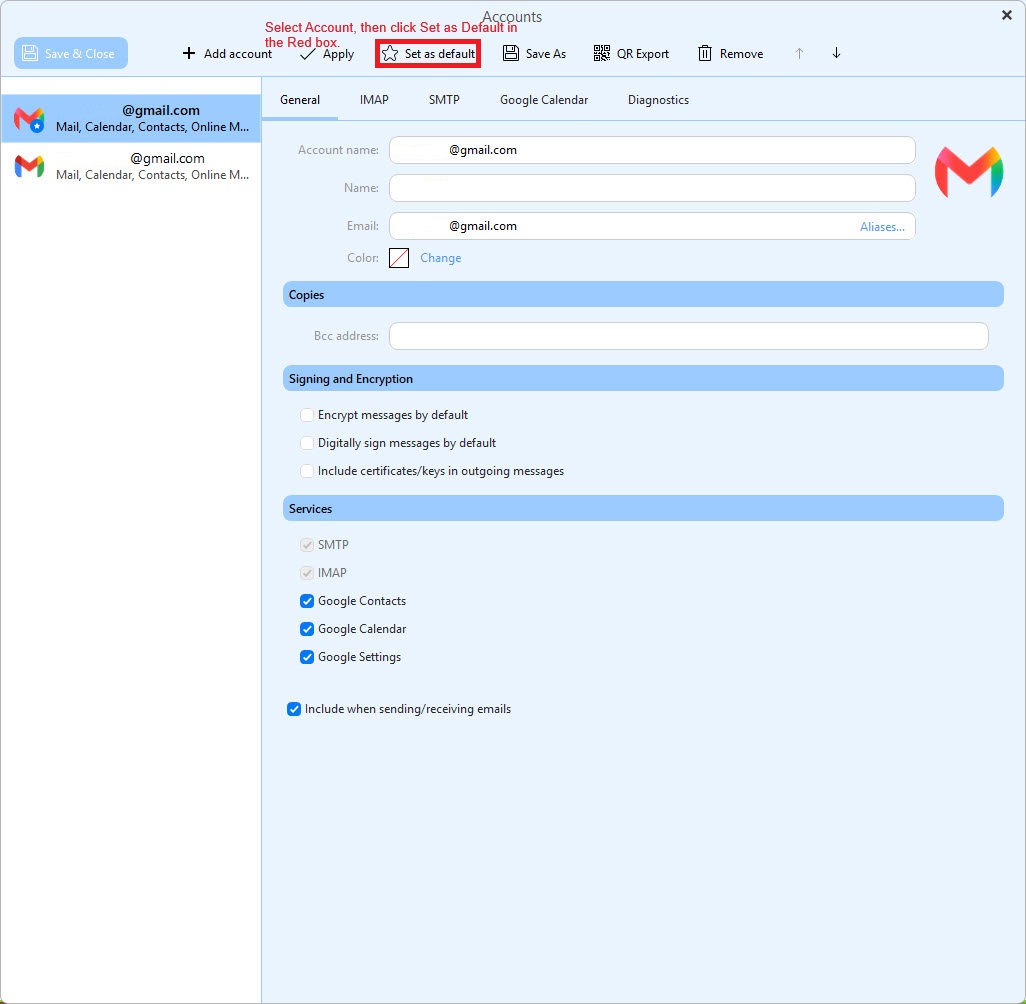
Not sure but go to settings - Accounts. It will show the ones you have added and there will be little star next to which account is default. You can highlight the one you want and click on to top option “Set as default”. It will add a little star next that one. Maybe this does it?
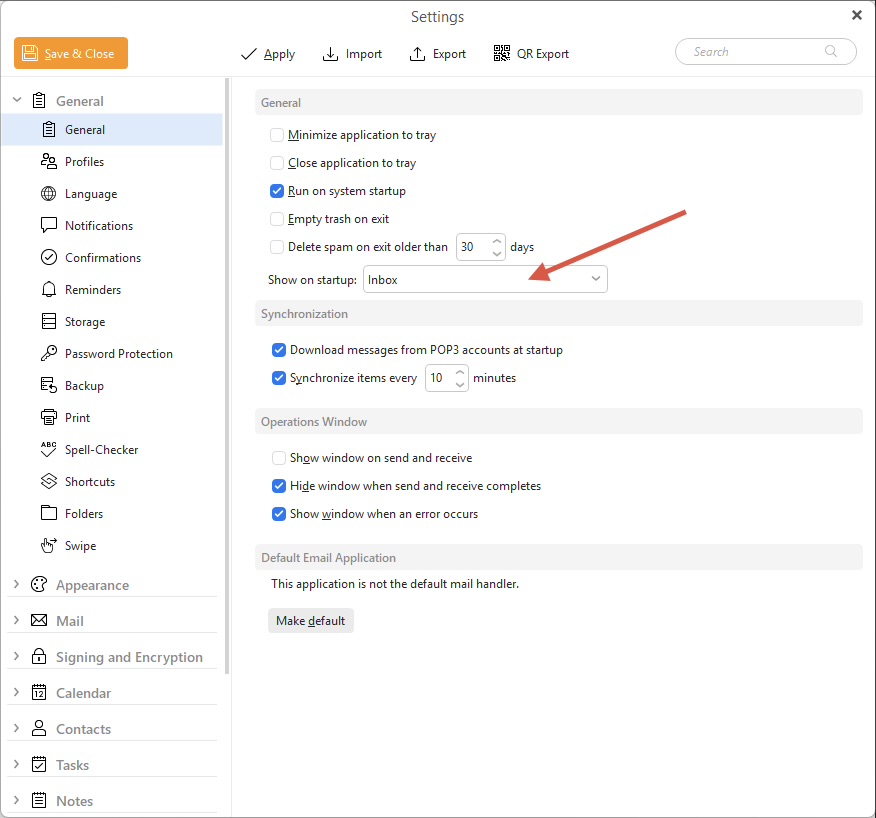
Apart from setting the default account as @rocky advised, go to “Menu / Settings / General / General” and under “Show on startup” select the Account Inbox you want to open on startup,
Or if you have Favourites enabled to see all accounts in one global Inbox select All Inboxes.
Thanks for the replies Gary & Cyberzork, Gary’s reply worked perfectly.
Cyberzork, in your reply, when I click the Make default box, it goes to Win 11 settings asking for other extensions to be authorised. I have no idea what those extensions pertain to, so I have not ticked them. Thanks for your input anyway, sometimes there is more than one to skin a cat as they say.