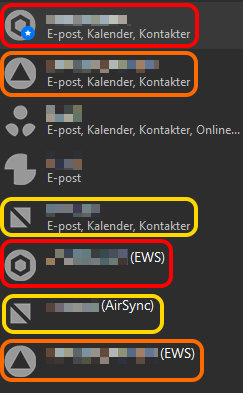
I am testing eM Client 11 Beta with Microsoft 365 accounts configured using Microsoft Graph.
After removing the previous accounts and adding them again using Graph, synchronization completes successfully with no pending operations or visible errors.
However, several Inbox subfolders that exist in Outlook Web are missing in eM Client. They are not hidden.
The same folders are also missing in the eM Client mobile Beta, so the issue occurs on both desktop and mobile.
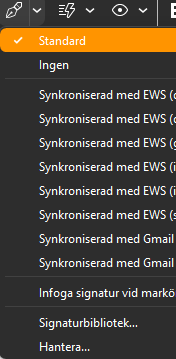
Microsoft 365 cloud signatures are not imported either. Under Templates and Signatures, Gmail signatures appear as “Synced with Gmail”, but no Microsoft 365 signatures are available.
The missing folders and signatures are present correctly in Outlook Web.
Microsoft Graph reports the Inbox with:
childFolderCount: 10
However, only two Inbox child folders are returned/processed in the folder enumeration (xxxx.” and yyyy), while the remaining Inbox subfolders visible in Outlook Web are missing in eM Client.
Most importantly, I cannot see any subsequent request from eM Client to:
/mailFolders/{inbox-id}/childFolders
even though Graph explicitly reports that the Inbox contains 10 child folders.
The general /mailFolders requests are paginated with $skip=10 and $skip=20, but they finish without retrieving the remaining Inbox subfolders.
All Graph requests shown in the log return HTTP 200, so this does not appear to be an authentication or server error.
This may indicate that the current Graph implementation is not recursively enumerating child folders correctly.
Regarding Microsoft 365 signatures, I also cannot find any Graph request related to mailbox signatures, mailbox settings or roaming signatures. Gmail signatures are synchronized correctly, but Microsoft 365 cloud signatures are not retrieved at all.
One of the missing Inbox subfolders I searched the full Microsoft Graph log and this folder name does not appear anywhere. Graph reports childFolderCount: 10 for Inbox, but eM Client does not subsequently issue a /mailFolders/{inbox-id}/childFolders request, so the missing folders never appear in the log.
During normal operation I also receive the following Microsoft Graph errors:
The message exceeds the maximum supported size., Cannot save changes made to an item to store.
IO error during request payload read.
Could you please confirm whether:
-
Inbox child folders are currently expected to be enumerated through /childFolders in the Graph implementation, and whether this is a known issue in Beta 11;
-
Microsoft 365 cloud/roaming signatures are currently supported through Microsoft Graph in eM Client 11 Beta?
The issue is reproducible on both eM Client for Windows and eM Client Mobile, while Outlook Web displays the complete folder hierarchy correctly.
Thanks