If your Gmail account is not syncing all messages, then either you have a limit set in your eM Client account setup or you have limited your Gmail account online mailbox.
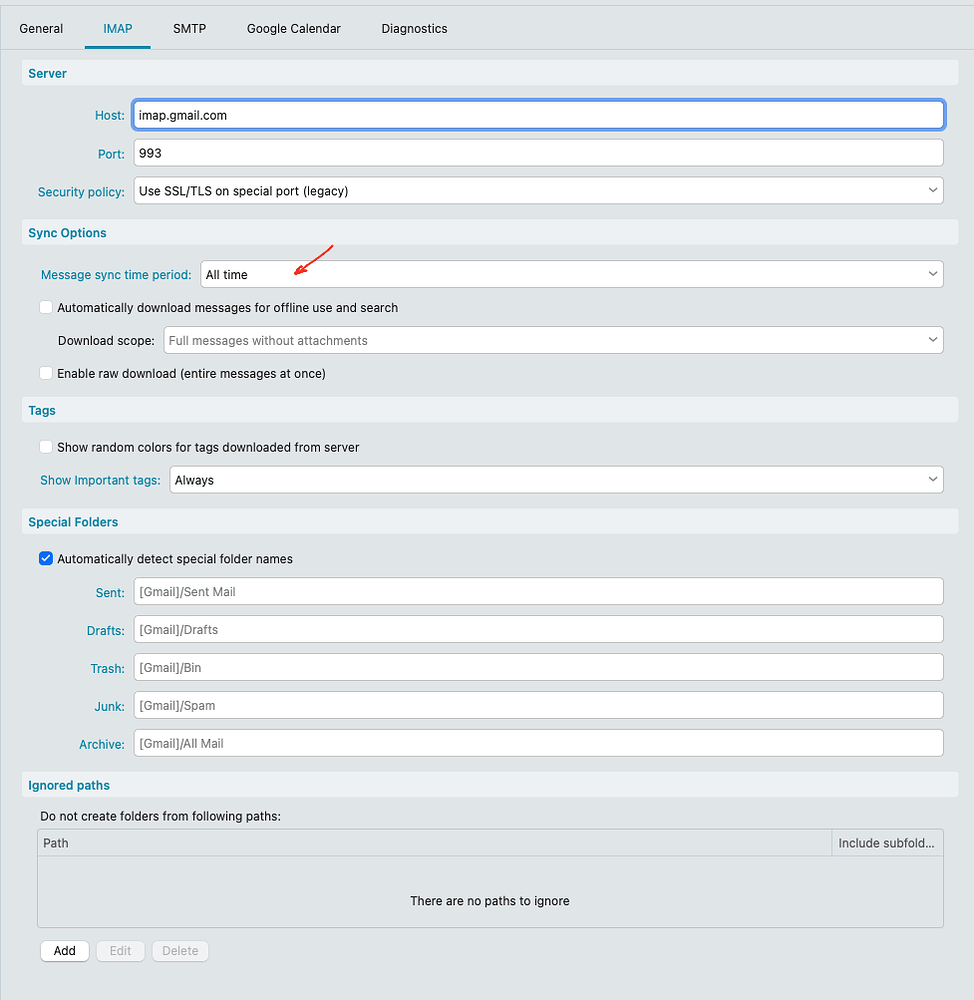
So first go into eM Client “Menu / Accounts” and select your Gmail account on the left. Then click your “IMAP” tab along the top, and check if you have “All Time” set under Sync Options part way down as in the first example screenshot.
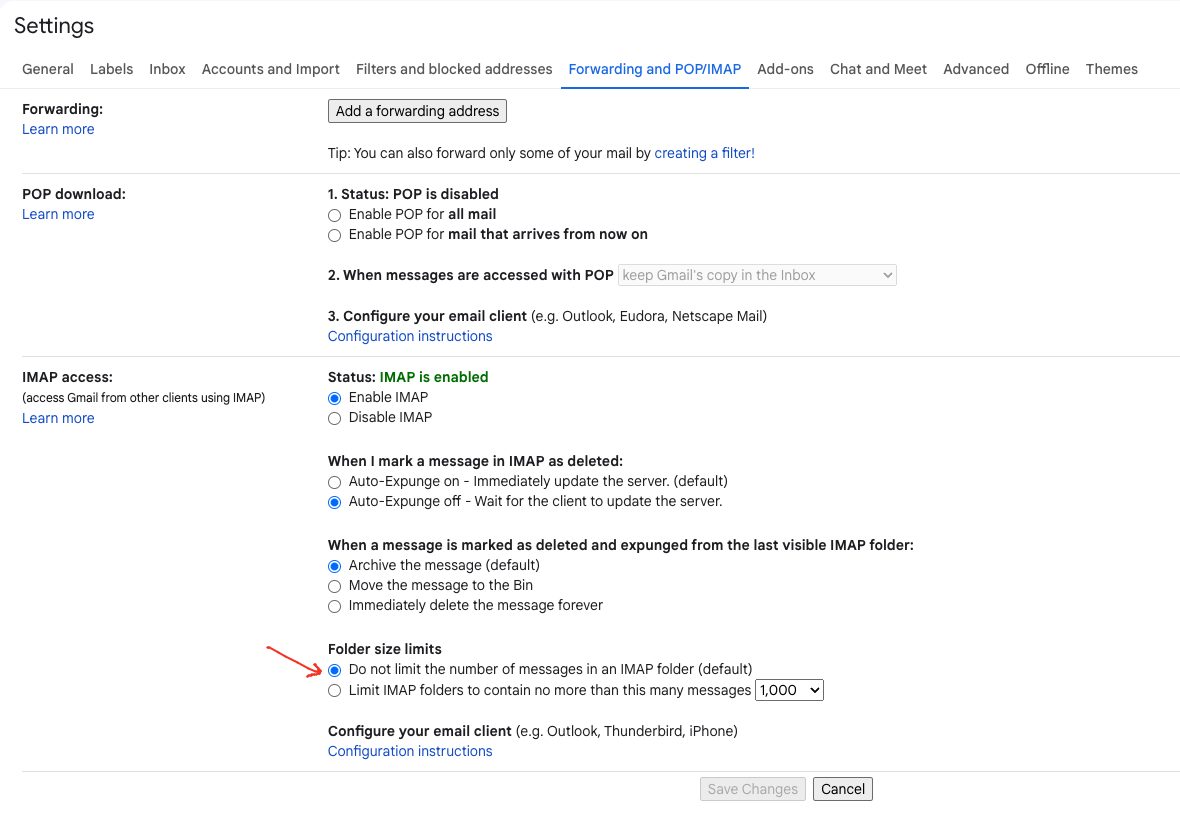
If that is already set, then go online to your Gmail “Webmail / Settings / Forwarding and POP/IMAP” section, and check if you have set the default “Do not limit the number of messages in an IMAP folder” as in the second example screenshot below.