eM Client is not showing any of my emails that are more than 4 months old in my folders. I have no issue with this in the Outlook or Thunderbird applications. I would appreciate assistance on how to resolve this issue. Thanks!
As your emails are all showing ok in your other mail clients then either you have a message sync limit in your eM Client account setup, or something has happened to the account.
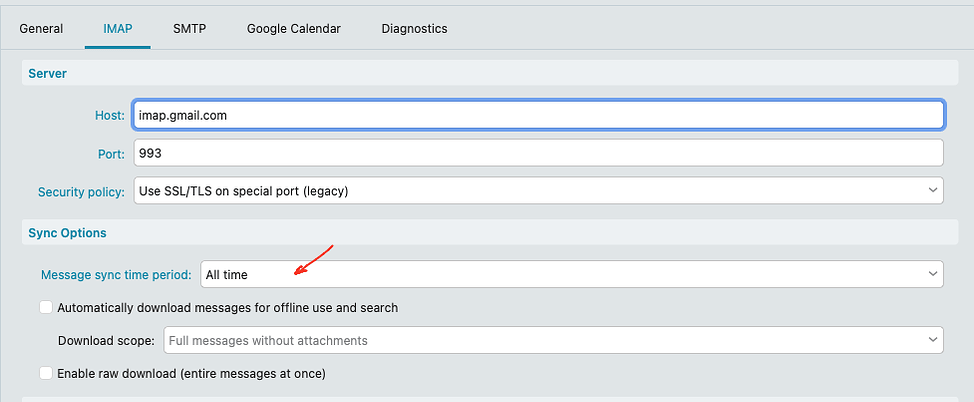
So first if you have a eg: IMAP, Exchange type acct, go to “Menu / Accounts” and click your mail account IMAP or Exchange tab and part way down you will see “Sync options” where by default it’s normally set to “All time” unless you have limited it. See Gmail IMAP screenshot example.
eM Client editing accounts documentation
Message sync time period: This setting allows you to synchronize only the newest emails from your server with a custom-set time frame. You can change the time frame here at any time.
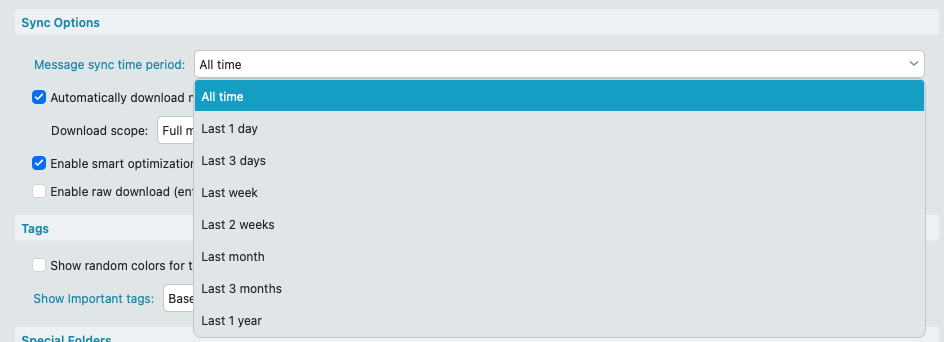
The default option is to synchronize messages from All time, which will pose no limit on your messages, all the ones on your server will be synchronized with eM Client. In case you want to keep only the latest in the app, you can choose from Last 1 day, Last 3 days, Last week, Last 2 weeks, Last month, Last 3 months or Last year.
Failing that if your account is already set to sync messages All Time, then suggest to next try repairing the folders that have the missing messages in them via “right clicking the folders” and click “Properties” at the bottom. Then click the “Repair” tab at the top and click Repair. That clears the local cache and resyncs from the server end. If you have a Gmail account you right click and repair the “All Mail” folder.
Note: Before repairing “make a backup first” via “Menu / Backup incase you need to restore for any reason. You can see when the backup is complete in “Show Operations” via the drop-down on the right of Refresh
If repairing the folders still doesn’t show the missing messages and nothing showing synching in Show Operations, then suggest to “remove and re-add your mail account” via either the automatic email wizard or manual setup depending on your server which should then definitely fix the problem.
Note: If you do remove and readd your mail account, “also make a backup first” via “Menu / Backup incase you need to restore for any reason.
Also if it’s a POP account or you have Messages in Local Folders at the bottom left, before removing and readding your account, “export your account messages to (.eml) files to a folder on your desktop or documents” via “Menu / File / Export” which then can easily be reimported later after readding the account “Menu / File / Import” later.
I have followed all these steps and the problem still remains. I am using GMail as my email server. As mentioned previously, Thunderbird and New Outlook show all the emails in my folders regardless of how old they are. Any other thoughts would be appreciated.
I have followed all these steps and the problem still remains. I am using GMail as my email server.
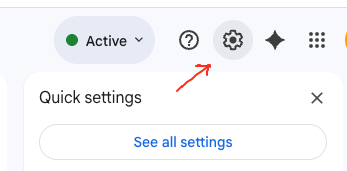
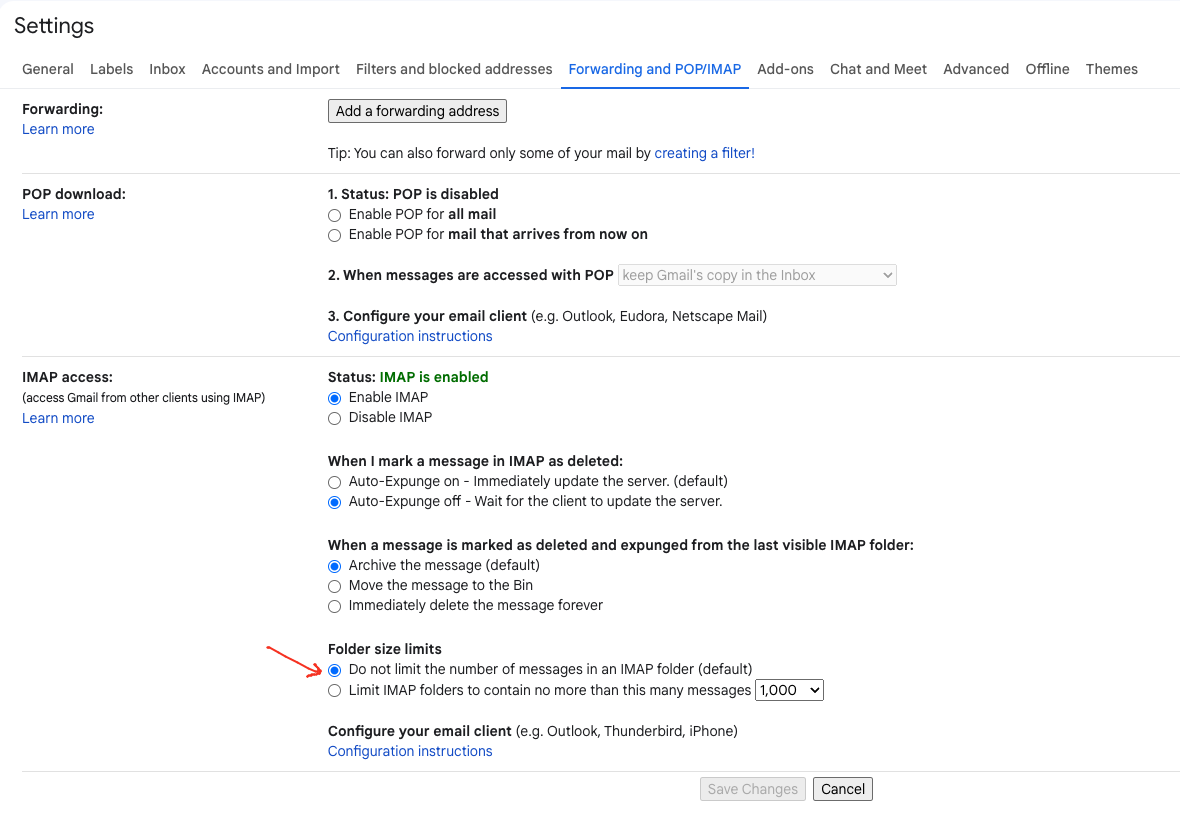
Then you may have limited your message limit in your Gmail online, Go online to Gmail “Settings / See all settings” and click the “Forwarding and POP)/IMAP” tab and make sure you have set to "Do not limit the number of messages in an IMAP folder (Default) as per below example.