I understand that “new is better”, but “better is the enemy of good”.
Now I must change all shortcuts from “program files (x86)” folder to C:\Users\username\AppData\Local\Microsoft\WindowsApps\emclient.exe (or there is any other way)? First I just upgraded and old shortcut still works, but I uninstalled everything and installed eM Client from zero - and there is no longer eM Client folder inside “program files (x86)”. Ok, new path works, even if I like to have a little more control over programs and I prefer the good old way programs (still most of them) installs.
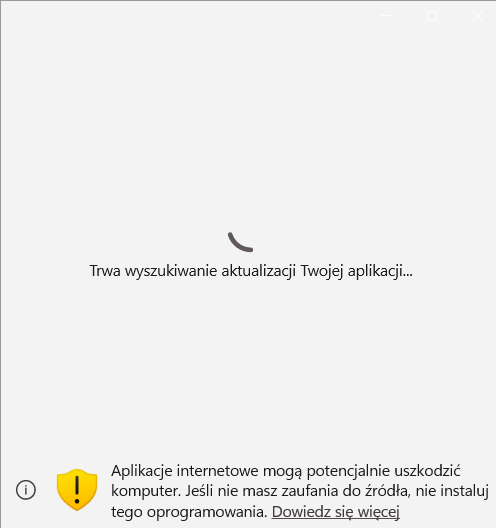
But that is the smallest problem. Why every time I start eM Client, “application installer” appears and check for update (no matter what)? I have “auto updates and repairs” disabled, but still it starts every time I want to run eM Client. Is any way to disable that application installer run every time?
That doesn’t normally happen. I’ve personally never seen that happen with the release MSIX app installer using Windows 11 / 11 Pro (25H2).
I also haven’t heard of that issue either with (26H2) from reading the threads of V11 users. Sounds like either the install didn’t go quite right or you have some sort of registry problem.
So if you already have the latest Win 10 or Win 11 updates, then suggest you first backup your current V11 via “Menu / Backup”. Then once backed up close eM Client and uninstall eM Client and reboot your pc.
Then download the latest MSIX app installer which is now V11.0.1201 from the release history page or official download page and install and see if that fixes it.
If the latest app installer still doesn’t make any difference then other users on this forum might have other ideas.
BTW. I uninstalled everything (even removed from registry all eM Client stuff) and reinstalled it again. It’s the same. Package installer updated. It’s not a big deal - it shows only for few seconds, but still is a little annoying.