Version 10.4.5674 (fcbf2a4) live.co.uk email account
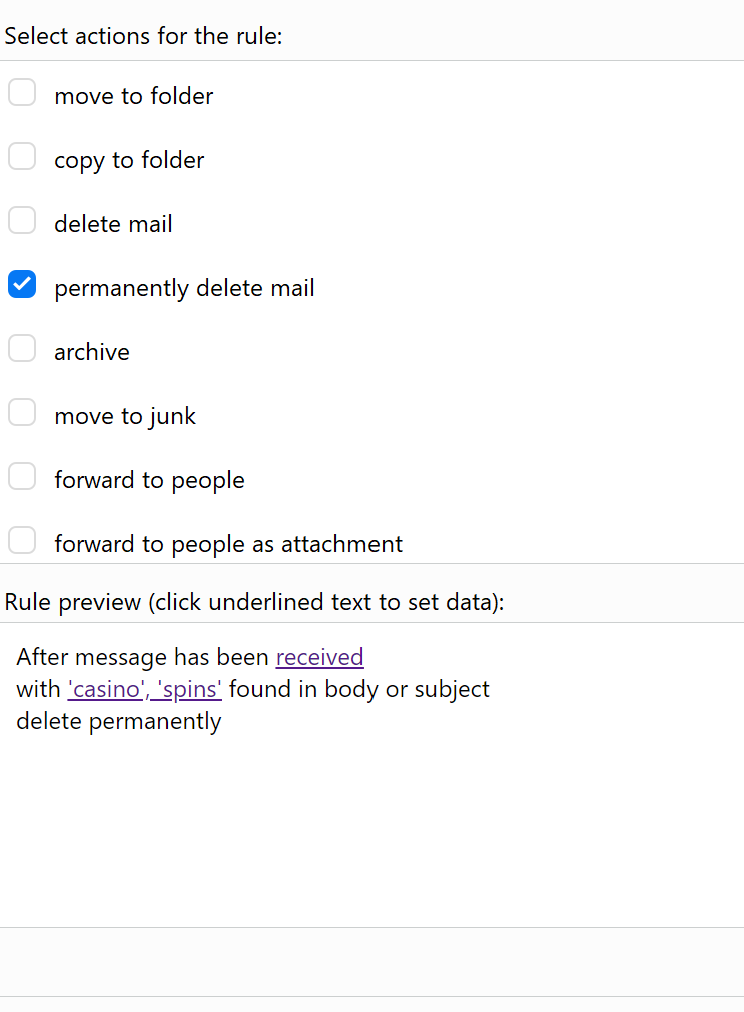
I created what should be a simple rule to completely delete (i.e. not send to Junk) messages with certain words in the subject. Specifically casino, spins (the current bulk of spam!).
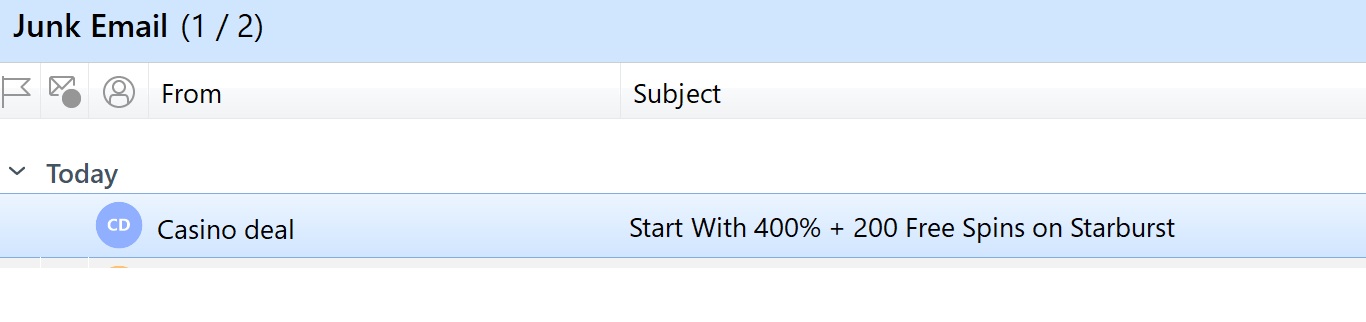
Nothing happens, my junk folder still fills up with these.
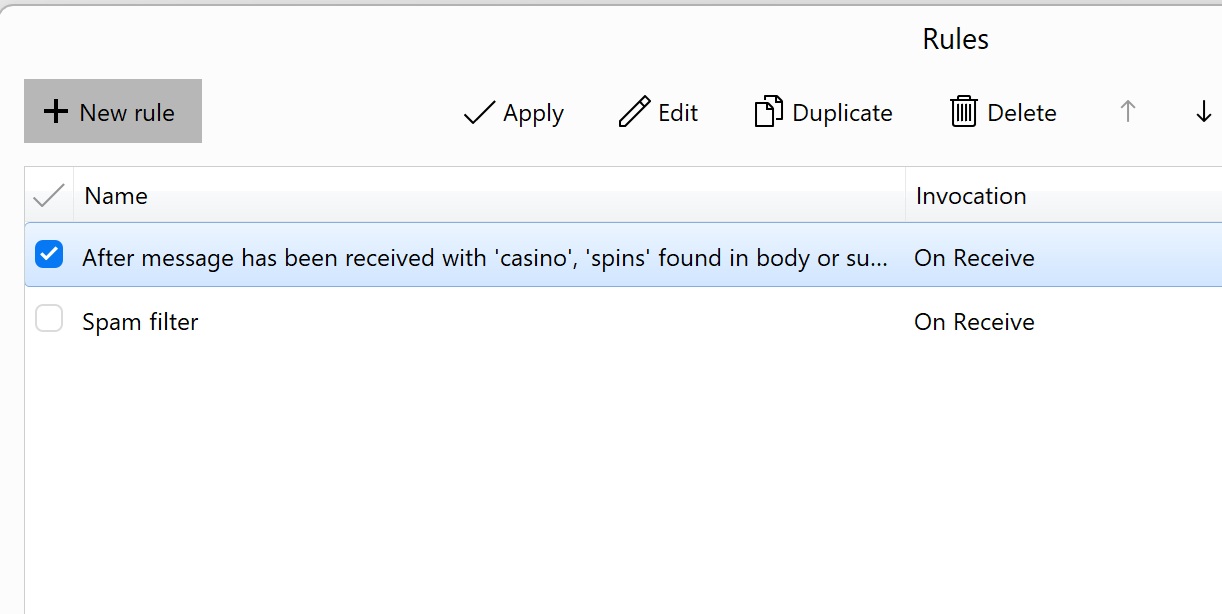
I disabled all other rules as a test, but this rule is still not applied.
However if email is automatically going to the Junkmail folder or the Trash folder then you carnt setup a rule to move it back to the Inbox. Automatically rules only work from the Inbox.
So if email is automatically going to Junkmail or Trash and it only just started happening, then if there is no custom rules setup via “Menu / Rules”, then if you have V10 / 11 Beta, go to “Menu / Settings / Mail / Blacklist & Whitelist” and click “Manage Blacklist” at the bottom to check you haven’t accidentally added the sender in there.
If there is no rules or blacklist setup and email is going straight to the Junkmail folder, then it will be your mail server spam engine or a server mail filter setup automatically moving it to the spam folder as @BigR advises in which case go online to your webmail junk mail folder and mark it as not junk which will move it back to your inbox and train your online mailbox to keep it in your inbox for future. Also if your online mailbox supports it add the sender to your whitelist.
Yes exactly it only works on the Inbox. I have been trying to setup a filter in Gmail to not put it in the spam folder or trash (as Gmail do not have a delete option) so thought if any possible way for em Client to have a way to add a rule/s in for the other folders that would be awesome. But maybe not easy or possible for a future feature.
Also why I put that in this thread as that would fix the Author of this thread problem too in a simple way so no mater what your provider did by putting spam etc in the Spam folder or trash, you could delete it with a rule, instead like me trying to go to Gmail, change filtering etc to try and keep it to the inbox. Just is messy that way.
Gmail use an AI spam engine which learns so as I said you “go into your Gmail Junkmail folder online and mark is as Not Junk”. You might need to do that a few times till it learns to keep that sender in your Gmail Inbox. There must be something Gmail are detecting in the senders email header, subject or body of the email that Gmail suspect is spam.
Apart from that as I said go online into your Gmail account and “add the sender to your whitelist”.
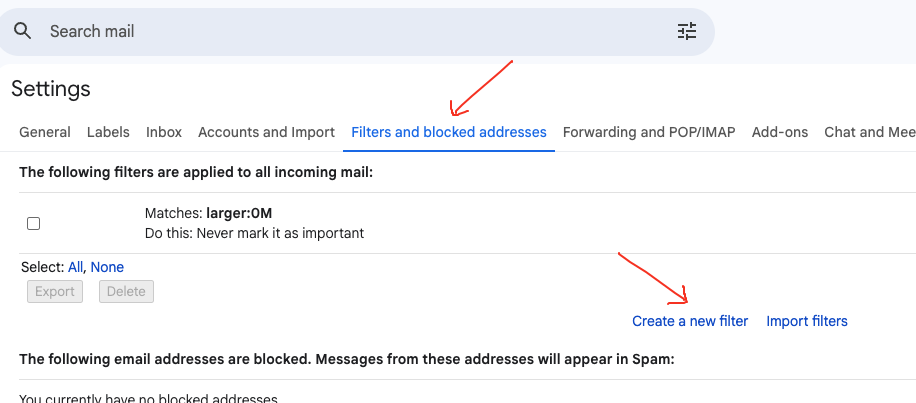
Click the Gear icon” at the top right of Gmail online. Then click “See All Settings” and click “Filters and Blocked address’s” along the top.
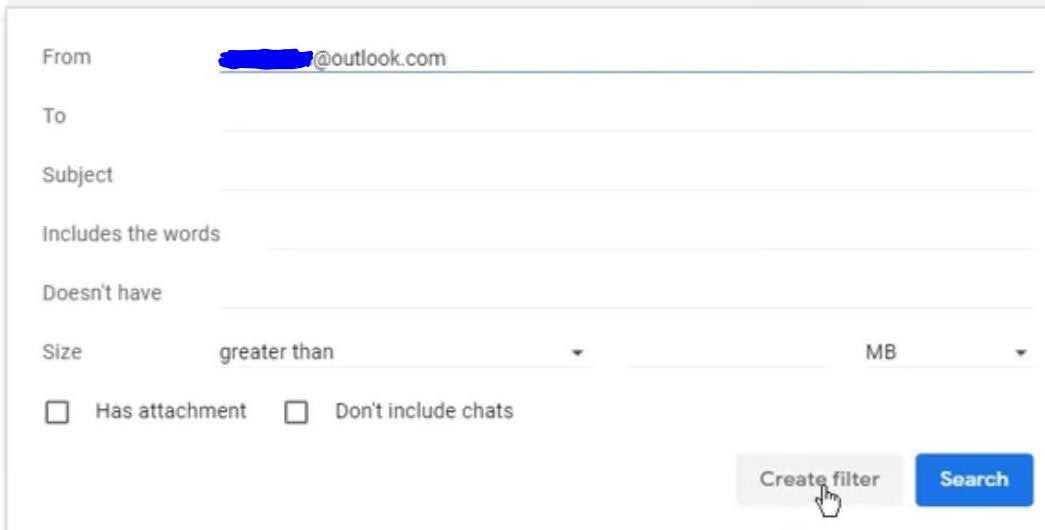
Then click “Create New Filter” and “type the email address at the top” you want to whitelist.
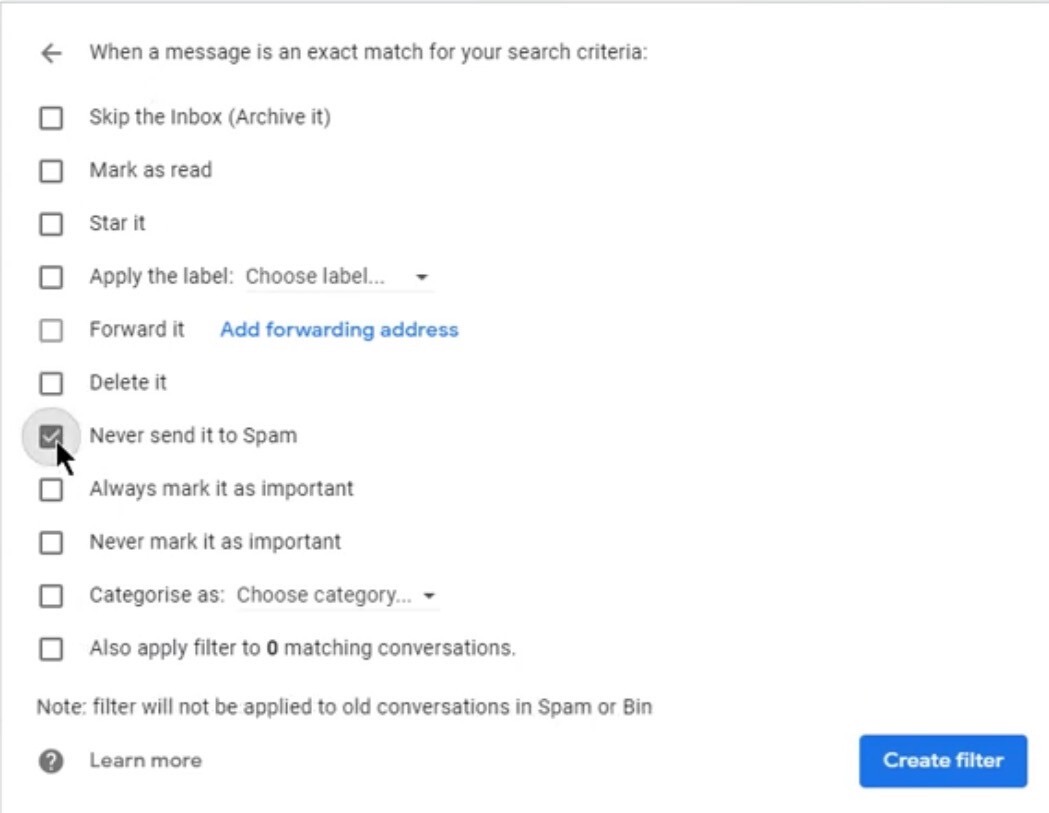
Then click “Create Filter” at the bottom, and then check the box marked “Never send it to Spam” and finally click “Create Filter”.
In theory it is good but Spammers and Phising ones change just enough and where it apprears to originate from that you are forever playing catch up in Gmail filters.
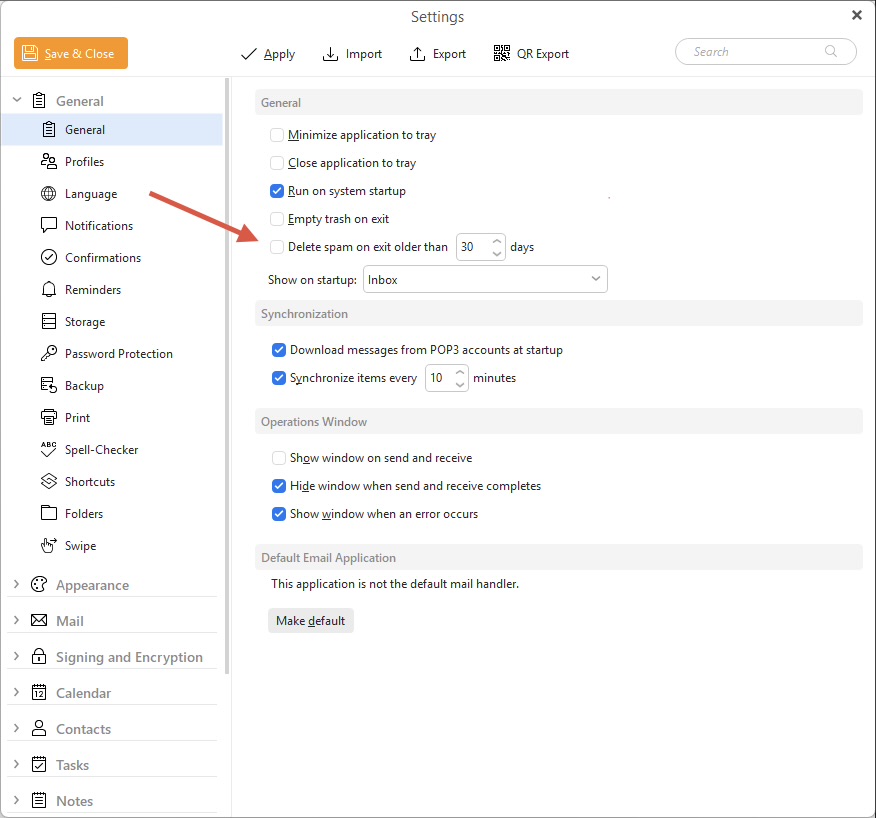
So the general spam filter in Gmail works better on it own but puts them in those folders. So one way would be able to have a filter or even an option to clear them out in the other folders once they are in eM client. My one stays open for a week or more at t time, so I have the option to empty Trash on exit but not the spam folders. Plus leaving it running so long it does not happen as much as I would like. Just a suggestion thats all if ever possible.
So even an option to empty daily or a time etc.
Wow thank you for that. So that will work great, so can let Gmail do its thing in identifying new spam/phishing. eg one of them is I have had Scotia bank alerts for years upon years telling me daily I am using my credit card overseas maybe 4 times a day. Even though I have never banked with them. :). Will set this to a day now.
Mail is automatically going to junk with no rule setup, but it has been happening since spam was invented! Just recently it has become an epidemic (my mail address is obviously out there somewhere) with 40-50 per day from different email addresses/domains. As there is always the possibility that there may be a genuine mail in there then I have to check them all several times a day.
My email provider is microsoft Live.
I have a fundamental question: I can logon to Outlook on the web to see my mail and I could set up rules there. But am I right in thinking that that is just a mail client and emc isn’t going to pick up anything (mail, rules etc) from there, rather from the Microsoft server that delivers mail to both clients?
My point being if I set rules at Outlook.com they will just effect that client, not the server serving it and emc. I need to set rules on the server, and that is obviously impossible.
Since your email address is already contaminated, I suggest you use your own domain. I have my own email address and domain for years and have full control of spam and spam recognition.
What I think is Happening, is your Microsoft outlook.com has a good spam detection system. It detects all incoming spam mails and places it in the junk folder. Then you start eM client and you see them in the junk folder that your microsoft has already detected and put them there.
This I found with my Gmail accounts is good as you say the spammers change the names etc, so hard to put filters in to catch them all, plus you will get new ones all the time once your email address is on a spam list.
Now eM client can only filter the Inbox, so no rule you setup will be able to work on the junk box if microsoft has already detected and moved it there before your eM client has even had a chance to see your incoming mail.
eM client filters only work on the inbox mails. The Only way you could do this is to turn off Microsofts spam detection, then everything will arrive in eM clients Inbox and your filters will then work. But as I have found this is way harder as spammers change too much and new ones come in. So you might find you have to keep adjusting & adding more filters all the time.
As I found and with that option zyberzork has mentioned, it is a great work around for me.
Eg. Set the delete spam on exit say after 2 days, then you have 2 days to check your spam folder for ggenuine emails. Also it wont delete anything in your junk folder until you close eM client, so can do a check then.
I have found Spam is hard to keep filters updated if you gets lots of them daily.
There is a whole Industry of software that just detects spam and manages them as it is not easy as the “bad actors” are forever trying to beat the filters etc in mail clients, providers etc.