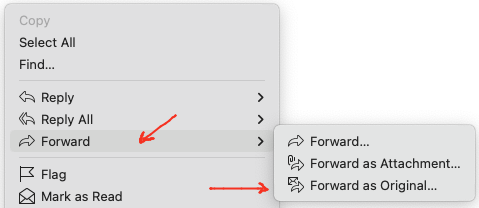
You can eg: right click the email in the body and choose “Forward as original” which will include the attachment and original sender body text as in the 1st example below.
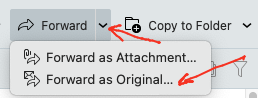
Or if you have added the Forward button to the toolbar along the top, you can click the dropdown on the right of forward and also click “Forward as original” as per the 2nd example below.
Either way will keep the attachment in the original email when you reply back.
Or if you want the original email as an attachment choose “Forward as attachment” instead.