This version has been working well since installation a week ago. Today there was one instance of this error:
[Microsoft Graph] Synchronizing folder ‘[email protected]/Inbox’ failed due to the following error: The input does not contain any JSON tokens. Expected the input to start with a valid JSON token, when isFinalBlock is true. LineNumber: 0 | BytePositionInLine: 0.
Could be your eM Client OAuth token at the Microsoft end is no longer working properly, or could be a problem with your Hotmail account in eM Client.
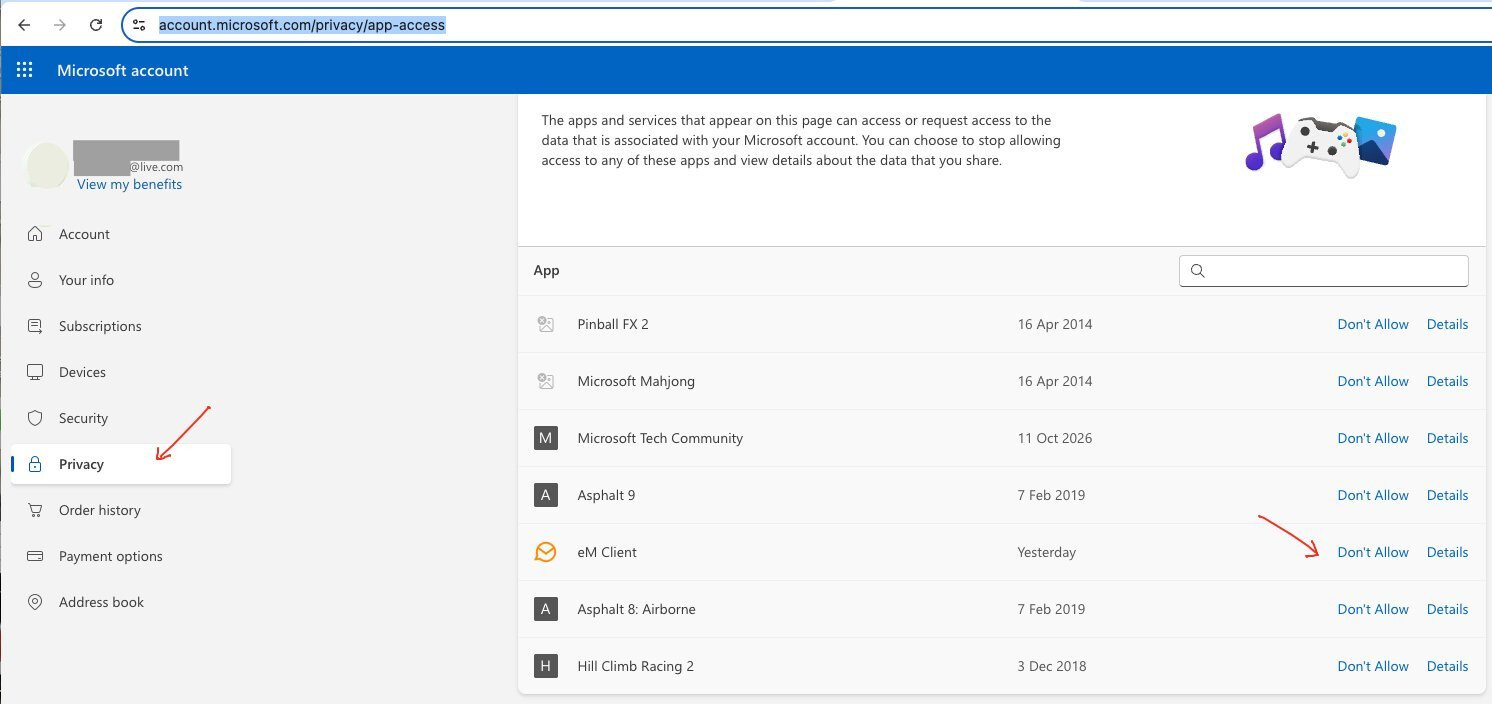
So suggest to first “try closing eM Client” and then go online to your Microsoft account Privacy App Access page and “revoke your eM Client OAuth token” as per example screenshot below.
Then “reopen eM Client” and you will get a prompt to re-allow eM Client access to your Microsoft account and see if that fixes the problem.
If that still doesn’t work, suggest you revoke the OAuth token again, and then go in eM Client to “Menu / Accounts” and remove your Hotmail account. Then re-add again via the automatic account wizard and re-allow eM Client access to your Hotmail account at the end of the setup.
Note:- Before removing and readding your account, make a manual backup via “Menu / Backup” incase you need to restore for any reason. You can see when the backup is complete in Show Operations via the dropdown on the right of Refresh.
It has only happened once to me, it can’t possibly be my settings or account. I could do what was suggested by cyberzork but I don’t see the point as the issue is so intermittent and most of the time it works fine.
If you have already tried removing and reallowing the OAuth token and already tried removing and readding your account then you might need to backup eM Client and then uninstall and reinstall and restore your data and see if that fixes it.
I’m personally not getting those Graph errors with V11.0.1389 with my own MS Live & Outlook accounts using Windows 11 (26H2) & Mac OS27.2.