I was a Win11 Legacy Outlook Power User. Outlook for MacOS (both new and legacy) suck. My primary email account is Live.com (which uses the Office365.com exchange server). The account is syncing to eM using AirSync.
My problem is that I have a bunch of custom Categories on my Live.com account that should cross-over to eM as Tags but none do and I can’t figure out how to fix it. I’ve tried tech support but the instructions they gave me seem to rely on a workflow that is not in evidence in my eM client.
Hi Adam, we can currently only synchronize the Tag list for Gmail accounts, Smartermail and Exchange accounts set up with the EWS protocol.
We unfortunately cannot sync the tag list for Microsoft accounts setup via IMAP with AirSync at this time.
The tags assigned to the actual messages, events, etc, should synchronize, though. But to be able to use the same list, you will need to create local tags with the same name in Menu>Tags (Windows) / Tools > Tags (macOS). The tags will be linked automatically by using the same name.
Some paths are slightly different on the macOS version to better match the Apple ecosystem, we’re sorry for any misunderstandings caused by our tech’s response.
Menu > Settings is eM Client > Settings on macOS, features like Tags, Rules, Quick Actions, etc. that are directly under Menu on Windows are under Tools on macOS.
You’ve been updating eM to work with MS Graph, yes? Will my Outlook Category issue be resolved that way?
@Adam-From-Texas
My problem is that I have a bunch of custom Categories on my Live.com account that should cross-over to eM as Tags but none do and I can’t figure out how to fix it.
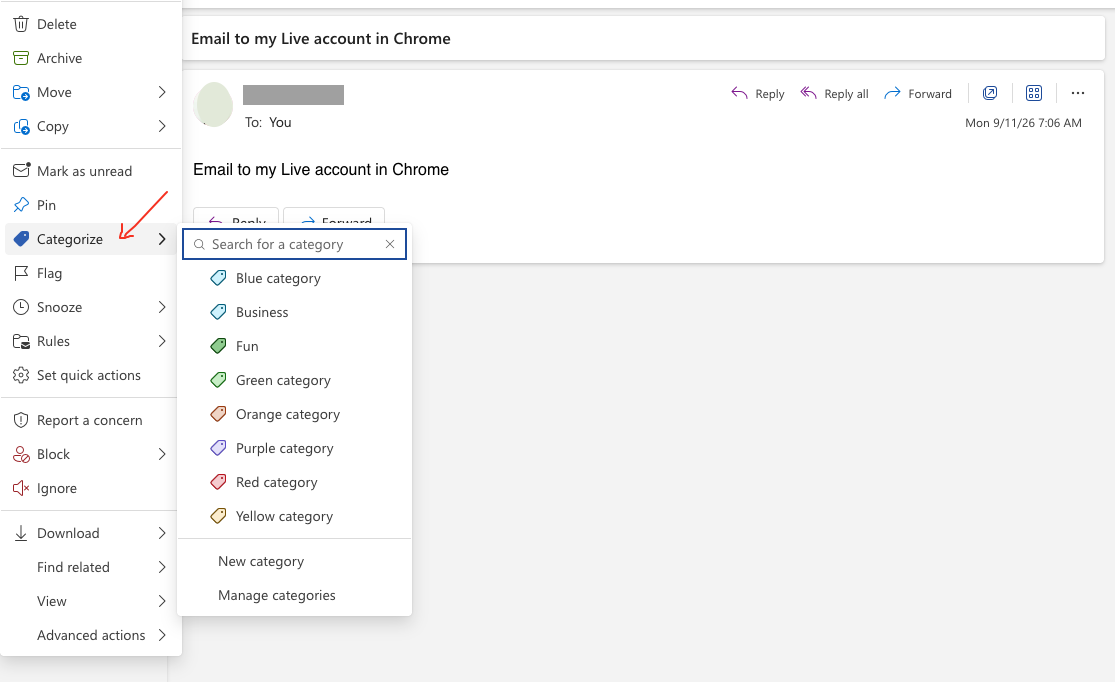
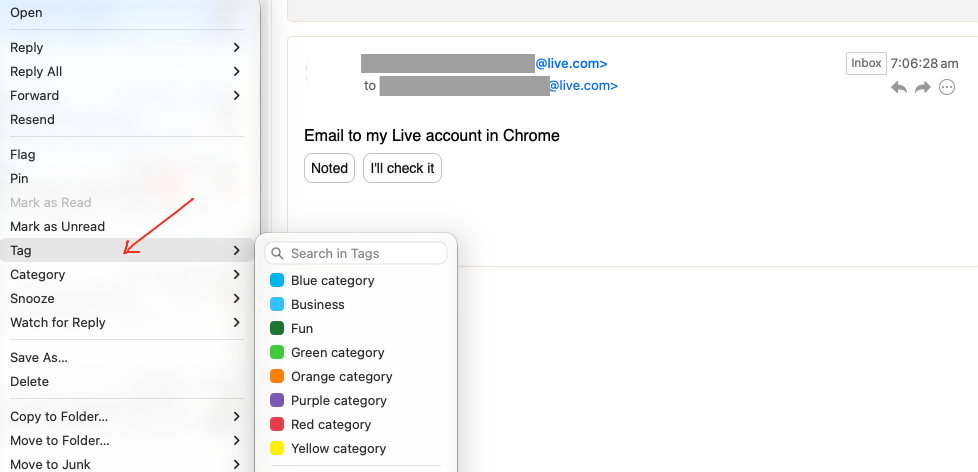
I also use a Live.,com account and Categorize stuff. So if you are referring to eg: email categorizing then yes that works fine on Pc & Mac with V11.0.1389 with a Graph account where as you can see in my Live.com webmail online in the first screenshot and in eM Client V11 in the second screenshot the Categorize / Tags show the same as in the mail example below.