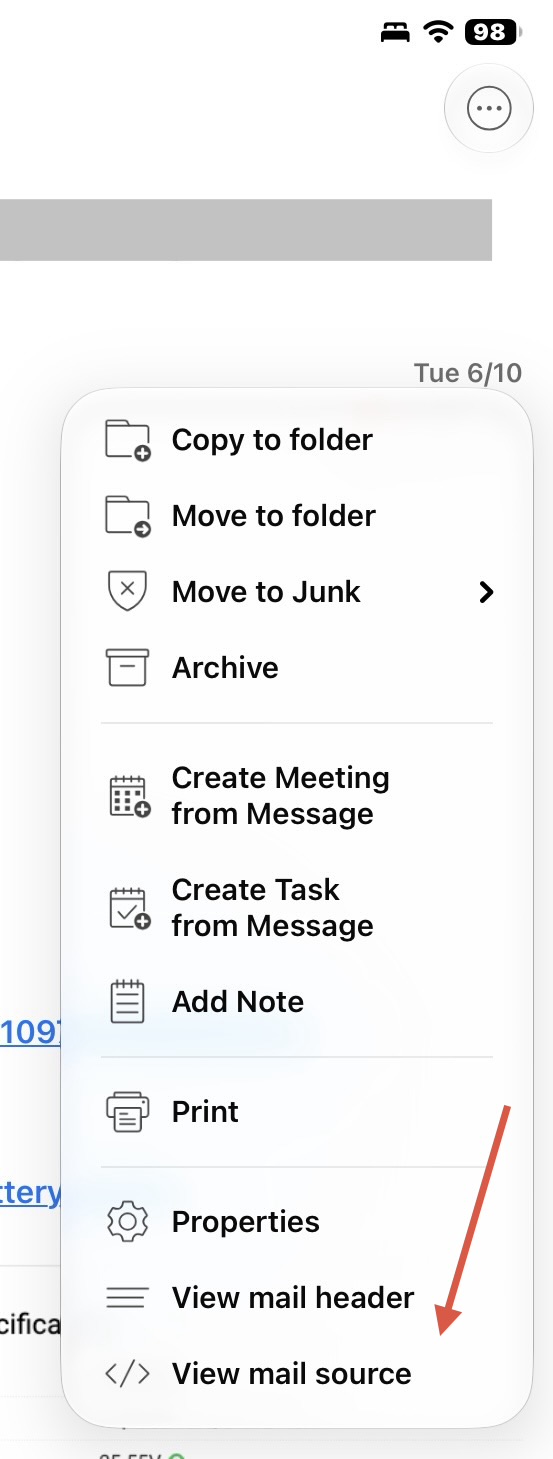
Has anyone else noticed this on their iPad with version 11.0.933? The “View message source” option has disappeared from the three-dot menus on mine, while it is still available on my iPhone and MacBook, which makes its disappearance on the iPad all the more baffling.
Is there another way to access it, or is this a regression in the latest iPad version?
There is now an updated iPad version 11.0.1140 which has the View message source .
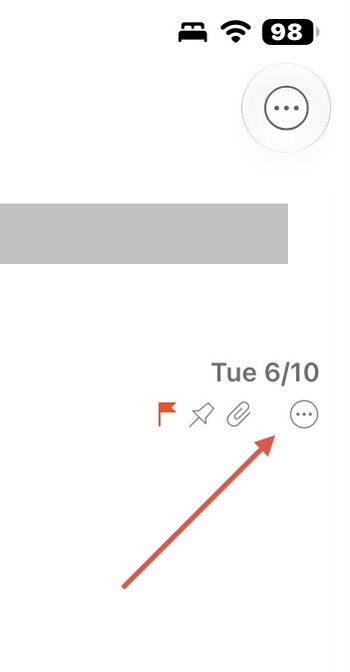
Note: Make sure to press the 3 dots “part way down on the right” and not at the very top right of the email or you wont see the view header or view source as per example screenshots below.
Hi @Lunario,
The option to view the full message source is still available in the iPad app. It isn’t in the three-dot menu in the top-right corner. It’s in the three-dot menu in the message header, just below the date the message was received. Cyberzork’s reply in this thread points to the same menu.
If you can’t find the option there, please make sure the app is up to date from the App Store. If the option is still missing after that, could you send us a short screen recording of you opening that menu and scrolling through it? That will let us see what your device shows and look into it further.