How do I set this option permanently so that all emails open immediately in the set light/dark mode?

I did not find a setting, but it is possible to manually edit the Dark Theme so the background always is light, or any other color you want.
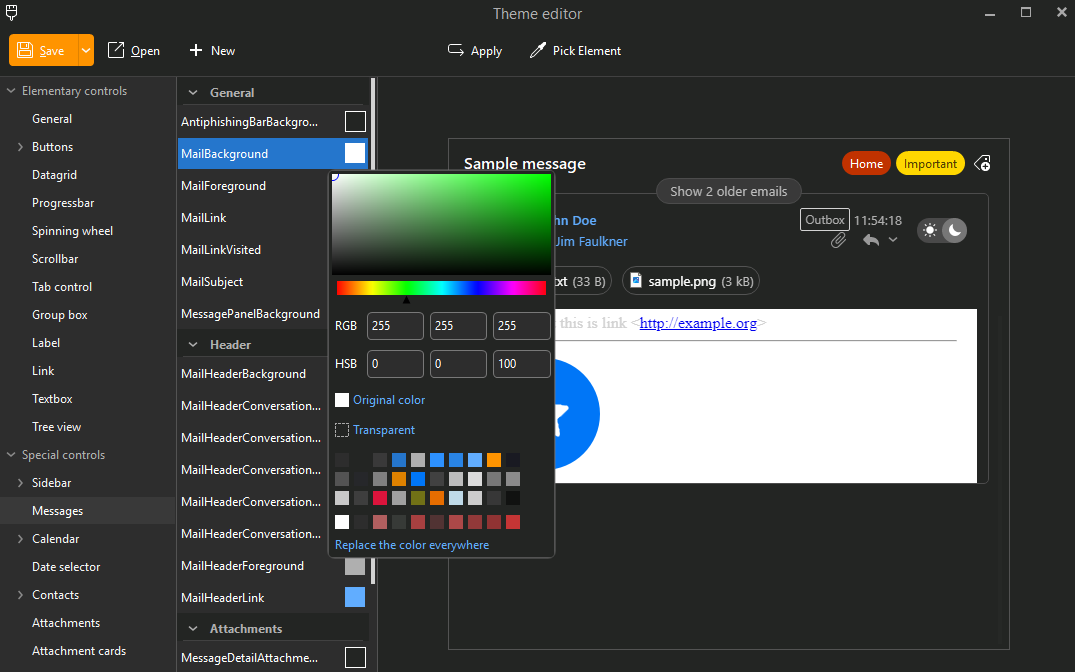
- Go to Settings > Appareance and click on Theme Editor.
- Twirl down Special controls and select Messages.
- Change color for MailBackground to white (255,255,255)
- Click on the Save button up left and give the theme a name.
- Close the Theme Editor.
- In the Settings dialog, click on Import Themes and import your new Theme.
- Scroll down and select you new Theme and click Apply.
- Click on Save & Close.
This give me mails with a light background, always. 
I noticed when i did this that all text in my Contacts were covered by white blocks, but a restart of eM Client cured that. I did not find a way to just edit the Dark Theme without having to save/create a new custom theme.
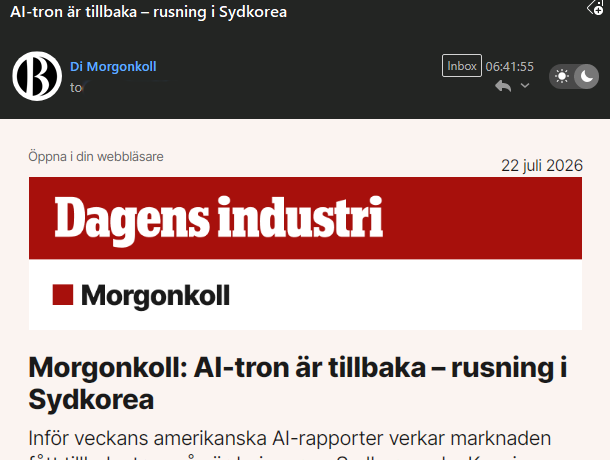
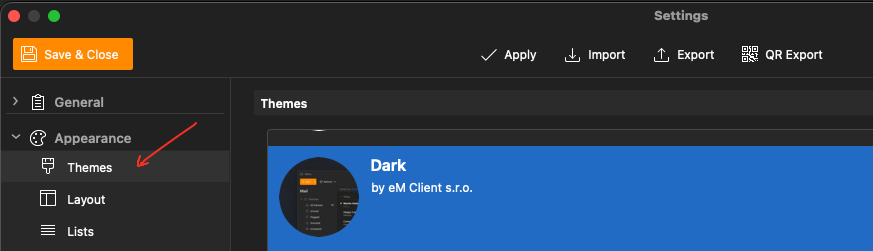
Just set the default in Settings to the built-in Dark Theme via “Menu / Settings / Appearance / Themes” so then “all your emails will have the dark/light toggle” as in your screenshot. There is no option to put the dark/light toggle option in non dark themes if thats what you were wanting.
There is a Sleekplan suggestion to have a eg: Quick Change Theme button without going to the Settings which you can vote for below if you would like that option.
Yes, I know abut this… But it doesn’t work permanently for all emails, like I asked in topic… It works only for this one eamail. All next emails are opening still in dark mode… 
The Theme Editor is really frustrating to work with, i can make one change and am forced to save it and overwrite the Theme i am editing. Overwrite as in the Save As dialog comes up and then “abc.emtheme already exists. Do you really want to replace it?” Sometimes thats all you have to do but most of the times you are force to re-import it for the setting you did to actually show up.
I can make it work here, iow that all mails get a white/light background, but discovered that the downside is that all text written in the Notes filed for Contacts get a big white block over it. So probably this can be an issue in other places as well, places that i don´t use and have not yet discovered it.
If you try again, change MailForeground from 210,210,210 to 0,0,0 or maybe 20,20,20 as well. I did not and some mails were almost impossible to read because the text were on a white background.
It would be great if one could edit a Theme and just save it and be done instead of having to write over the very Theme one edit. When it overwrites it looses Screenshot… And, many changes does nothing until you close and re-launch eM CLient.
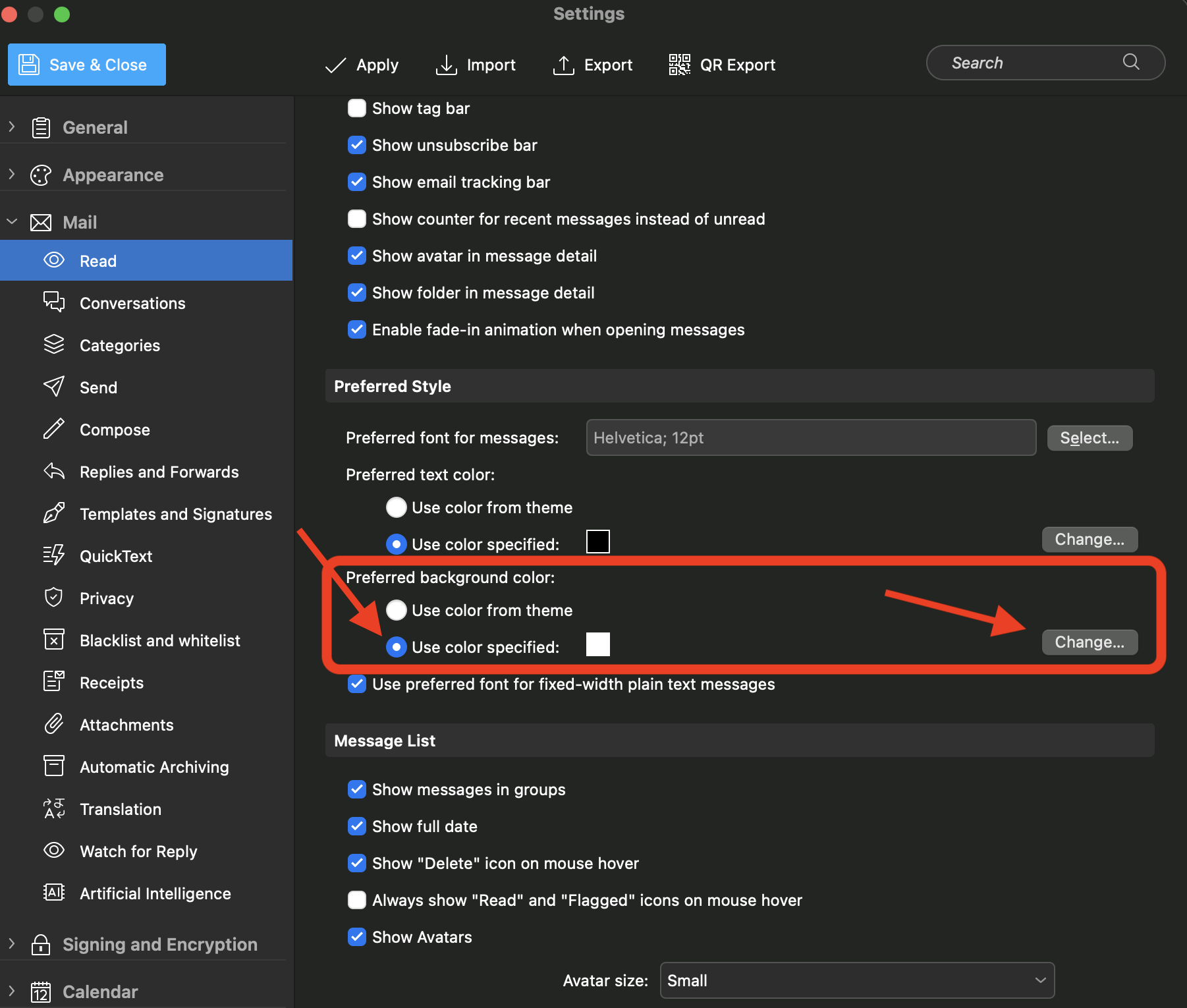
Ha, that was the superb solution you found there! I was not aware of that but am greatful to have learned something new!
I have tried but have not found any way to set the color of unread mails so they match the way they look in Outlook. I would like a solution for that as well.