I have 4 hotmail accounts. One of them now fails with Authentication error.
This happens on all 4 computers with em client.
The account works fine in Outlook.
I have tried all the usual recovery techniques, including removing the account, removing access to em client then adding the account again. The account adds fine but there are no email boxes shown.
Windows 11
Here is the log (with account name changed).
eM Client 10.4.5674+fcbf2a4bb4 (Windows)
7:56:04 AM [email protected] [IMAP] MailClient.Accounts.AuthenticationAbortedException: Authentication aborted
at MailClient.Protocols.Imap.ConnectionPoolEntry.g__ThrowNotOKServerResponseReacquireCredentialsFailed|58_6()
at MailClient.Protocols.Imap.ConnectionPoolEntry.ConnectInternalAsync(CancellationToken cancellationToken)
at MailClient.Protocols.Imap.ConnectionPoolEntry.ConnectInternalAsync(CancellationToken cancellationToken)
at MailClient.Protocols.Imap.ConnectionPool.AcquireConnectionAsync(Folder mailFolder, Boolean noSelect)
at MailClient.Protocols.Imap.ConnectionContext.CreateContextAsync(ImapAccount account)
at MailClient.Protocols.Imap.ImapFolderSynchronizer.ListFoldersAsync(IListFoldersProgress progress, Folder homeFolder, CancellationToken cancellationToken)
at MailClient.Protocols.Imap.ImapFolderSynchronizer.GetFolderList(IListFoldersProgress progress, Folder homeFolder, CancellationToken cancellationToken)
at MailClient.Protocols.Common.FolderSynchronizer.<>c__DisplayClass21_0.b__0(WorkerStatus status, CancellationToken cancellationToken)
at MailClient.Protocols.Imap.ImapActionCommand.ExecuteInternalSync(WorkerStatus status)
at MailClient.Protocols.Imap.ImapActionCommand.Execute(WorkerStatus status)
at MailClient.Commands.Command.Process(WorkerStatus status)
— End of stack trace from previous location —
at MailClient.Storage.Synchronization.FolderSynchronizerExtensions.SynchronizeSubfoldersAsync(IFolderSynchronizer synchronizer, Folder folder, SynchronizationPriority priority, CancellationToken cancellationToken)
at MailClient.Protocols.Imap.ImapAccount.SynchronizeIntAsync(Boolean forced)
at MailClient.Protocols.Common.SynchronizableMailAccount.<>c__DisplayClass22_0.<b__0>d.MoveNext()
RunInPlace = False
GUIStatus_Exception_Reported = True
That usually means eM Client needs to get a new OAuth token from the Hotmail account end.
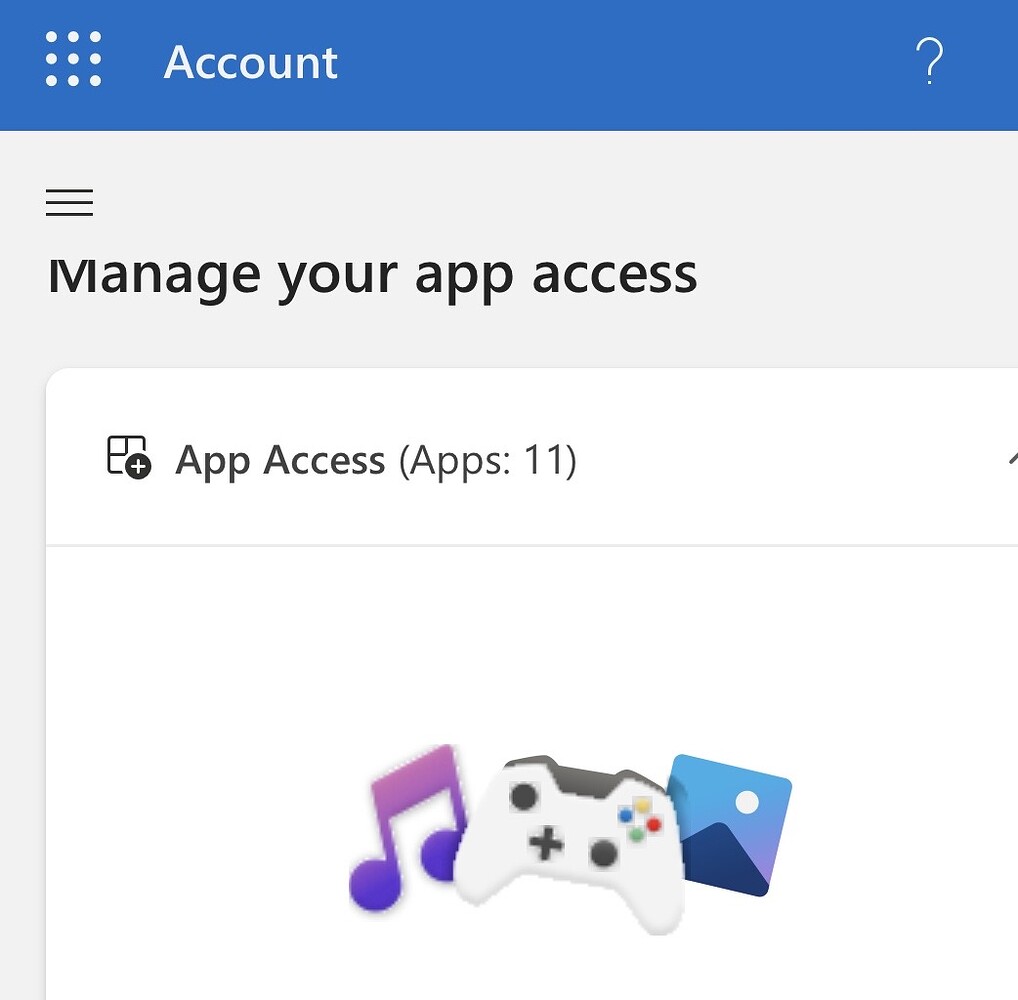
So the procedure is usually recommended to first go online to your “Microsoft Account Privacy / App Access” section and “remove / revoke” the eM Client OAuth token as per the link below.
Then once removed, go in eM Client to “Menu / Accounts” and “remove and readd your account” using the automatic account wizard and allow eM Client access to your Hotmail account at the end.
Note: If you don’t get past the Allow eM Client access screen at the end, “toggle around your open Windows” incase it’s prompting you behind. Also try clearing your browser cache completely. Or alternatively try “setting another browser as default” and then see if it authenticates eM Client ok.
Note: If you have already removed / revoked the eM Client OAuth token successfully and already removed and readded the account snd you still have the same problem, then you might possibly have an older version of eM Client and need updating, or you might have an actual database problem and might need to start brand new.
Then suggest you contact official support via lodging a ticket on the VIP support page and link this thread in your ticket. If you have run out of your 12 months support time then you can get another year support extension via the following page VIP Support Extension | eM Client
Apart from contacting official support, the only other thing I can think of is that eg: if you have a third party optionally installed firewall / security program or optionally installed antivirus program or vpn they can sometimes interfere with mail client authentication and could be the cause.
So if you do have optional programs installed like that “other than what comes default with your OS”, try completely disabling those to test.
Hi @John_A
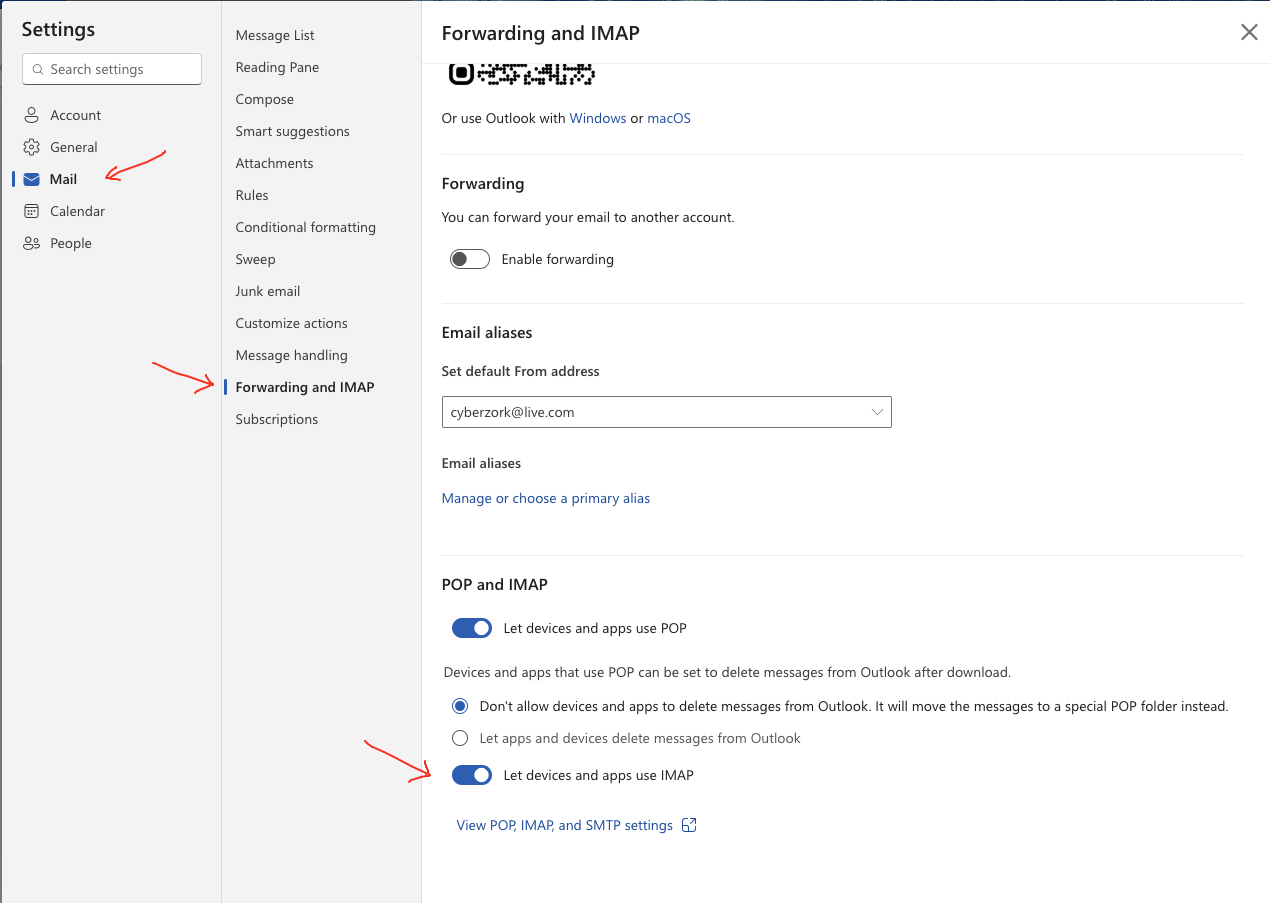
Can you please check if you have your POP and IMAP settings enabled in Outlook webmail for this account?
To do this, open your hotmail webmail (Outlook) and click the Settings (gear icon) in the top right.
Go to Mail and select Forwarding and IMAP.
Under POP and IMAP, toggle the switch for ‘Let devices and apps use IMAP’ to ON.
Click Save.
Then, try re-adding your Outlook account in eM Client.
I don’t want to spend money fixing this. I may have to switch to Outlook.
Also I have Malwarebytes as the only 3rd party security app, disabling that made no difference.