I used eMClient for some years but most of my incoming gmails from non-commercial addresses (such as friends) went in to Spam folder. This happened for over 2 years and I was in despair -ready to ditch my email address. I went back in to Gmail app numerous times over the period and added rules and added all sorts of rules such as never delete this sender and checked out all other suggestions. Nothing changed. I stopped using eMClient and (apart from the very occasional one) Gmail worked fine and worked normally. Around a year or so later I’ve tried eMClient again for the last 2 months or so and it worked great but now it is starting to move emails back in to spam folder.
If emails are automatically going to the Spam folder in your Gmail account, then sounds like either you have a "custom local rule or server rule setup” to automatically move specific sender addresses or domains to the Junkmail folder,
Or “the senders domain is possibly blacklisted” if it’s sending all their emails to the Junkmail folder,
Or the Gmail server end automatic Ai spam engine is detecting something in the sender email header, subject or body “as possible spam” and automatically moving them to the spam folder.
So first go to “Menu / Rules” (Pc) or “Menu / Tools / Rules” (Mac) and you can “dblclick on any custom rules” to view them. If you have a lot of local rules setup in there and your not sure if one of them might be causing it, suggest then to “uncheck / disable all of them to test”.
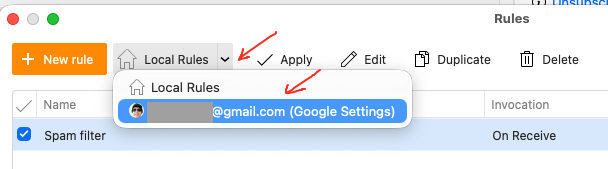
Also when in Rules, “click the dropdown on the right of Local Rules at the top” and select your Gmail address to see if there is any server rules setup incase you put a sender in a filter online.
Next if there is no Local rules or Server rules causing it, then next check the Blacklist.
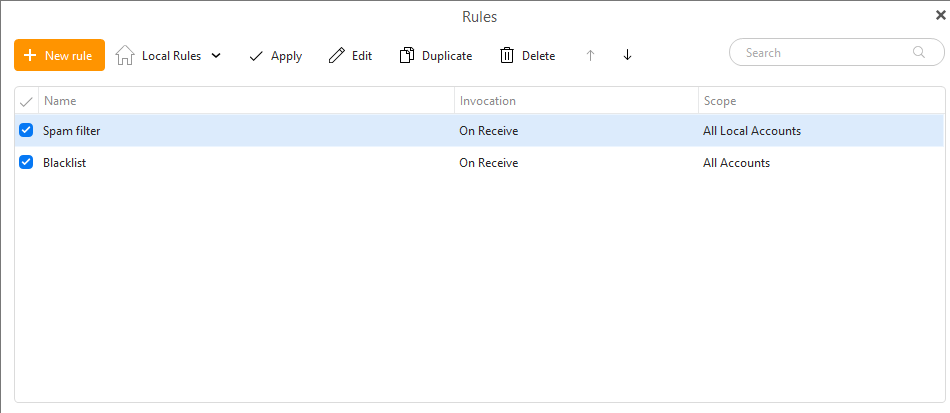
If you have eM Client V9, “you dblclick the blacklist in Rules” to view and check if any sender email addresses or domains are set to automatically go to spam.
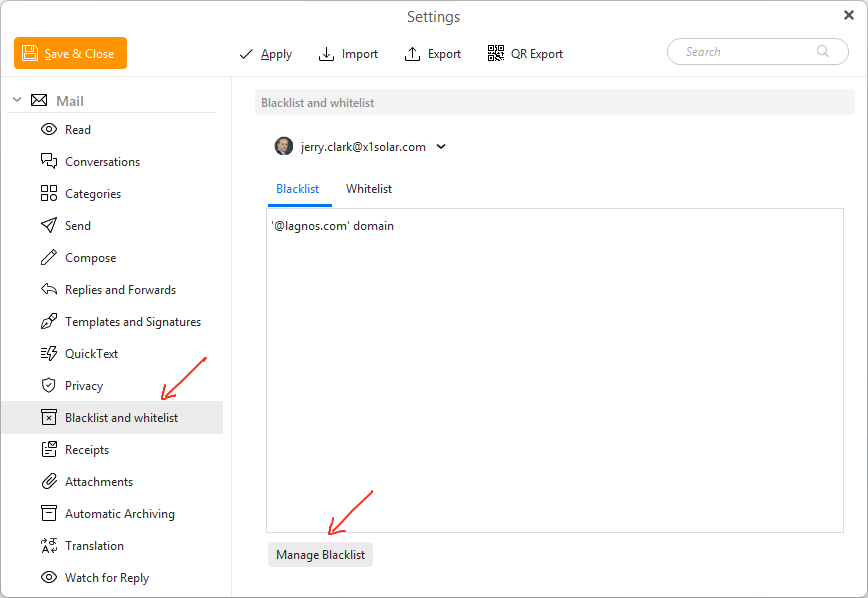
If you have eM Client V10, the blacklist is via “Menu / Settings / Mail / Blacklist & Whitelist” and click “Manage Blacklist" at the bottom.
Next if there is none of your email sender addresses or sender domains in the blacklist “then it will be the Gmail Server AI Spam engine” automatically detecting something in the senders email as possible spam and moving them to the spam folder.
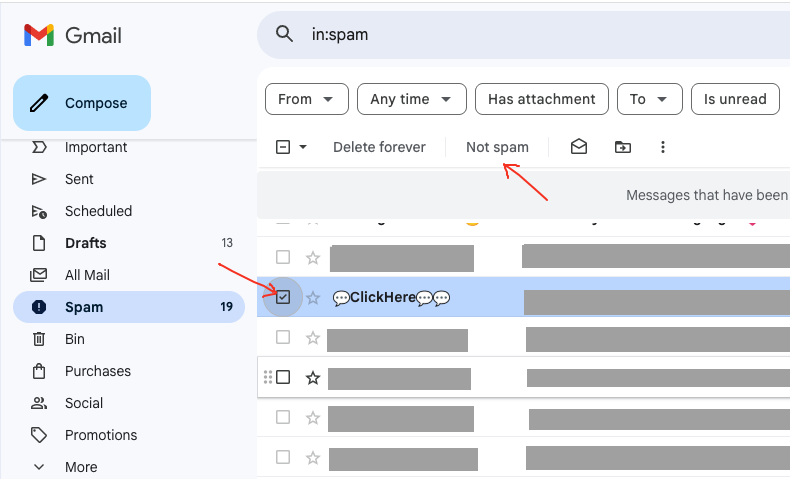
So next “go online to your Gmail Spam folder” and “select that senders email” and click “Not Spam” along the top. That will then move the email back to your Inbox and will also then “train the Gmail server end to keep the senders email in your inbox for future”. See the following Gmail support page section on “Remove email from spam” & example below.
if the senders email keeps automatically going to the Gmail junk mail folder, “you can also whitelist the sender in Gmail online” using a whitelist filter.
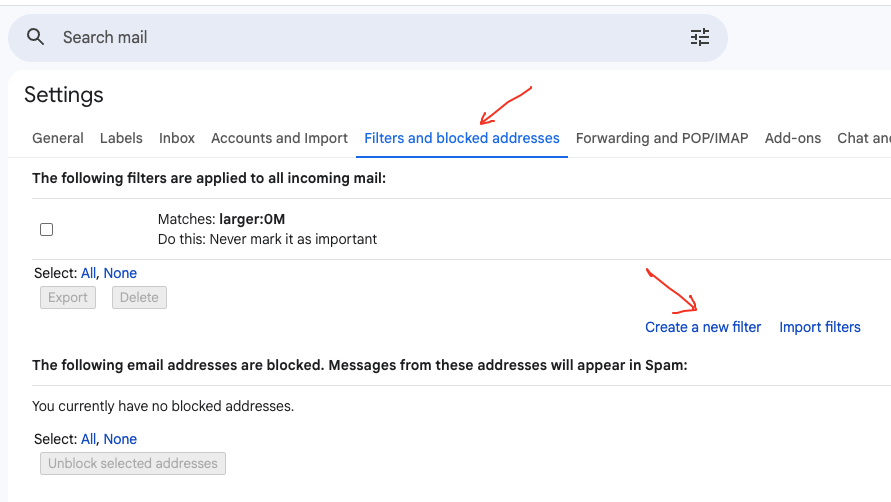
To whitelist a Gmail sender address or domain, “Open the Gear icon” at the top right of Gmail online. Then click “See All Settings” and click “Filters and Blocked address’s” along the top.
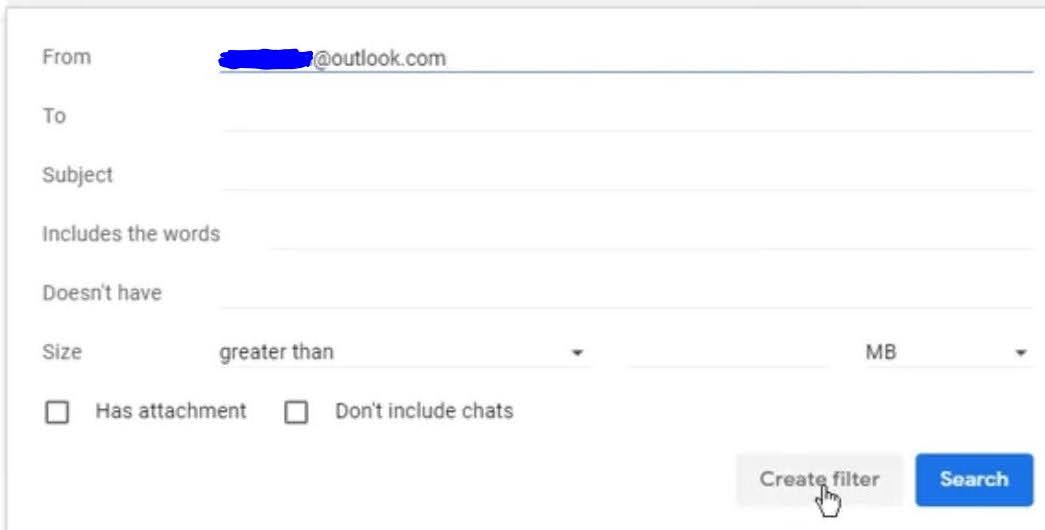
Then click “Create New Filter” and “type the email address or @domain at the top” you want to whitelist.
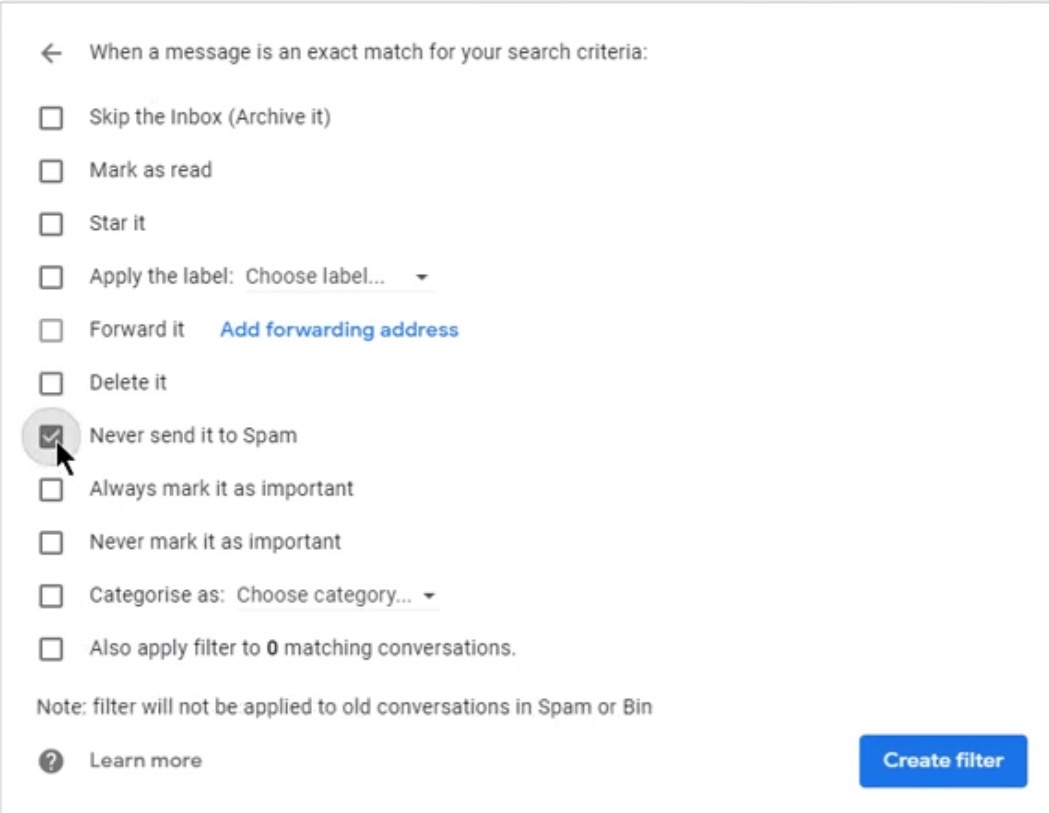
Then click “Create Filter” at the bottom, and then check the box marked “Never send it to Spam” and finally click “Create Filter”.
Thank you for your comprehensive reply. I’ll work through and reply back.