I want to open .eml files on my Mac that I saved earlier. But Outlook always opens instead…
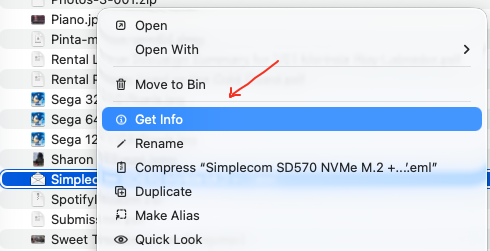
To set .eml message files to open in eM Client on Mac, you go to “Finder” and “right click on the .eml file” and click “Get info” on the dropdown menu.
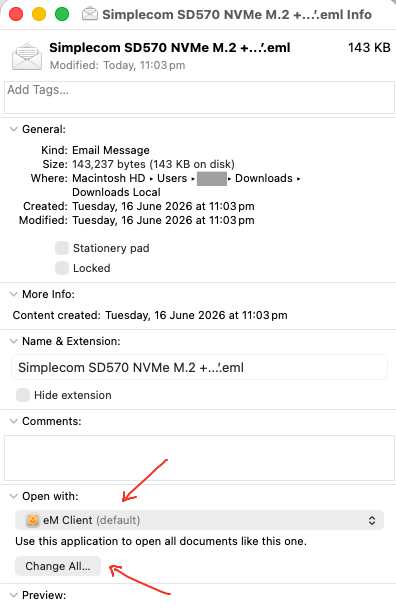
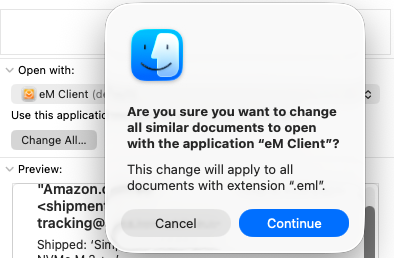
Then partway down under “Open with” you “select eM Client in the dropdown” and then click “Change All” and click “Continue” to set it default as per below OS 26 example below.
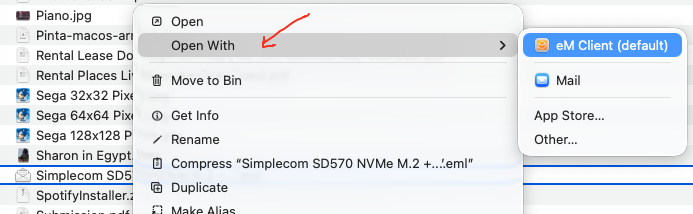
Or if you dont want to set eM Client as default to allways open .eml files, then “right click on the .eml message file” and click “Open With”, and click eM Client as per OS 26 example below.
1 Like