From the beginning mobile client on Android doesn’t start. I am looging for expanding and shrinking logo for long minutes, then terminate, start again, the same, 5-10 times, for 2 years the same or getting worse and worse, looking for the logo for longer time, need more and more restarts …
It is not by number of emails, it is nothing extreme and deleting each month.
Hi YYY. I just tried the em client for Android for the first time yesterday. It installed and started fine, no different than any other app on my Android tablet (Samsung). Maybe try removing the em client app and load the current version?
Didn’t help. STarting still on 10th try and after minute of waiting, and it amortizes by time, that more tries needed and more time to wait. OS showing sometimes, that not responsing, if wait or kill …
That is weird, so just not starting… Some trouble shooting questions. 1) What is the device (brand, model) that you are using? 2) Do you have another mobile device to try the app? I have an Android phone and an Android tablet for instance. I can confirm eM client works on a Samsung Galaxy FE tablet.
Xiaomi Redmi note 9
Model M2003J15SG
No another android device.
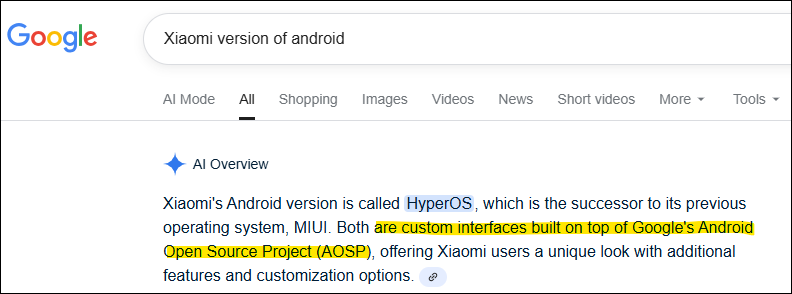
From a search, maybe an eM client rep can comment, pehaps there is something proprietary about the version of Android for Xiaomi that eM Client isn’t expecting, or eM client is expecting something in Android that it isn’t finding in the implementation for your phone.
Is there anyone else with a Xiaomi device who can try the mobile eM client app?
1 Like
Nobody else with similar device.
But my OS is:
MIUI Global
13.0.3 Stable
13.0.3.0(SJOEUXM)
so it is MIUI
STarting still on 10th try and after minute of waiting, and it amortizes by time, that more tries needed and more time to wait. OS showing sometimes, that not responsing, if wait or kill.
Try then going into your Droid “OS Settings / Apps / eM Client / Storage” section and clear the cache and see if it will then open.
Failing that you might need to also “clear the data” which will should then open like brand new where you can then either use the QR Export from eM Client desktop to setup again automatically if you use the desktop via “Menu / Tools / QR Export”, or manually setup new again if you don’t use the desktop client and see if that fixes it.
Also if you are eg: running any optionally installed mobile firewalls / security programs or optionally installed antivirus programs or vpn’s “other than what comes default” try completely disabling those to test incase of any interference.
But my OS is:
MIUI Global
13.0.3 Stable
That is an old Droid OS. Can you not upgrade to OS 15? as could be to do with your older OS or possibly the UI on the Xiaomi mobile interferring in someway.
From reading online the phone is still built on OS12, but the UI is13 and could be eg: missing OS components needed for new mail clients.
Ps I personally have no starting issues on my Samsung S22 Ultra mobile with OS 15 & UI 7
I have uninstalled it completely and installed again, setup via QR code, but still the same. I had also no problems in the beginning. upgrading the whole phone is a risk it will end.
There is no missing component, because when it starts, then it fully works, but make it start is a problem.