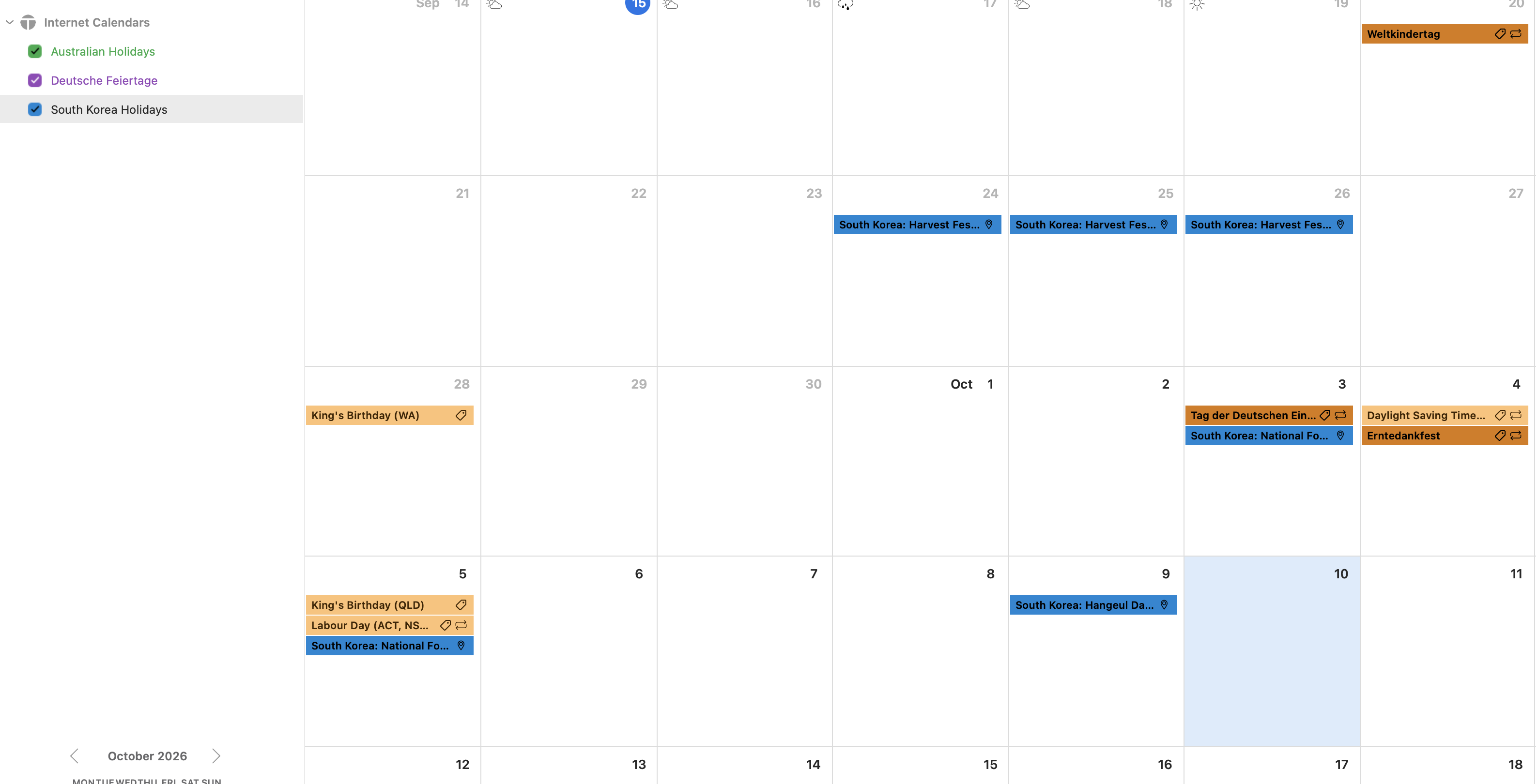
I have installed seven LOCAL calendars.The last two are for holidays. Whatever I try to set the colors, eM Client simply ignores them and displays both in a yellow shade. I have removed the calenders and started all over again twice, but with no change.
I do not want to reinstall the entire program over piddly stuff like this.
You do not say how you are trying to set the color.
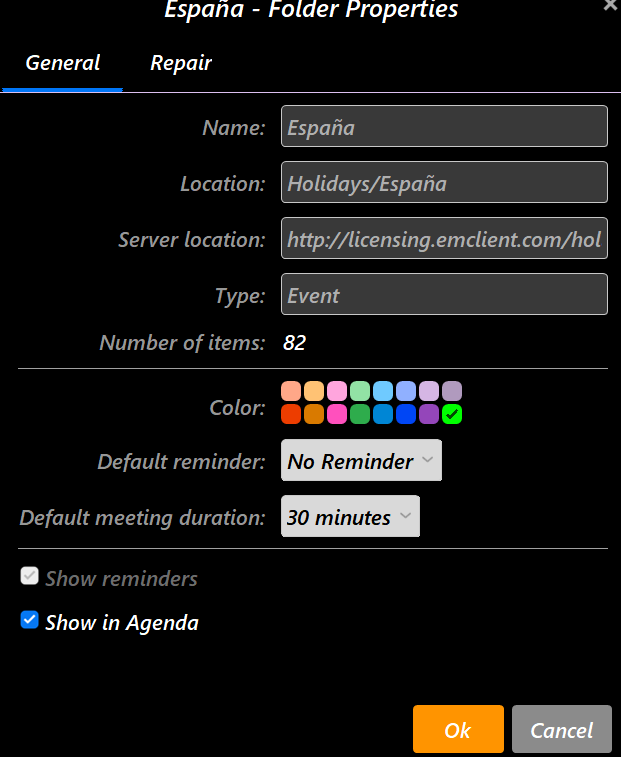
Right Click on the calendar and select Properties,
this is what you will see where you can make
your sekections.
Hi,
Yes, that’s the only way I know how to change the colors in general. Regardless which I color I selected, it always came up yellowish. In the meantime I see that the ICS file I am importing has the following label or category for each date: CATEGORIES:Holidays. All the other calendars have no defined category at all.
I believe this is the problem, but I have to research it further…
Hi @horstbs In your screenshot it seems your events are colored by its TAG.
You can either change your tag colors in menu > Tags (Win)/ Tools > Tags (macOS) or you can customize which colors have priority in multicalendar view in Settings > Calendar (Calendar then tag or Calendar only if you never want to use tag colors)