Hi emclienters,
I am testing Nextcloud Talk and i managed to create and test several Meeting rooms with different configurations direct on browser as well as on the Nextcloud Talk Desktop App. When I triey to schedule an online Meeting on my Nextcloud (Nc Talk is supported and tested) Calendar via on emClient, “Nextcloud Talk” is chosen automatically for the field “Online Meeting” and as I tried to save this i had to give my NC username, password, but then came this (error) message, saying The Nextcloud server does not support Talk (see the screen shot below). Actually the Nextcloud server does support and i tested it many times …
Am i setting up something here wrong? Can you guys have any experience about this topic …?
There is a current Sleekplan suggestion for that.
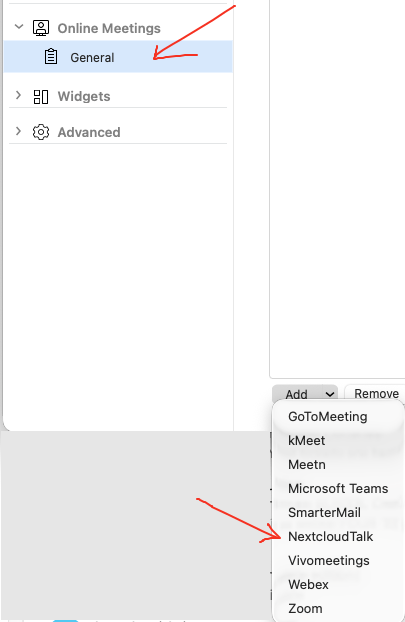
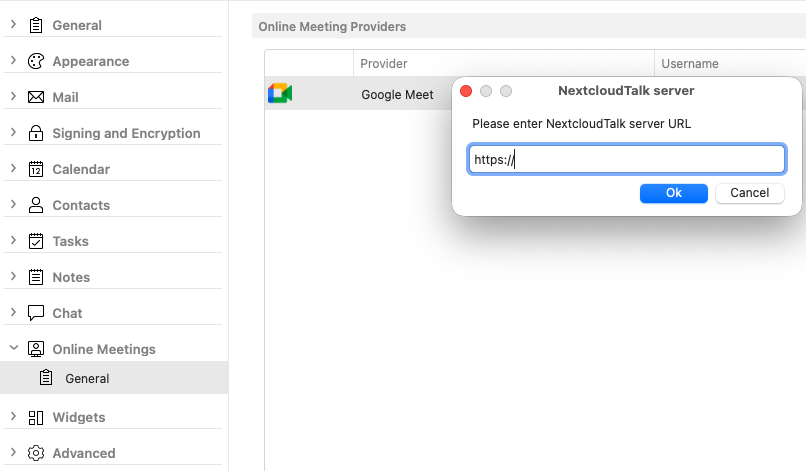
However i see in the latest eM Client V10.4.5608 & V10.4.5606 for Mac and Windows there is now Nextcloud Talk support under “Menu / Settings / Online Meetings / General” to add in the NextCloud Talk URL. So it should now work for what you want in Meetings once added.
So as you have already added your NextCloud Talk URL and its not working in Calendar Event Meetings, then if you have a current active paid Pro, Personal or Business version, i would suggest to go to the Offical VIP Support page and login and lodge a support ticket.
1 Like
Thanks! I am gonna try it.
Hi, could you please send us your Online meeting diagnostic logs? You can obtain them by following these steps:
- Go to Menu → Settings → Advanced → Logging
- Check the box for Online meeting, then click Save & Close
- Restart eM Client
- Reproduce the process of creating the meeting as you initially did
- Go back to Logging and click Send Logs…
This will open a new email with the logs attached. Please send that email directly to [email protected]
Also, just to clarify, Nextcloud Talk is expected to work for Online Meetings. The feature request mentioned by Cyberzork is for the Chat functionality, not for Online Meetings.
1 Like
Hi,
after several times of trying and testing I managed to directly schedule an Nextcloud Talk meeting. I will be tweaking it tomorrow continuously.
I will thank for your advices and suggestions!
Best wishes
1 Like
Was it just that you had the wrong Nextcloud Talk URL, or was there something you did to make it work ? Just incase others user have this issue.
Hello @cyberzork,
yes, you guessed it right. After spending some amount of time, i figured it out that i put accidently the trailing slash at the end of the URL of the NExtcloudTalk-Server like https://www.talk.emclient.com/, for example. It did not cause any error when i rigister the server with my username and password.
Later i noticed that there is another tailing slash added, i.e. now two of them //, like the one below
https://www.talk.emclient.com//index.php/call/cya2566kk
This must be a of of those 101 basics in IT or web development.
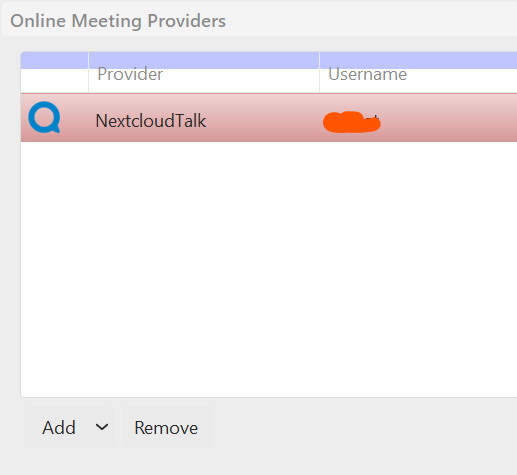
One point i wan to mention is that it would be quite helpful to add a “Edit” button or option next to “Add”, “Remove” to the UI . Or check the server URL if there is a trailing slash at the ent, if there is already one, then do not add anotehr one when a NextcloudTalk URL is created or scheduled. Otherwise one has to, as i did many times, remove the server and add it again and again.
Anyway, it is working know, thanks!
2 Likes