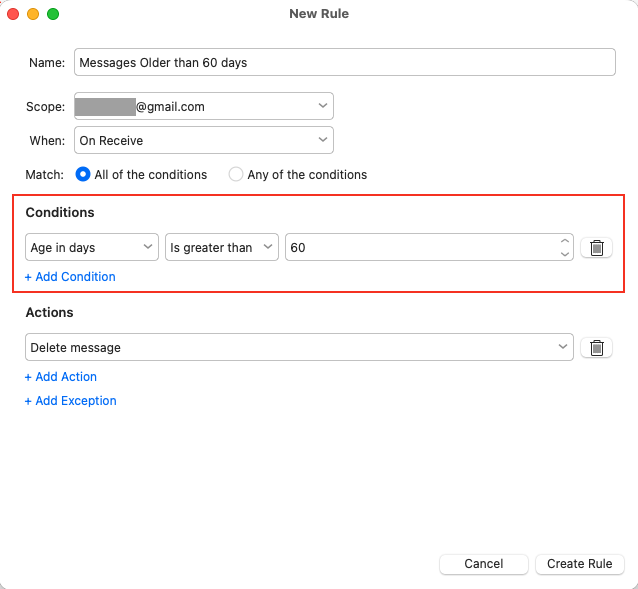
This feature has been requested by several users for years, and I am sure there are many others who would find it useful but have never mentioned it publicly in the forum.
Even with eM Client 11, eM Client still does not provide an option to automatically delete messages older than a specified number of days in selected folders.
Other options for deleting or archiving older messages may exist, but they do not replace a proper folder-specific retention setting:
Delete messages in this folder after X days.
Thunderbird has offered this feature for a long time. A separate retention policy can be configured for each folder, allowing messages older than a specified number of days to be deleted automatically.
What Thunderbird was missing for me was the clear and attractive date-based presentation available in eM Client.
That is why I developed Date Groups + Threads for Thunderbird with the support of AI. It adds colored date-group banners such as Today, Yesterday, Last 7 Days, Last 14 Days and Older, providing a presentation similar to what I liked about eM Client.
As a result, Thunderbird now gives me exactly the combination I need:
- Clear date-based grouping similar to eM Client
- Automatic deletion of messages after X days
- Individual retention settings for selected folders
I genuinely like eM Client and have enjoyed using it for many years. However, this particular feature has been missing for far too long, despite repeated requests from multiple users.
For that reason, and somewhat reluctantly, I have decided to continue using Thunderbird.
I still hope eM Client will eventually reconsider this feature, because repeatedly overlooking long-standing user requests can ultimately influence which email client people choose.
Until then, this is goodbye for now. Thanks a ton for the many good years.