I am trying to remove an old e-mail address and it is in the “other contacts” list, however when I go to that one all of the options and delete are greyed out. I can highlight another address and delete is active. How do I get rid of those that are greyed out I also noted that under the name the other tags both blue and brown “contacts” and “my contacts” are missing
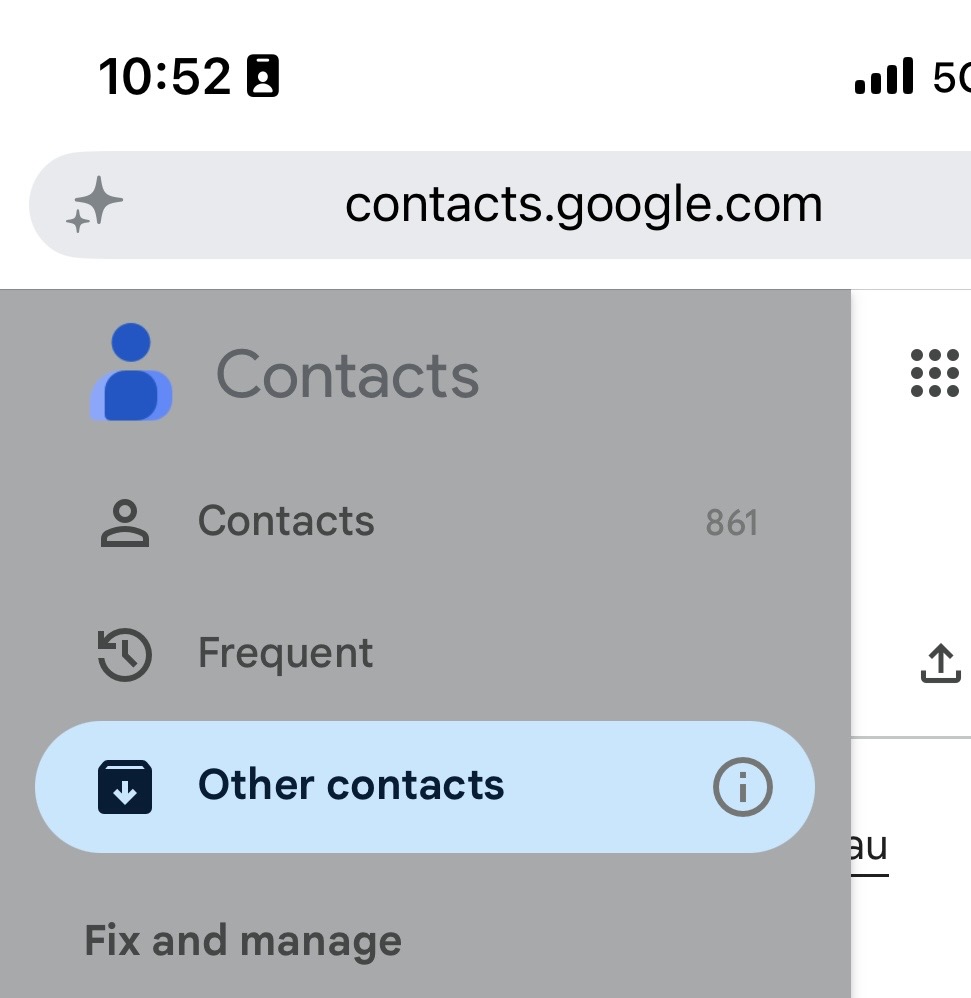
If this is a Gmail / Other contacts “close eM Client” and then open your web browser and go to the following webpage.
Then press the “Menu on the left” & you can select Other contacts and delete any you don’t want. Then reopen eM Client and it will clear the Other contacts once synced.
Okay this worked for the g-mail addresses, thank you. However I have one that is a “ymail” account how do I get rid of that one?
Does that contact appear online in your Ymail account or only in eM Client ?
I don’t have a ymail account, it is the address of the other person, so it is in my eM Client
I don’t have a ymail account, it is the address of the other person, so it is in my eM Client
If the greyed out Ymail Contact is only in eM Client and you cannot delete it, then try manually running the repair on the database with eM Client closed.
Before running the repair make a manual backup via “Menu / Backup” incase you need to restore for any reason. You can see when the backup is complete in Show Operations via the dropdown on the right of Refresh.
To manually repair eM Client database for Windows see @Gary link below.
https://forum.emclient.com/t/email-message-that-cannot-be-deleted/86994/2
To manually repair eM Client database for Mac see @Gary link below.
https://forum.emclient.com/t/email-message-that-cannot-be-deleted/86994/6
I appreciate your response however if I have a chance of losing my contacts I don’t think it is worth it to delete one e-mail address, I just hopefully will remember not to use it. Thank you ever so much
if I have a chance of losing my contacts I don’t think it is worth it to delete one e-mail address,
If they are Local Contacts that you are worried about possibly loosing, then the builtin manual backup includes all Local Contacts which can be easily extracted if you need to anytime later. The dated backup.zip file by default goes in your “Documents / eM Client” folder.
Also before running the repair if you want, you can also optionally go to “Menu / File / Export” and export Local Contacts to vCard (.vcf ) format to a folder on your desktop or documents, which also can then be easily imported later if you need to. See my post below how to do that.
Thank you once again, I will have to decide what I want to do so thank you